10 Best Workspace Management Software of 2026
Managing office spaces has become more challenging as hybrid work models become the norm across the United States. Businesses must find ways to maximize office utilization, enhance employee productivity, and reduce operational costs.
Modern workspace management solutions provide flexible tools that help organizations streamline daily operations, track office usage, and ensure every area is used efficiently. With these systems, companies can create smarter, more organized work environments that support both in-office and remote employees.
What is Workspace Management Software?
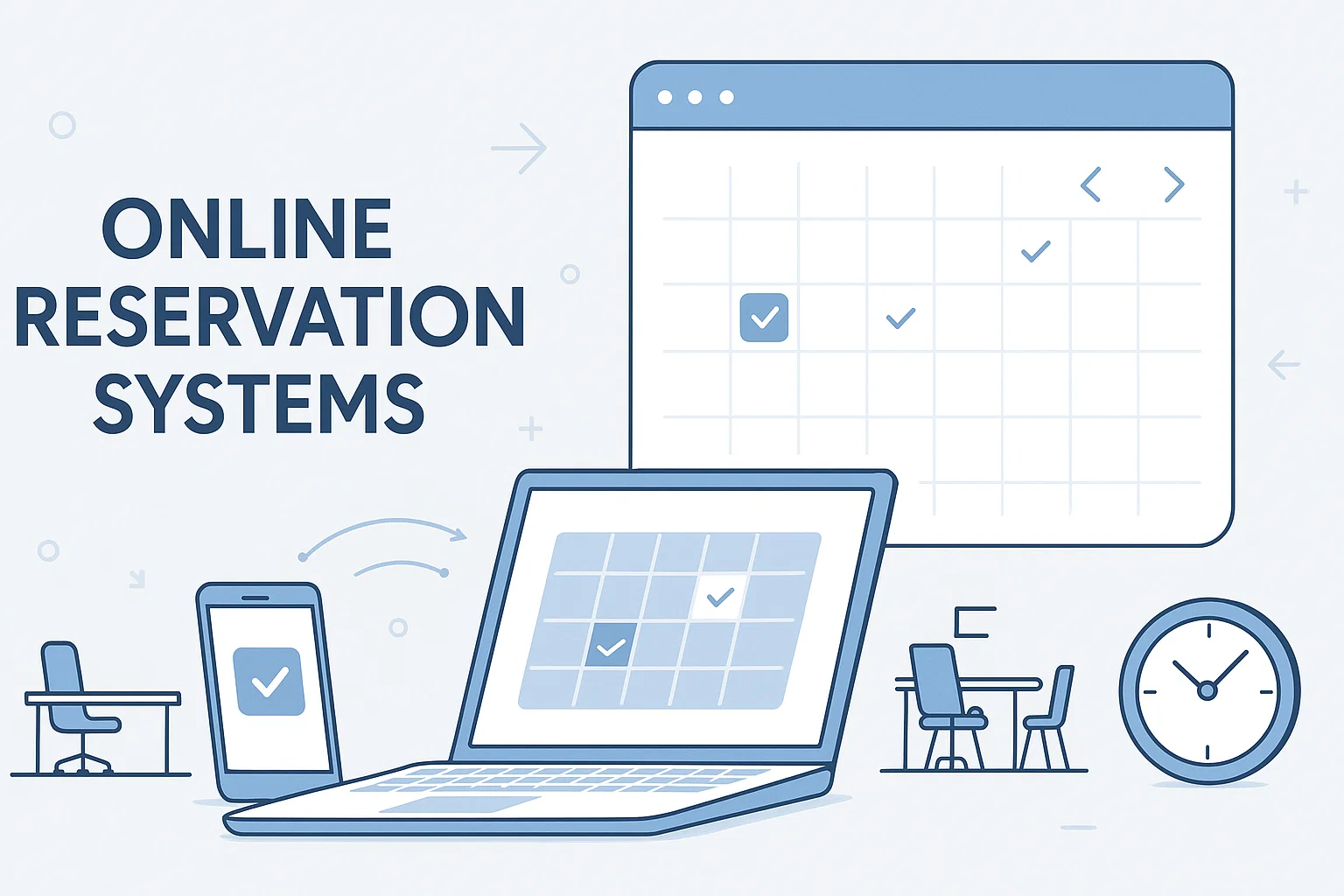
Workspace management software is a comprehensive digital platform designed to help businesses manage office spaces, desks, and meeting rooms efficiently. These solutions integrate scheduling, visitor management, and analytics into a single system, providing a seamless way to monitor and optimize space usage. By offering real-time insights, organizations can improve office layouts, support hybrid teams, and ensure every area is utilized effectively to boost productivity and collaboration.
Why Hybrid Offices need Workspace Management Software?
Workspace management software helps businesses streamline office operations, optimize space usage, and improve employee collaboration. It ensures every area of the workplace is used efficiently while supporting hybrid work models.
1. Improve Collaboration
Workspace management software enables teams to collaborate efficiently by providing clear visibility into desk availability, meeting rooms, and shared spaces. Employees can plan in-office days, coordinate meetings, and interact seamlessly, whether working remotely or on-site.
2. Reduce Administrative Workload
These systems automate tasks like desk bookings, room reservations, and visitor check-ins, saving time for administrative staff. Automation ensures smooth operations and eliminates scheduling conflicts, allowing employees to focus on their core responsibilities.
3. Optimize Space Utilization
With real-time analytics and reporting, workspace management software helps organizations track how offices are used. Businesses can identify underutilized areas, reconfigure layouts, and allocate resources strategically to maximize employee productivity and efficiency.
4. Enhance Employee Experience
A well-managed office improves the overall work experience. Employees enjoy easier access to desks, rooms, and resources, which reduces frustration, supports hybrid work, and encourages engagement.
5. Boost Productivity and Decision-Making
By providing actionable insights into space usage and occupancy trends, these platforms help decision-makers plan office layouts, manage resources efficiently, and improve team performance across hybrid and on-site work environments.
Top 10 Workspace Management Software
Managing office spaces efficiently is essential for hybrid workplaces. The right software helps optimize space, improve productivity, and streamline daily operations.
| Software | Overview | Key Features | Integration |
|---|---|---|---|
| DeskFlex | Versatile solution for hybrid offices, managing desk bookings, meeting rooms, and space usage. | Desk booking, room scheduling, 3D floor maps, visitor management | Office 365, Outlook, Zapier |
| OfficeSpace | Focuses on scenario planning to optimize office layouts and simulate workspace setups. | Desk and room booking, scenario planning, space analytics | Digital signage, Outlook |
| HubStar | Provides detailed analytics comparing planned vs actual space usage for informed decisions. | Desk booking, meeting rooms, space analytics | Microsoft Teams |
| Tactic | Supports hybrid teams with tools for collaboration and flexible workspace management. | Desk booking, meeting rooms, collaboration, analytics | Teams, Outlook |
| Skedda | Fast and user-friendly platform for managing desks and meeting rooms efficiently. | Desk and room booking, custom booking rules, real-time availability | Google Calendar, Outlook |
| Condeco | Comprehensive hybrid office management with reporting for space optimization. | Desk booking, room scheduling, analytics | Microsoft Teams, Outlook |
| Robin | Helps teams coordinate office presence, book desks, and manage meeting rooms easily. | Real-time availability, desk and room booking, occupancy analytics | Calendar tools |
| iOFFICE | Digital workplace platform supporting large organizations and hybrid teams. | Desk & room booking, visitor management, maintenance tracking | Office 365, Google Workspace |
| EMS Software | Enterprise-level solution for workspace management and hybrid collaboration. | Desk booking, room scheduling, digital signage, analytics | Outlook, Teams |
| YAROOMS | Flexible platform for desk, room, and resource management in hybrid workplaces. | Desk & room booking, analytics, reporting | Outlook, Teams |
1. DeskFlex
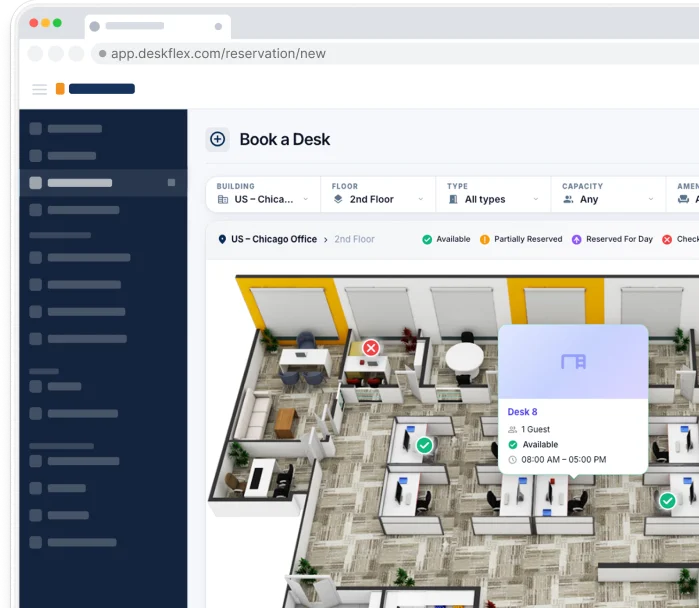
DeskFlex is a comprehensive workspace management software designed for hybrid work environments. It allows employees to reserve desks, meeting room bookings, and workspaces in real time, providing a seamless experience for both remote and in-office staff. The platform also offers insights into office usage, helping managers make informed decisions.
Key Features:
- Desk hoteling and hot desking for flexible seating
- Real-time analytics on space utilization and office traffic
- Integration with Office 365, Outlook, and Zapier
- Visitor management and access control for enhanced security
- 3D floor maps for easy navigation of office layouts
2. OfficeSpace
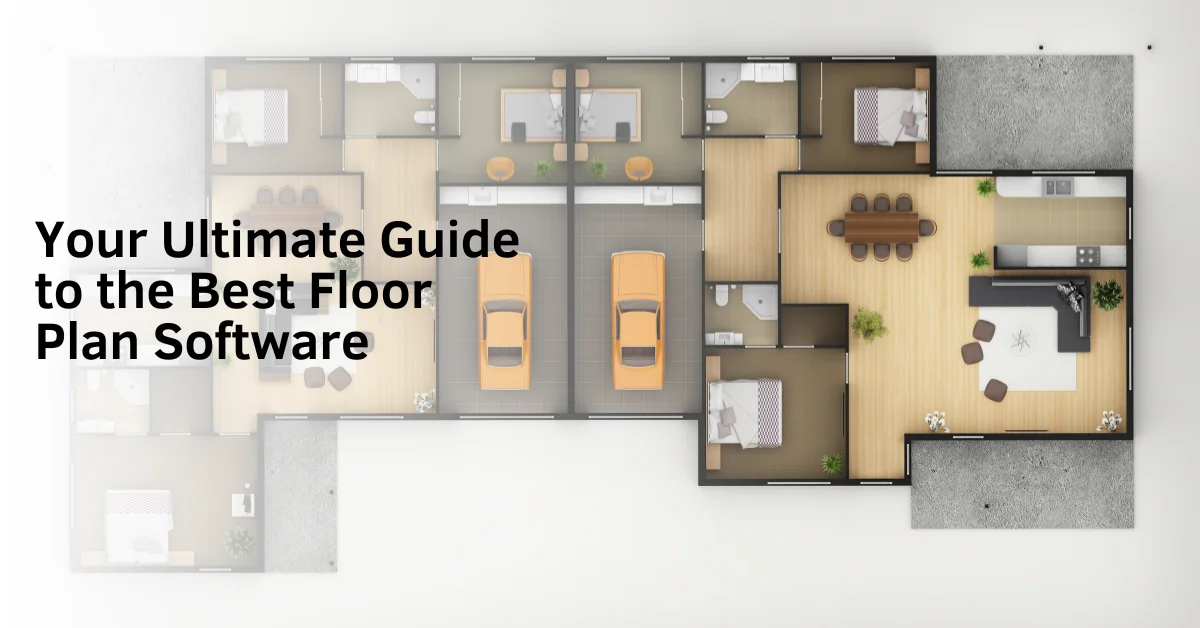
OfficeSpace emphasizes scenario planning to help businesses test and optimize office layouts. It allows managers to simulate different seating arrangements and floor plans before implementing changes, ensuring efficient use of space and resources.
Key Features:
- Scenario planning for office layout testing
- Real-time data on desk and room usage
- Integration with digital signage for employee navigation
- Tools to optimize space and resource allocation
3. HubStar
HubStar focuses on comparing planned versus actual space utilization, providing businesses with detailed analytics. It enables organizations to track desk and meeting room usage, helping hybrid teams coordinate efficiently while optimizing office space.
Key Features:
- Detailed analytics for space utilization
- Meeting room and desk booking capabilities
- Integration with Microsoft Teams for scheduling
- Tools for hybrid workforce coordination
4. Tactic
Tactic is designed to manage hybrid teams efficiently, offering tools for desk and meeting room reservations. The platform provides workplace analytics to help optimize layouts and ensure smooth collaboration between remote and in-office employees.
Key Features:
- Desk booking and meeting room scheduling
- Real-time workplace analytics for space optimization
- Collaboration tools for coordinating in-office days
- Supports hybrid work models effectively
5. Skedda
Skedda is a fast and easy-to-use workspace management software suitable for companies needing quick implementation. It allows businesses to manage desks, meeting rooms, and shared spaces efficiently, with integrations that support smooth scheduling.
Key Features:
- Quick setup and user-friendly interface
- Desk, meeting room, and shared space management
- Integration with Google Calendar and Outlook
- Customizable booking rules to match business needs
- Efficient resource management for hybrid workplaces
6. Condeco
Condeco provides a complete workspace management solution designed for hybrid offices. It enables employees to book desks, schedule meeting rooms, and access workplace resources from both desktop and mobile applications. The platform is designed to optimize office layouts and support efficient space utilization across large teams.
Key Features:
- Desk and meeting room booking for hybrid work environments
- Workplace analytics to track space utilization and occupancy trends
- Integration with Microsoft Teams and Outlook for seamless scheduling
- Reporting tools for managers to optimize office layouts and resources
7. Robin
Robin focuses on coordinating office presence and ensuring teams can collaborate efficiently. Employees can view real-time availability of desks and meeting rooms and book spaces instantly. The platform is designed to maximize resource usage while providing managers with insights into office occupancy.
Key Features:
- Real-time desk and meeting room availability
- Integration with calendar tools such as Google Calendar and Outlook
- Analytics on occupancy and space usage to improve office planning
- Tools for managing hybrid teams and flexible work schedules
8. iOFFICE
iOFFICE offers a full digital workplace platform that supports hybrid teams in managing desks, meeting rooms, and office resources. It also includes visitor management and maintenance request tracking to streamline daily operations. Its analytics capabilities help organizations make data-driven decisions for optimal space usage.
Key Features:
- Desk and meeting room booking for flexible workspaces
- Visitor management and automated check-ins
- Space analytics to optimize office layouts
- Integration with Office 365 and Google Workspace for smooth scheduling
9. EMS Software
EMS Software is an enterprise-level solution for comprehensive workplace management. It provides tools to manage desk bookings, room scheduling, and integrates with digital signage for better office visibility. EMS ensures that hybrid teams can collaborate efficiently while giving managers control over office resources.
Key Features:
- Desk and meeting room management with real-time availability
- Integration with digital signage to display room status
- Analytics and reporting to monitor space utilization
- Enterprise-grade support for large organizations
10. YAROOMS
YAROOMS helps organizations manage desks, rooms, and other office resources in flexible work environments. Employees can book spaces via mobile or desktop apps, and managers can monitor space usage with detailed analytics. Integration with popular productivity tools ensures smooth scheduling for hybrid teams.
Key Features:
- Desk and meeting room booking for hybrid workplaces
- Real-time analytics to track space usage and trends
- Integration with Microsoft Outlook and Teams for scheduling
- Streamlined management of office resources for employees and managers
Key Features of Workspace Management Software
Workspace management software provides businesses with the tools they need to efficiently manage office spaces, enhance collaboration, and support hybrid work environments. Here are the key features explained in detail:
1. Desk Booking
Desk booking allows employees to reserve workspaces in real time, supporting both hot desking and desk hoteling. This ensures that everyone has a designated workspace when they come to the office and reduces confusion over available desks. Flexible seating arrangements also allow managers to adapt the office layout based on occupancy patterns.
2. Meeting Room Booking
Meeting room booking tools prevent scheduling conflicts by allowing teams to book rooms in advance. Employees can view real-time availability, ensuring meetings start on time and run smoothly. This also helps organizations utilize their conference rooms efficiently and avoid double bookings.
3. Space Utilization
Space utilization features track how often desks, meeting rooms, and other office areas are used. Managers can identify underused spaces and reallocate them for higher efficiency. These insights also guide decisions on future office layouts and resource allocation to maximize productivity.
4. Visitor Management
Visitor management systems streamline check-ins for guests while maintaining workplace security. Employees can pre-register visitors, control access levels, and monitor entry in real time. This creates a professional experience for clients and ensures sensitive areas remain secure.
5. Analytics and Reporting
Analytics and reporting tools provide actionable insights on office space usage, employee attendance, and occupancy trends. Managers can make informed decisions to optimize layouts, reduce operational costs, and improve the employee experience. Customizable reports also help track progress and measure the impact of workspace changes.
6. Integration
Integration capabilities allow the software to connect seamlessly with tools like Outlook, Microsoft Teams, Google Calendar, and other collaboration platforms. This ensures smooth scheduling, reduces manual entry, and keeps all workplace operations synchronized in one platform.
Steps to Implement Workspace Management Software
Implementing workspace management software successfully requires a structured approach to ensure the system meets your organization’s needs and improves office efficiency.
1. Assess Space Needs
Begin by analyzing your office environment, including the number of employees, desks, and meeting rooms. Conduct a space audit to identify underutilized areas and determine how hybrid work patterns affect office occupancy. This helps you choose a system that addresses your specific requirements and maximizes space efficiency.
2. Select the Right Software
Choose a workspace management solution that supports hybrid work, flexible desk arrangements, and seamless integration with existing tools like Outlook, Teams, and Google Calendar. Evaluate features such as desk booking, conference room scheduling, visitor management, and analytics to ensure the platform aligns with your organization’s goals.
3. Train Employees
Provide thorough training for both staff and administrators on how to use the system effectively. Teach employees how to book desks and meeting rooms, access real-time availability, and leverage analytics for efficient space usage. A well-trained team ensures smooth adoption and maximizes the benefits of the software.
4. Monitor Usage and Optimize
Continuously monitor office space usage using the software’s analytics and reporting tools. Adjust office layouts, seating policies, and resource allocation based on data insights. Regular monitoring allows your organization to improve space utilization, reduce operational inefficiencies, and enhance the overall employee experience.
Optimize Hybrid Workplace Management with DeskFlex
DeskFlex simplifies hybrid work by allowing employees to book desks, rooms, and resources easily. It provides real-time analytics on office usage and helps managers optimize space. Visitor management ensures security, and hot-desking support improves flexibility. DeskFlex makes hybrid workplaces efficient, organized, and productive.
Ready to optimize your workspace? Book a live DeskFlex demo today.
Frequently Asked Questions (FAQs)
What is workspace management software used for?
Workspace management software is used to manage office spaces, desk bookings, and meeting rooms efficiently. It helps businesses optimize space usage, improve collaboration, and support hybrid work environments.
How does workspace management software support hybrid work?
It allows employees to book desks and meeting rooms in advance, check real time availability, and coordinate in office schedules. This ensures smooth collaboration between remote and on site teams.
What features should I look for in workspace management software?
Key features include desk booking, meeting room scheduling, space utilization analytics, visitor management, and integration with tools like Outlook, Teams, and Google Calendar.
Can workspace management software improve office productivity?
Yes, it reduces scheduling conflicts, improves space utilization, and streamlines daily operations. This creates a more organized work environment that helps employees stay focused and productive.
Is workspace management software suitable for small businesses?
Yes, many solutions offer flexible and scalable options for businesses of all sizes. Small businesses can use it to manage limited space efficiently and support flexible work arrangements.


Support
Demo
Blog