Blog
Desk Booking Software: The Complete 2026 Guide for Hybrid Offices
Most offices today are running at 40–60% desk utilization, but they’re still paying rent on 100% of the square footage. The shift to hybrid work didn’t just change where people work — it broke the assumption that every employee needs an assigned seat. Desk booking software is the tool that closes that gap.
Desk booking software lets employees reserve workstations on demand, gives administrators real-time visibility into who’s using which spaces, and produces the data leadership needs to right-size office investments. It’s become standard infrastructure for hybrid workplaces in 2026, alongside calendar systems and video conferencing tools.
This guide covers everything you need to know: what desk booking software is, how it works, the main types and pricing models, who benefits most from it, and how to choose the right system for your office. If you’re early in your evaluation, start here. If you’re comparing specific vendors, see our 10 best hot desk booking systems for 2026. If you’re evaluating features in detail, see our 10-point evaluation checklist.
What is desk booking software?
Desk booking software is a workplace management platform that lets employees reserve unassigned workstations on demand, typically through a mobile app or web interface, while giving administrators real-time visibility into desk usage, occupancy, and utilization trends. It replaces fixed seating arrangements with on-the-fly reservations.
Modern desk booking software typically includes:
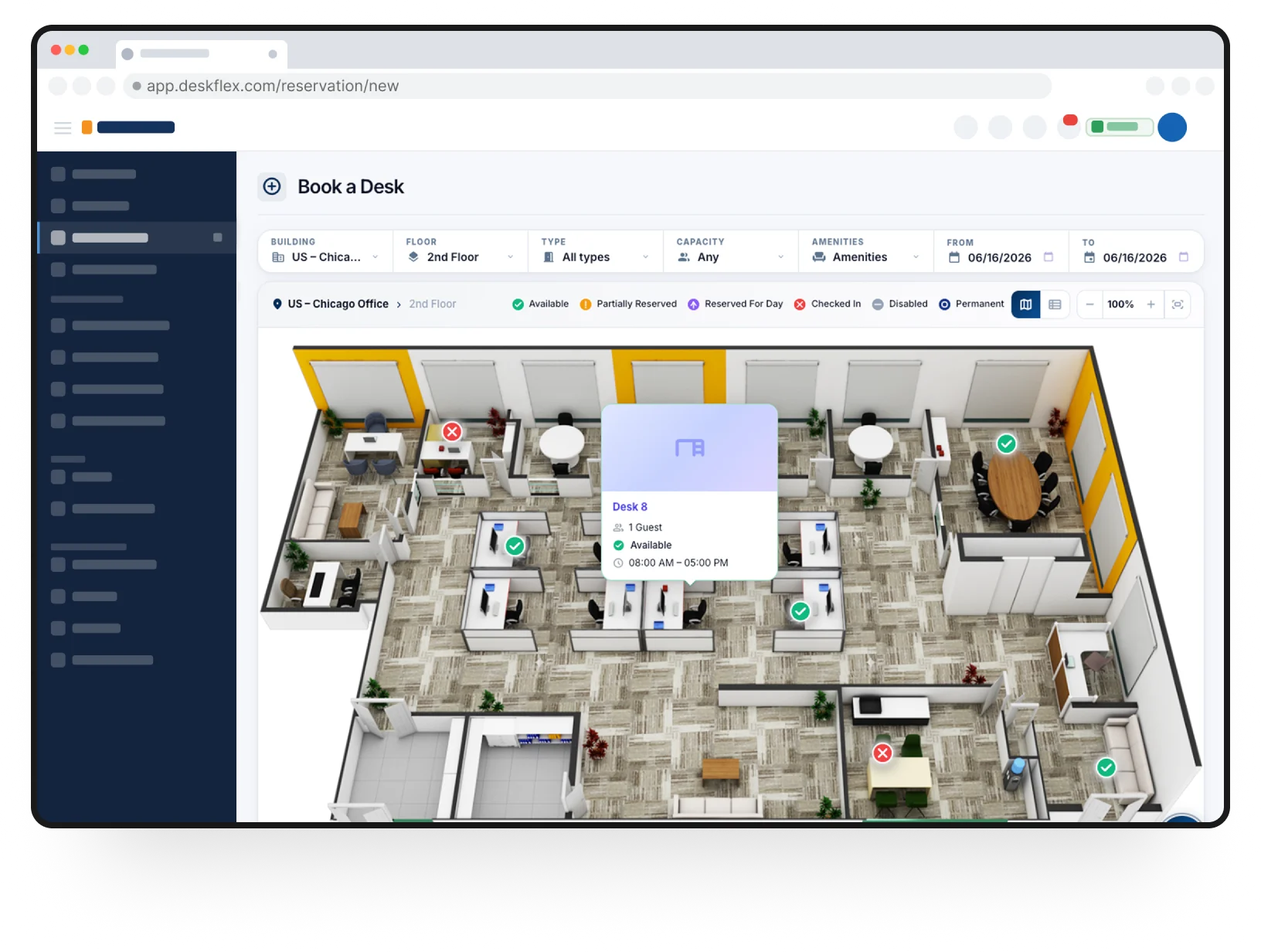
- An interactive floor plan showing available desks in real time
- Mobile and web booking apps for employees
- Calendar integration with Outlook, Google Calendar, or Exchange
- Single sign-on with corporate identity providers
- Check-in functionality (QR code, NFC, or app-based)
- Analytics and utilization reporting for administrators
- Optional add-ons for visitor management, parking, and meeting rooms
Some systems focus exclusively on desks; others handle the broader workplace, including meeting rooms, parking spaces, and shared equipment. The category is sometimes called desk reservation software, desk scheduling software, or workplace management software — the terms are used interchangeably, though desk booking is the most common in 2026.
How does desk booking software work?
Most desk booking systems follow the same five-step flow, regardless of vendor.
- Admin setup. A facilities or IT admin uploads the office floor plan (sometimes a 3D rendering), tags each desk with its location and attributes (monitor, dual-screen, near-window, standing desk), and configures booking rules who can book what, how far in advance, and for how long.
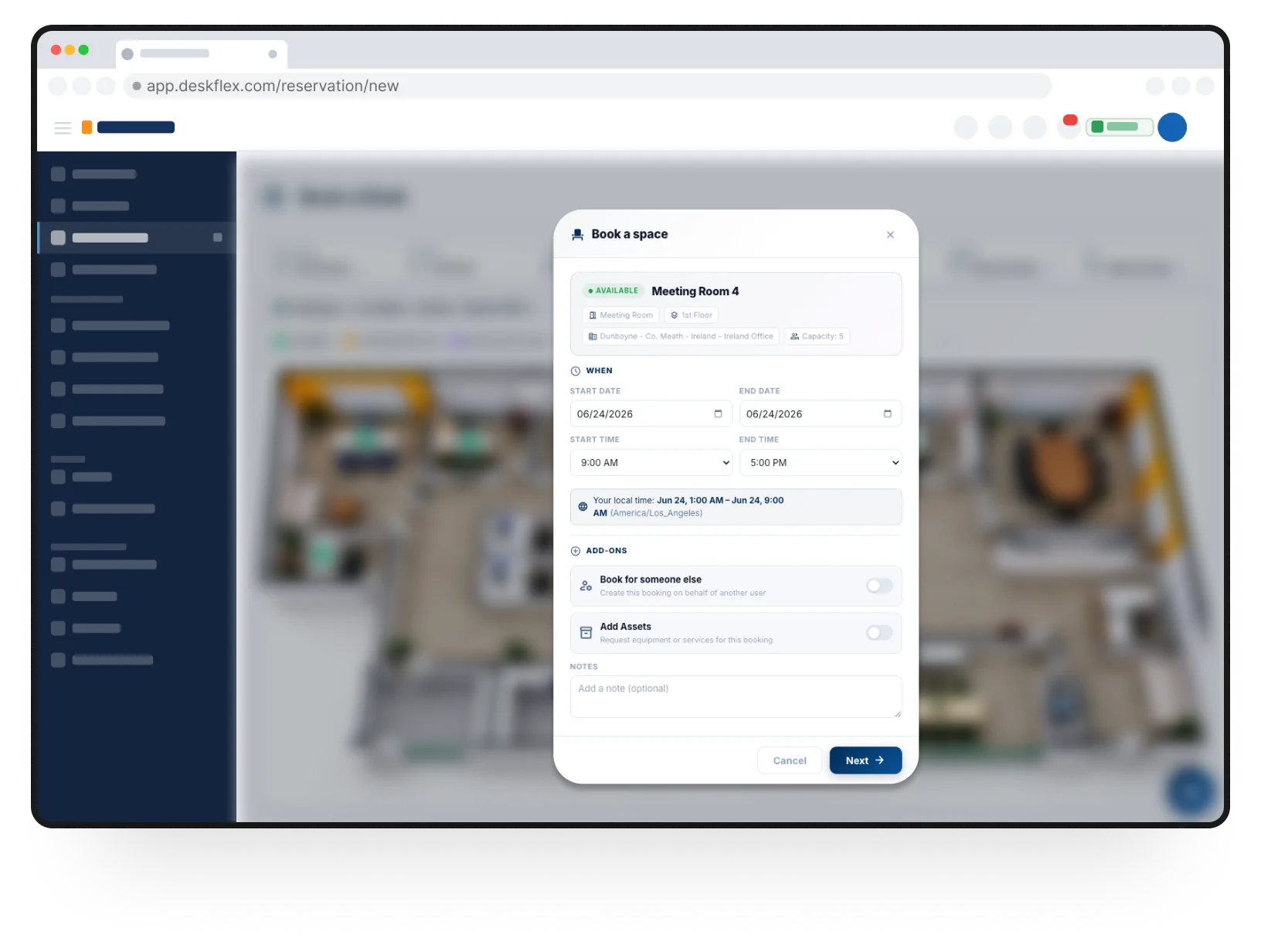
- Employee booking. An employee opens the booking app typically on mobile, sometimes within their calendar and sees the floor plan with real-time availability. They tap a desk, pick a date and time, and confirm. The system sends a confirmation and adds the booking to their calendar via Microsoft 365 integration or Google Calendar.
- Authentication. Employees authenticate via single sign-on (SSO) using their existing work credentials. Modern systems integrate with Okta SSO, Azure AD, or Google Workspace, so there’s no separate password to remember.
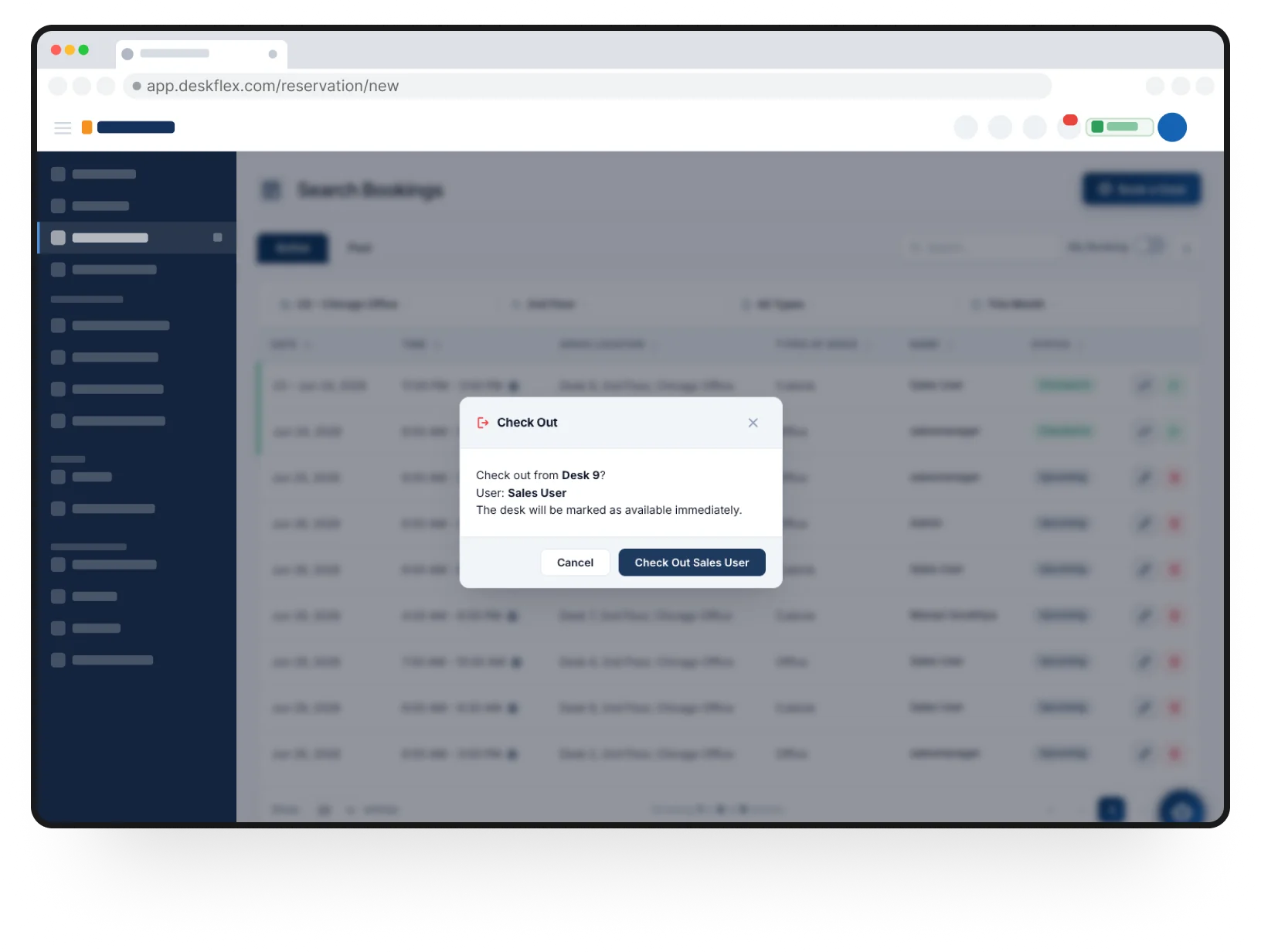
- Check-in. On arrival, the employee checks in via the app, by scanning a QR code at the desk, or via NFC tap on a desk kiosk. If they don’t check in within a set window (typically 15–30 minutes), the desk auto-releases so someone else can claim it. This recovers 15–25% of capacity in most deployments by preventing ghost bookings.
- Reporting and optimization. Administrators get utilization dashboards showing which desks are used, peak days, no-show rates, and trends by team or department. This data drives space planning decisions whether to consolidate floors, expand neighborhoods, or downsize office footprint.
Behind the scenes, the system integrates with the rest of the workplace stack: calendar systems for bookings, Slack or Teams for notifications, HR systems for org charts, and analytics tools (Power BI, Looker) for deeper reporting.
Who needs desk booking software?
Desk booking software isn’t universal. Some offices don’t need it; others can’t function without it. The teams who benefit most fall into four profiles.
1. Hybrid teams of 50+ employees
Once an office has more than 50 hybrid employees, manual coordination via Slack and spreadsheets stops scaling. People show up and can’t find seats, teams can’t sit together, and leadership has no data on actual office usage.
2. Multi-location organizations
Companies operating across multiple offices or countries need centralized visibility. Without booking software, employees who travel between locations can’t reserve space ahead, and facilities teams can’t compare utilization across sites.
3. Organizations with variable office attendance
If attendance varies meaningfully week-to-week some weeks 30% in office, others 70% assigned seating wastes space. Desk booking software adapts capacity to actual demand, typically reducing desk count by 30–50%.
4. Regulated industries requiring audit trails
Healthcare, financial services, government, and other regulated sectors need a documented record of who used which workspace when. Desk booking software produces this automatically, supporting SOC 2, GDPR, and industry-specific compliance requirements.
Smaller offices under 50 employees with simple needs often start with hot desking no software, first-come first-served. See our guide to what hot desking is for that approach.
Benefits of desk booking software
The benefits are split into five categories. Different organizations care about different ones that match the benefits to your strongest business case before evaluating vendors.
1. Real estate cost reduction
The biggest financial benefit. For hybrid teams with under 50% attendance, desk booking software typically allows desk reduction of 30–50% versus assigned seating. For a 200-person office paying $30,000/month in rent, that’s potentially $108,000–$180,000 saved annually, usually more than 10× the software cost.
2. Better team collaboration
Modern desk booking platforms support team and neighborhood booking letting groups of employees reserve adjacent desks for collaboration days. Without booking software, hybrid teams coordinate via Slack threads and spreadsheets, which works for 5 people and breaks at 50.
3. Utilization data for leadership
Every booking creates a data point: who, when, where, how long. Aggregated, this data shows which floors are underused, which teams need more space, and which days the office is over-capacity. Leadership uses this to right-size office investments and justify hybrid work strategy with evidence.
4. Compliance and audit trails
Booking systems produce a full record of workspace usage who sat where, when, and for how long. For regulated industries, this supports SOC 2 controls, GDPR data residency requirements, and industry-specific audit obligations. Without it, compliance teams have to manually reconstruct workplace usage from disparate sources.
5. Improved employee experience
Counterintuitively, desk booking software often improves employee experience over both assigned seating and unstructured hot desking. Employees know they have a guaranteed seat (versus hot desking anxiety), can sit near teammates on collaboration days (versus random placement), and use a tool that fits modern work patterns (versus paperwork or Slack chaos).
Types of desk booking systems
Desk booking software supports several different workplace seating models. The right system depends on which model fits your office.
Hot desking
Employees use any available desk on a first-come, first-served basis with no advance booking. Software is optional but increasingly added for visibility and check-in. Best for small offices with informal cultures. See our complete guide to hot desking.
Hoteling
Employees reserve specific desks in advance through a booking system, similar to booking a hotel room. The most common form for hybrid teams over 50 employees. See our hot desking vs hoteling comparison for the full breakdown.
Free address / activity-based working
Office is divided into zones (focus, collaboration, quiet, social), and employees move between zones based on what they’re working on. Often combined with hoteling for reservable zones and hot desking for open zones.
Neighborhood seating
Teams have designated neighborhoods (clusters of desks) but no assigned individual seats. Provides team co-location without sacrificing flexibility. Supported by most modern desk booking platforms via team booking features.
Most organizations end up combining two or more of these models in the same office. The difference between desk sharing and these implementations is covered in our hot desking vs desk sharing comparison.
How much does desk booking software cost?
Pricing varies widely. The market breaks into three models:
Per-user pricing
Typically $2–$8 per user per month. Charged based on all employees who could use the system, regardless of actual booking frequency. Good fit for organizations where most employees book occasionally.
Per-desk pricing
Typically $3–$15 per desk per month. Charged based on the number of bookable desks in your office. Better for high-density offices where bookable desk count is lower than headcount (most hybrid offices).
Flat enterprise tier
Annual pricing scaled to office size, often $30,000–$150,000+ for 1,000+ employee deployments. Common for enterprise with complex requirements (multi-site, SSO, custom integrations, dedicated support).
Hidden costs to ask about
- Implementation fees (sometimes free, sometimes $5,000–$25,000)
- Integration setup (especially for non-standard identity providers)
- Support tier upgrades (premium support is typically extra)
- Hardware (desk kiosks, touchscreen displays, NFC tags)
Free tiers exist but are typically limited to small teams (under 25–50 users), lack SSO, and don’t include support — fine for piloting, painful at scale. For a 200-employee hybrid office, expect total annual investment of $15,000–$60,000 including implementation.
What to look for in desk booking software
Vendor demos all look polished. The features that actually matter at scale are different from the ones highlighted in sales calls. Five capabilities deserve the most scrutiny:
- Calendar integration with two-way sync (Outlook, Google, Exchange)
- Single sign-on via Okta, Azure AD, or Google Workspace
- Mobile-first booking — native iOS and Android apps, not wrapped responsive web
- Automated check-in with configurable no-show release
- Utilization analytics with exportable raw data
If any of these is missing, weak, or only available on higher pricing tiers, adoption typically suffers within months. For a complete 10-point evaluation checklist with demo tests and red flags for each feature, see our hot desk booking system features checklist.
Top desk booking software providers in 2026
The desk booking software market has consolidated around several leading platforms in 2026, each fitting different use cases:
- DeskFlex — enterprise-grade with deep Microsoft integration, on-premise deployment option
- Envoy — modern UX, popular for mid-market hybrid teams
- Robin — strong analytics, team neighborhoods
- OfficeSpace Software — heavy-duty floor planning for enterprise
- Skedda — affordable, popular with smaller offices and coworking spaces
For detailed vendor comparison with pros, cons, pricing, and best-for guidance on each, see our 10 best hot desk booking systems for 2026.
Frequently Asked Question
Desk booking software is a workplace management platform that lets employees reserve unassigned workstations on demand, typically through a mobile app or web interface, while giving administrators real-time visibility into desk usage and utilization trends. It supports hot desking, hoteling, and hybrid seating models.
Hybrid offices have variable attendance typically 40-60% on any given day. Desk booking software allows companies to reduce desk inventory by 30-50% while ensuring employees who come in always have a workstation. It also provides utilization data for leadership and supports compliance audit trails.
No. Hot desking is one seating model (first-come, first-served, no booking required). Desk booking software supports hot desking but also supports hoteling (advance reservations), neighborhood booking, and hybrid models. The software is the tool; hot desking is one of several ways to use it.
Pricing typically runs $2-8 per user per month or $3-15 per desk per month. Enterprise deployments often use flat annual pricing of $30,000-150,000+. Hidden costs to budget for include implementation fees, integration setup, support tier upgrades, and any hardware like desk kiosks.
Most enterprise-grade systems support native two-way calendar integration. Bookings appear in employee calendars automatically, and cancelling a calendar event releases the desk. Look for two-way sync specifically one-way sync causes silent failures where calendar cancellations don’t release desks.
Desk booking handles individual workstations for employees doing focused work. Meeting room booking handles shared rooms for group meetings. Many platforms support both, but they’re separate features with different reservation patterns, durations, and use cases.
Yes, several vendors offer free tiers, typically capped at 25-50 users and limited to basic booking without SSO, analytics, or support. Free options work for piloting or very small teams but rarely scale beyond a single office. For organizations over 50 employees, paid software is usually necessary.


Support
Demo
Blog
Newsroom