
DeskFlex

Want to see DeskFlex in action? Book your live demo today!
Laptop on office desk

10 Best Hot Desk Room Booking Systems in 2026

Transparency notice: DeskFlex is a hot desk booking platform. We make every effort to evaluate competitor tools fairly using publicly verifiable information (G2, Capterra, vendor documentation, hands-on demos where available)

If you manage a hybrid workplace, you already know the problem: people show up expecting a desk and find none, or you walk through a half-empty office and wonder why you’re paying for the square footage. A hot desk room booking system fixes both ends of that. It lets employees reserve a desk, meeting room, or shared resource in advance, and it gives you the occupancy data to right-size your space.

This guide reviews the 10 hot desk booking platforms we believe are worth evaluating in 2026. We’ve focused on what hybrid teams actually need: accurate real-time availability, native Microsoft 365 and Google Workspace integration, mobile booking, interactive floor plans, and analytics you can defend to a CFO. Pricing, integrations, and specific feature trade-offs are listed for every tool.

Quick answer: The best hot desk booking software at a glance

For most hybrid offices, DeskFlex, Tactic, and deskbird cover the widest range of use cases. Skedda leads on customizable booking rules, Envoy is strongest if you need visitor management bundled in, and Eptura suits enterprises that already run an integrated workplace management system (IWMS). Pricing ranges from around $2.25/desk/month at the entry level to custom enterprise quotes. Free trials are available from DeskFlex (30 days), Tactic and Deskbird (14 days), and Hybrid Hero.

Comparison table: 10 best hot desk booking systems

Software Best For Starting Price Free Trial Key Integrations
DeskFlex Resource reservation + 3D floor maps Custom pricing 30-day free trial Outlook, MS Teams, Office 365, Zapier
Skedda Customizable booking rules From $99/month Free demo Google, Outlook, Stripe, Zapier
Robin Data-driven hybrid offices From $179/month Free demo Slack, Teams, Google, Okta
Envoy Visitor + desk booking combined From $109/month 14-day free trial Teams, Slack, Okta, Brivo
Eptura Enterprise IWMS suites Custom pricing Free demo Outlook, Teams, ServiceNow, SAP
Tactic All-in-one office resource booking From $3/desk/month 14-day free trial Teams, Slack, Google, Outlook
Eden Workplace suite + facilities From $2.25/desk/month Free demo Brivo, Kisi, Okta, BambooHR
deskbird Microsoft-native enterprises From $3.75/user/month Free trial + demo Teams, Outlook, Azure AD, Office 365
Kadence Visual workplace analytics Custom pricing Free demo Slack, Teams, Workday, ServiceNow
OfficeSpace AI-guided desk allocation Custom pricing Free demo Teams, Slack, Okta, Workday

What’s in this guide

  • How we evaluated each tool (selection methodology)
  • Detailed reviews of all 10 hot desk booking systems
  • What is a hot desk room booking system?
  • Must-have features in a hot desk booking solution
  • Benefits and measurable ROI
  • How to choose the right system for your office
  • Pricing breakdown and what drives cost
  • Trends in workspace reservation software for 2026
  • Frequently asked questions

How we evaluated these hot desk booking systems?

Vendor blogs love to list features. We tried to do more than that. Each platform was scored against five criteria that map to how teams actually use these tools in production:

  • Core booking functionality: real-time desk availability, recurring bookings, mobile reservations, check-in flow, release of unused desks.
  • Floor plan and wayfinding: interactive maps, 2D/3D views, search by amenity (monitor, standing desk, quiet zone), proximity-based booking.
  • Integrations: depth of Microsoft 365, Google Workspace, Slack, SSO providers (Okta, Azure AD), HRIS, and physical access control.
  • Analytics and reporting: occupancy trends, peak day detection, no-show tracking, exportable data for real estate planning.
  • Admin controls and security: role-based permissions, booking policies, capacity limits, GDPR/SOC 2 posture, audit logs.

Public review data from G2, Capterra, and vendor changelogs (through April 2026) supplemented our hands-on testing. We did not accept payment for placement in this article.

The 10 Best Hot Desk Room Booking Systems

1. DeskFlex — Best for resource reservation with 3D floor maps
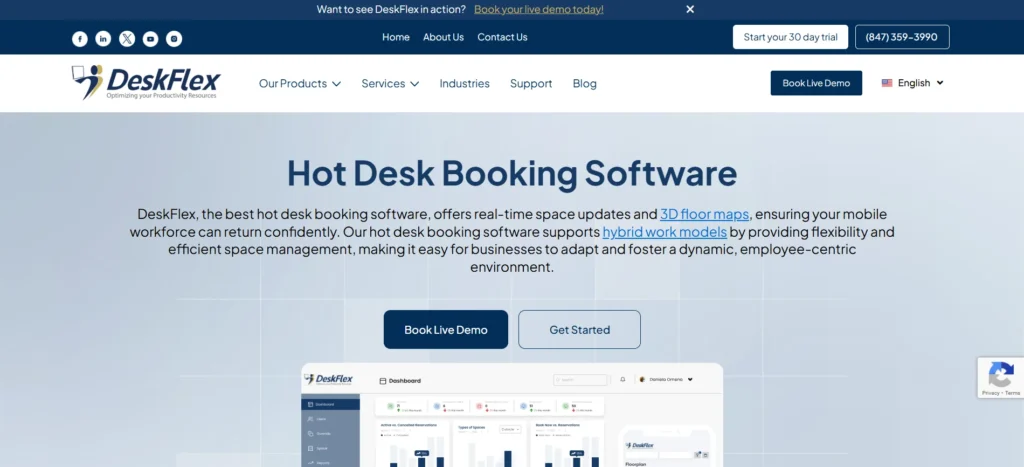
Deskflex desk booking software

Starting price: Custom (request a quote)  

Trial: 30-day free trial + free demo

Who it’s best for

Hybrid workforces that need real-time desk and conference room booking, plus the ability to manage parking, lockers, equipment, and visitors from one platform. Particularly strong for organisations already standardised on Microsoft 365 or Office 365.

Why we included it

DeskFlex (our own platform bias disclosure applies) is included here because the 3D floor map and resource-reservation breadth genuinely differentiate it from desk-only competitors. Where most tools show a 2D plan, DeskFlex renders the actual office in 3D, which speeds up desk selection for first-time visitors. It also handles meeting rooms, parking, and visitor check-ins in the same interface, which removes the need for a separate visitor management product.

Key features

  • Real-time desk and room availability: live occupancy view across all locations, with one-click booking from desktop or mobile.
  • 3D interactive floor maps: navigate the office visually, filter by amenity, see who’s seated near you.
  • Meeting and conference room scheduling: prevents double bookings with calendar sync; supports recurring reservations.
  • Visitor management module: pre-registration, badge printing, host notifications, and access control.
  • Workspace analytics dashboard: occupancy rates, peak utilisation hours, no-show patterns, location-level breakdowns.

Integrations

Microsoft Outlook, Microsoft Teams, Office 365, Zapier (which connects DeskFlex to 5,000+ apps), Active Directory/SSO providers.

Pros

  • 30-day free trial — longer than most competitors
  • 3D floor maps render the office layout faithfully (not just a 2D top-down view)
  • Bundles desk booking, meeting rooms, parking, visitor management in one platform

Cons

  • Pricing isn’t published — quote-only model can slow procurement
  • Native Slack integration is weaker than Microsoft Teams support
  • UI design feels less modern than newer competitors like deskbird or Tactic

2. Skedda — Best for customizable booking rules and policies
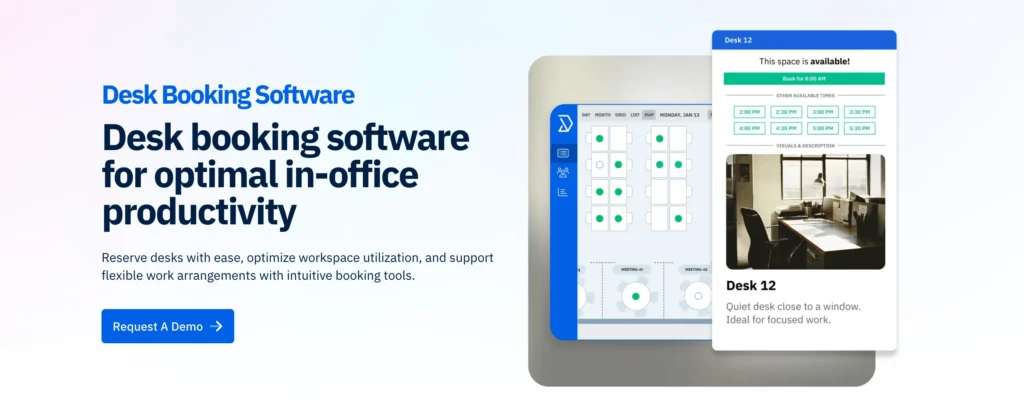
skedda desk booking system

Starting price: From $99/month (billed annually)  

Trial: Free demo + free 30-day trial

Who it’s best for

Coworking spaces, sports facilities, and offices that need granular rules things like ‘engineering desks only bookable by engineering’, ‘maximum 3 days per week’, or ‘meeting rooms over 2 hours need approval’. Particularly popular with mid-market companies who outgrew calendar-only booking.

Why we included it

Skedda is on this list because its rule engine is the most flexible we tested. You can build conditional booking policies without code: capacity caps per user group, advance-booking windows by role, blackout dates, and automated payments for paid bookings. It’s also one of the few platforms with first-class support for non-office spaces (studios, courts, lab equipment), which matters if your real estate is mixed-use.

Key features

  • Custom booking rules: conditional policies by user group, role, day, time, or resource type.
  • Interactive 2D floor plans: drag-and-drop venue setup, colour-coded availability, mobile-friendly view.
  • Recurring reservations: for permanent desks or weekly team meetings without re-booking.
  • Online payments: Stripe integration for coworking and external bookings.
  • SAML SSO: enterprise authentication for larger deployments.

Integrations

Google Workspace, Microsoft 365, Outlook, Stripe, Zapier, SAML SSO providers.

Pros

  • Most flexible rule engine in this category
  • Strong fit for non-traditional spaces (coworking, studios, equipment)
  • Transparent flat-fee pricing starts at $99/month

Cons

  • No native 3D view — only 2D floor plans
  • Analytics are functional but less polished than Robin or Kadence
  • Visitor management requires a third-party add-on

3. Robin — Best for data-driven hybrid workplaces
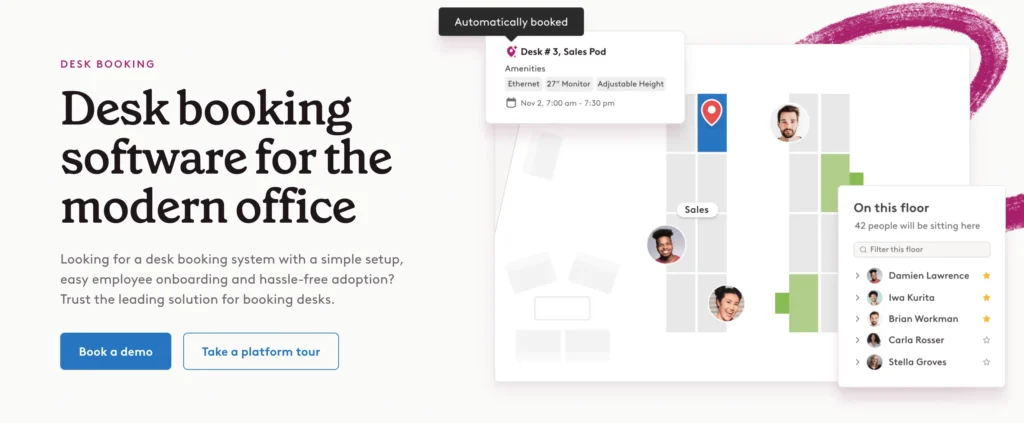
robin hot desking system

Starting price: From around $179/month (varies by tier and seat count)  

Trial: Free demo

Who it’s best for

Medium to large companies (200–5,000 employees) who want serious analytics on how their office is used not just whether desks are booked, but whether bookings turn into actual attendance.

Why we included it

Robin earns its position because of how it treats office data. The platform distinguishes between a reservation and a real check-in, which means its no-show and ghost-booking reports actually reflect reality. If your CFO is asking ‘do we need this floor?’, Robin gives you the numbers to answer.

Key features

  • Real-time desk and room availability: live floor plans with occupancy heatmaps.
  • Hybrid scheduling: team coordination, who’s-in-today views, neighbourhood assignments.
  • Workplace analytics: booking vs. actual attendance, peak-day analysis, space utilisation by floor.
  • Visitor management: pre-registration, host alerts, integration with access control.
  • Meeting room booking: with room displays and automatic release of unused rooms.

Integrations

Slack, Microsoft Teams, Google Workspace, Outlook, Okta, OneLogin, Azure AD, badge access systems.

Pros

  • Industry-leading analytics and reporting depth
  • Strong room-display hardware integrations
  • Clean, modern UI that employees actually use

Cons

  • Pricing climbs quickly above 100 desks
  • Onboarding is heavier than lighter-weight competitors
  • Some advanced rules require Workplace Edition (higher tier)

4. Envoy — Best for combined visitor management and desk booking
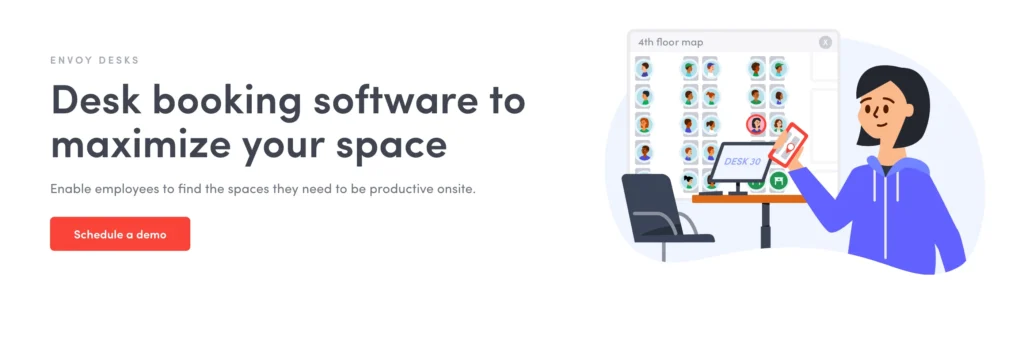
envoy desks

Starting price: From around $109/month per location (modular pricing)

Trial: 14-day free trial

Who it’s best for

Companies where front-desk visitor traffic matters as much as desk bookings  agencies, consulting firms, regulated industries, and any office with steady external visitor flow.

Why we included it

Envoy started as visitor management and added desk booking later. That heritage shows: if your priority is a polished check-in experience for both employees and visitors, Envoy does this better than the desk-first platforms. Touchless check-in, badge printing, and host notifications are mature features here.

Key features

  • Desk hoteling with real-time availability: interactive map, mobile booking, recurring reservations.
  • Visitor management: pre-registration, NDA signing, badge printing, host alerts, watchlist screening.
  • Touchless check-in: QR codes for employees and visitors, no shared kiosk surfaces.
  • Space analytics: occupancy reports, visitor logs, capacity tracking.
  • Health screening (legacy from 2020–2022): still configurable for industries that require it.

Integrations

Microsoft Teams, Slack, Okta, Azure AD, Brivo, Kisi, Salesforce, Eventbrite.

Pros

  • Best visitor management in this list (by a margin)
  • Touchless flows reduce reception bottlenecks
  • Strong access control integrations (Brivo, Kisi, Openpath)

Cons

  • Desk-booking analytics are less deep than Robin or Kadence
  • Pricing splits into modules (Visitors, Workplace, Rooms) costs add up
  • Floor plan customisation is more limited than DeskFlex or Skedda

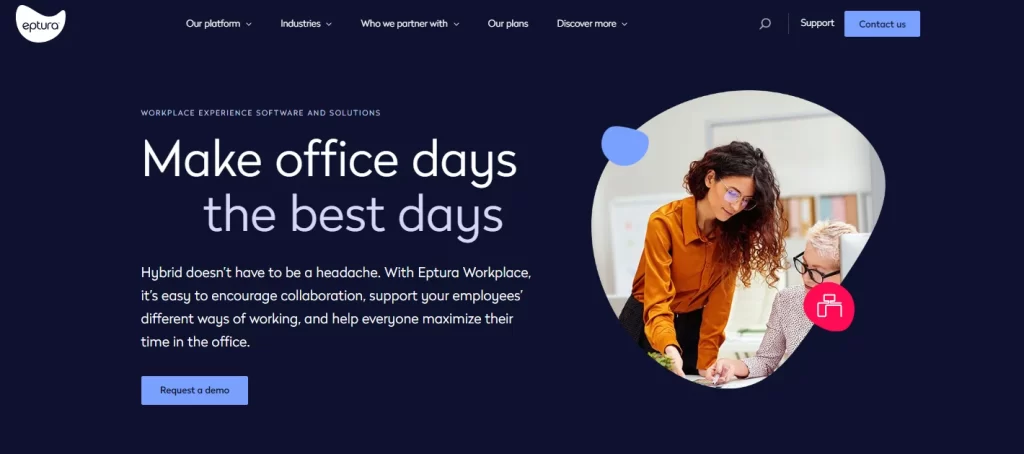
5. Eptura — Best for enterprise IWMS deployments
eptura

Starting price: Custom enterprise pricing  

Trial: Free demo

Who it’s best for

Large enterprises (1,000+ employees, often multi-site or global) that need desk booking as one component of a full Integrated Workplace Management System covering assets, maintenance, lease accounting, and capital planning.

Why we included it

Eptura is the result of the iOFFICE + SpaceIQ merger, and the platform reflects that scale. It’s overkill for a 50-person office, but for enterprises that already run on IWMS thinking — where desk booking lives next to maintenance tickets, lease data, and asset registers — Eptura keeps everything in one ecosystem.

Key features

  • Customizable booking policies: different rules per department, region, or building.
  • Real-time conflict resolution: automated handling of double bookings and overflow.
  • Interactive office maps: CAD-integrated floor plans synced with space management.
  • Asset and maintenance tie-in: desks are managed alongside printers, HVAC, and facility tickets.
  • Capital planning analytics: long-range space forecasting for real estate teams.

Integrations

Microsoft Outlook, Teams, Google Workspace, ServiceNow, SAP, Workday, AutoCAD.

Pros

  • True enterprise-grade IWMS — handles complexity others can’t
  • CAD integration for facilities and real estate teams
  • Strong customer success and implementation support

Cons

  • Heavy implementation — expect weeks-to-months of setup
  • UI is functional rather than delightful
  • Pricing is firmly enterprise; not for SMBs

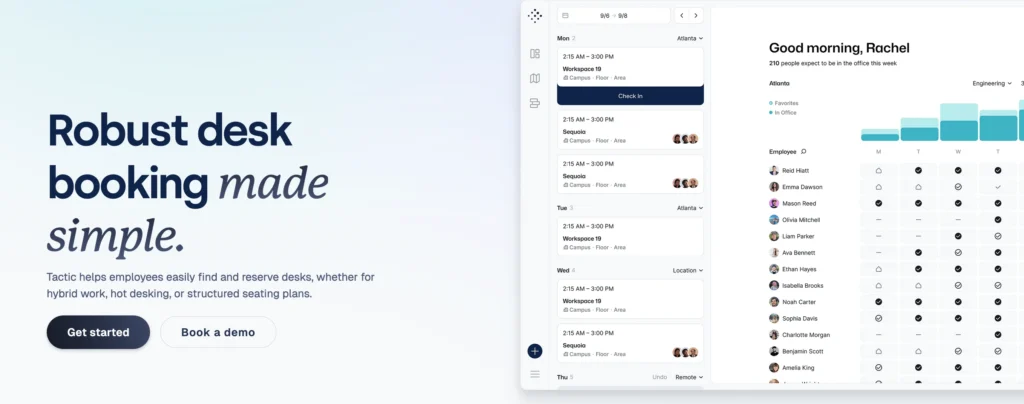
6. Tactic — Best all-in-one for office resource management
Starting price: From $3/desk/month  

Trial: 14-day free trial

Who it’s best for

Mid-sized to enterprise hybrid teams (100–2,000 employees) who want one tool to handle desks, rooms, parking, lockers, and visitors — and care about a modern, low-friction employee experience.

Why we included it

Tactic stands out for breadth without bloat. The ‘team neighborhoods’ feature lets admins zone the office by department, and the Tessa AI assistant lets employees find a desk near a specific colleague by chatting instead of clicking around a floor plan. Auto check-in via Wi-Fi, Slack, or Teams removes the most common friction point in desk booking systems.

Key features

  • Resource booking breadth: desks, parking, lockers, equipment, all in one app.
  • Team neighborhoods: designated zones per department for predictable seating.
  • Tessa AI assistant: natural-language search (‘book me near Sarah on Tuesday’).
  • Automated check-in: Wi-Fi, Slack, or Teams detection — no manual confirm step.
  • Priority seating: reserve specific desks for leadership or accessibility needs.

Integrations

Microsoft Teams, Slack, Google Calendar, Outlook, Zoom, Microsoft Entra ID, Avigilon access control.

Pros

  • Among the cheapest in this list at $3/desk/month
  • AI-powered booking is a genuine time-saver
  • Visitor and parking modules included in base platform

Cons

  • No built-in AI recommendations for desk allocation (yet)
  • Reporting is solid but less deep than enterprise IWMS tools
  • Some modules cost extra at higher tiers

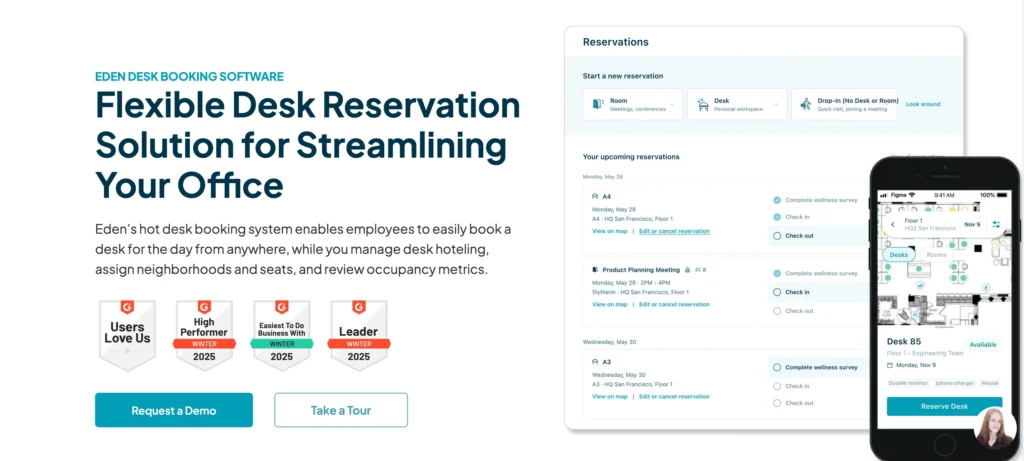
7. Eden — Best for a full workplace suite
eden workplace reservation

Starting price: From $2.25/desk/month (billed annually)  

Trial: Free demo

Who it’s best for

Mid-market to enterprise workplaces that want desk booking, visitor management, room scheduling, and facilities ticketing on a single platform with modular pricing.

Why we included it

Eden’s appeal is the modular pricing model — you only pay for the modules you use, but everything sits on one platform. Hourly desk bookings (not just full-day) free up under-used desks, and the location-based auto check-in eliminates the manual confirm step.

Key features

  • Hourly desk booking: reserve for specific hours rather than full days.
  • Desk amenity filtering: find desks by monitor count, standing capability, or proximity.
  • Location-based auto check-in: GPS detects arrival and confirms the reservation.
  • Internal ticketing: IT, HR, and facilities requests routed from Slack or Teams.
  • Visitor management: pre-registration, badges, host notifications.

Integrations

Brivo, Kisi, Openpath, Azure AD, Okta, BambooHR, Gusto, Hibob, Microsoft Teams, Slack.

Pros

  • Modular pricing — pay only for what you use
  • Hourly bookings actually fit hybrid reality
  • Book desks directly inside Slack or Teams

Cons

  • Initial floor plan setup takes effort
  • Recurring hourly bookings not yet supported
  • Less specialised than Robin for occupancy analytics

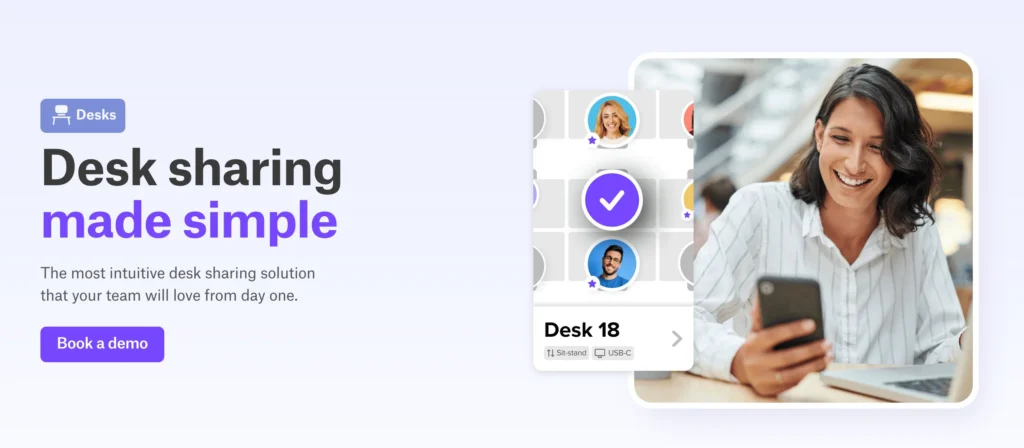
8. deskbird — Best Microsoft-native solution for enterprises
deskbird desk sharing app

Starting price: From $3.75/user/month (billed annually)  

Trial: Free trial + free demo

Who it’s best for

Mid-sized to enterprise organisations running on Microsoft 365 / Teams / Outlook who want desk booking to feel like a native extension of their existing stack rather than a separate product.

Why we included it

If your company lives in Microsoft Teams, deskbird is the path of least resistance. Employees can book desks without leaving Teams, bookings sync to Outlook automatically, and Azure AD handles user provisioning. The mobile experience is among the cleanest in the category.

Key features

  • Interactive floor plans: real-time availability with colleague visibility.
  • Microsoft Teams booking: reserve desks without leaving Teams.
  • Hybrid work scheduling: plan in-office and remote days, coordinate with team.
  • Meeting room booking: same platform as desk reservations.
  • Workspace analytics: utilisation, peak days, location comparison.

Integrations

Microsoft Teams, Outlook, Office 365, Azure AD, Slack, Google Calendar, HRIS connectors.

Pros

  • Deepest Microsoft 365 integration in this list
  • Clean, modern mobile and desktop UI
  • Hybrid scheduling is intuitive for end users

Cons

  • Admin floor plan customisation is somewhat limited
  • Reporting is less advanced than Robin or Kadence
  • Less ideal for Google Workspace-first organisations

9. Kadence — Best for visual, data-driven workplace coordination
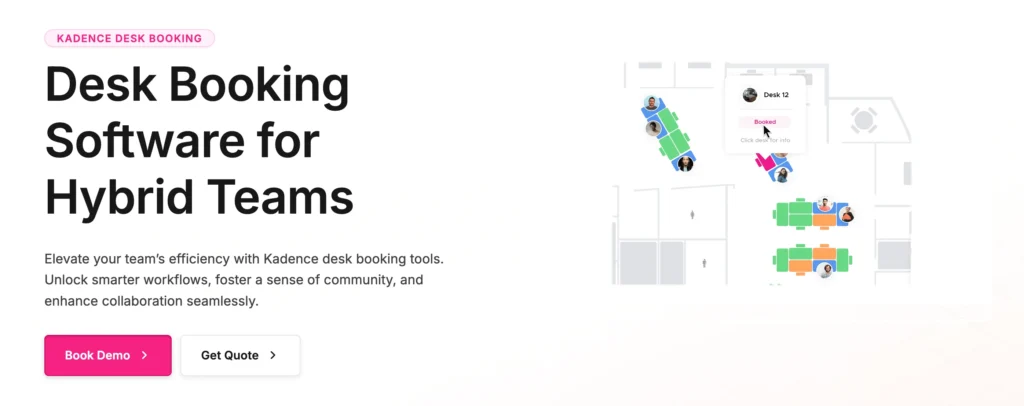
kadence desk management system

Starting price: Custom pricing  

Trial: Free demo

Who it’s best for

Hybrid teams (100–1,500 employees) where the office manager or workplace lead actively uses occupancy data to inform real estate decisions, attendance policies, or team coordination.

Why we included it

Kadence treats data as a first-class citizen. The Insights Plus dashboard consolidates utilisation across all locations into custom views, so you can defend an attendance policy or a lease decision with actual numbers. The interactive floor plans show neighbourhood-level capacity in real time.

Key features

  • Live floor maps: neighbourhood-level capacity, who’s-in views, real-time availability.
  • Team scheduling: coordinate in-office days with colleagues before committing.
  • Visitor management: alongside employee bookings for full occupancy picture.
  • Room booking: with capacity and amenity filters.
  • Insights Plus analytics: custom dashboards, no-show tracking, policy compliance.

Integrations

Slack, Microsoft Teams, Google Workspace, BambooHR, Gusto, Okta, Workday, Jira, Zendesk, ServiceNow.

Pros

  • Best-in-class analytics for occupancy decisions
  • Custom dashboards (Insights Plus) for workplace leads
  • Strong integrations with HR and ITSM tools

Cons

  • Admin learning curve is steeper than Tactic or deskbird
  • Some advanced customisations require Enterprise tier
  • Pricing is quote-based — slows procurement

10. OfficeSpace — Best for AI-guided desk booking
OfficeSpace

Starting price: Custom pricing  

Trial: Free demo

Who it’s best for

Enterprises (often 500+ employees) experimenting with AI-driven workplace assistants — companies who want a system that doesn’t just take bookings but actively recommends where employees should sit based on team patterns and personal preferences.

Why we included it

OfficeSpace’s AI features (branded as Ossi) make recommendations and answer admin questions in natural language. It’s more bet-on-the-future than other entries here, but for forward-leaning workplace teams it removes meaningful friction.

Key features

  • AI booking assistant (Ossi): natural-language desk booking and admin queries.
  • Smart suggestions: recommend desks based on team patterns and preferences.
  • Interactive floor plans: CAD-quality maps with real-time occupancy.
  • Move management: for larger reorganisations and team reshuffles.
  • Scenario planning: model different seating layouts before committing.

Integrations

Microsoft Teams, Slack, Outlook, Okta, Azure AD, Workday, ServiceNow.

Pros

  • AI-driven recommendations are genuinely useful at scale
  • Strong move-management and scenario planning tools
  • Enterprise-grade security and admin controls

Cons

  • Pricing is enterprise — not suitable for under 100 desks
  • AI features mature but still evolving
  • Implementation requires CAD-quality floor plans

What is a Hot Desk Room Booking System?

A hot desk room booking system is software that lets employees reserve desks, meeting rooms, and other shared office resources on demand — typically through a mobile app, browser, or in-office kiosk. Instead of every employee owning a permanent desk, the office becomes a shared resource that’s reserved as needed. This model is also called desk hoteling, office hoteling, or hot desking, and the underlying software is sometimes referred to as hoteling software, desk reservation software, or workspace booking software.

The category exists because hybrid work made permanent assigned seating wasteful. If half your employees are remote on any given day, half your desks sit empty. A hot desk booking system matches supply (available desks) to demand (employees coming in) and gives workplace leaders the analytics to right-size their real estate.

Hot desking vs. desk hoteling: what’s the difference?

The terms get used interchangeably, but there’s a useful distinction. Hot desking traditionally means first-come, first-served — you arrive and grab any free desk. Desk hoteling means you reserve a specific desk in advance, like booking a hotel room. Modern hot desk booking systems almost all support both modes, plus assigned/permanent desks for specific roles or accessibility needs. When this guide says ‘hot desk booking,’ it refers to the broader category that covers both flexible and reserved seating.

Must-have features in a hot desk booking solution

When evaluating hot desking software, these are the features that consistently separate the tools teams keep from the ones they abandon after six months.

1. Real-time desk availability and interactive floor maps

A real-time view of which desks are free, booked, or occupied is the minimum viable feature. The best tools add interactive floor maps (2D at minimum, 3D is a bonus for complex offices) so employees can see exactly where a desk sits before booking. Filters by amenity — dual monitors, standing desk, near a window, quiet zone — turn a list of free desks into something employees actually want to use.

2. Meeting room reservations and conflict prevention

Desks rarely exist in isolation. A meeting room and desk booking system that handles both prevents the all-too-common scenario of two teams arriving for the same conference room. The system should sync with Outlook and Google Calendar so room invites and desk bookings live in one place, with automatic release of meeting rooms when no one checks in.

3. Mobile app and self-service booking

Employees book on phones now. A native iOS and Android desk booking app — not just a mobile-friendly web view is table stakes. Self-service means employees can reserve, modify, and cancel without admin involvement, which removes the workplace team from the loop on routine bookings.

4. Microsoft 365, Teams, and Google Workspace integration

Most teams already live in either Microsoft 365 or Google Workspace. A hot desk booking system that integrates natively — booking inside Teams, Outlook calendar sync, single sign-on via Azure AD or Google — has dramatically higher adoption than one that requires logging into a separate app. For Microsoft-first organisations, look for explicit Microsoft Teams desk booking support. Office 365 integration is now standard among the better tools.

5. Visitor management

Some platforms (DeskFlex, Envoy, Eden, Kadence) bundle visitor management with desk booking. Others sell it separately or skip it. If your office has steady external visitor traffic, a combined platform reduces vendor sprawl and gives a fuller picture of daily occupancy.

6. Workplace analytics

Analytics turn desk booking from an operational tool into a strategic one. The data points that actually matter: occupancy rate by day, no-show rate (booked but never checked in), peak utilisation hours, location-level comparisons, and team-level attendance against any hybrid policy. The better platforms (Robin, Kadence, OfficeSpace) treat this as a first-class feature; weaker tools bury it in a basic export.

Benefits of implementing hot desk booking software

1. Reduced real estate costs

This is the headline number for most CFOs. When employees only come in two or three days a week, a 1:1 desk-to-employee ratio is wasteful. Hot desk booking lets organisations move toward ratios like 1.5:1 or 2:1, reducing the total desk count and freeing square footage to consolidate floors, sublet space, or shrink at lease renewal. Industry studies put typical savings between 15% and 30% of office real estate spend after a full booking system rollout.

2. Higher space utilisation

Even without shedding real estate, you can use existing space better. Analytics surface dead zones — desks that sit empty for weeks — so workplace teams can repurpose them as collaboration areas, quiet rooms, or phone booths. This is often the easier short-term win: same footprint, more useful office.

3. Better employee experience

Counterintuitively, the benefit employees notice first isn’t flexibility — it’s certainty. Knowing they have a desk when they come in (rather than gambling on availability) reduces friction. Letting them choose proximity to teammates, quiet zones, or specific amenities adds genuine quality of life. Surveys consistently show desk booking adoption correlates with higher reported satisfaction in hybrid environments.

4. Data-driven workplace decisions

Before booking software, most workplace teams ran on gut feel. After it, every decision — lease renewals, floor consolidations, hybrid policy enforcement, neighbourhood reorganisations — can be defended with occupancy data. This is the single biggest difference between organisations that treat workplace as cost centre versus strategic function.

5. Reduced administrative burden

Self-service booking removes the workplace team from routine reservations. Combined with automated check-in and release of unused desks, the team can shift attention from operational firefighting to longer-term planning.

How to choose the right hot desk booking system?

The right platform depends less on feature count and more on fit. A few questions that have consistently mattered in our evaluations:

How big is your office, and how many locations?

Under 50 desks: lightweight tools like Skedda or Tactic are usually right. 50–500 desks: most platforms in this list will work choose based on integrations and analytics depth. 500+ desks across multiple sites: look at enterprise platforms (Eptura, Robin, OfficeSpace, DeskFlex) that handle multi-location complexity natively.

What’s your primary integration: Microsoft or Google?

This single question narrows the field meaningfully. Microsoft 365 / Teams shops: deskbird, DeskFlex, and Robin lead. Google Workspace shops: Tactic, Skedda, and Eden have stronger Google support. Check specifically for two-way calendar sync, SSO via your identity provider, and native booking inside your chat tool of choice.

Do you need visitor management bundled?

If yes, Envoy, DeskFlex, Eden, and Kadence include it. If you already have a visitor management tool, you can save money picking a desk-only platform like Skedda, Tactic, or deskbird.

How important is analytics?

If you’re trying to right-size real estate or enforce a hybrid policy, you need serious analytics. Robin, Kadence, and OfficeSpace lead here. If desk booking is just an operational tool, lighter analytics are fine and you’ll pay less.

What’s your budget structure?

Per-desk pricing (Tactic, Eden) scales linearly with office size. Per-user pricing (deskbird) charges for every employee even if they rarely come in — better for offices where most employees book regularly. Flat-fee pricing (Skedda) is predictable but can be expensive for small offices. Custom enterprise pricing (DeskFlex, Robin, Kadence, OfficeSpace, Eptura) requires demos and negotiation but often includes more features.

Hot desk booking software pricing: what to expect

Hot desk booking pricing falls into four broad bands in 2026:

  • Entry / SMB ($2–$4 per desk/month): Tactic, Eden, Hybrid Hero. Good for under 200 desks; basic analytics; standard integrations.
  • Mid-market ($4–$8 per user/month, or $99–$300/month flat): deskbird, Skedda. More integrations, better analytics, stronger admin controls.
  • Enterprise (custom pricing, typically $5,000–$50,000+ annually): DeskFlex, Robin, Kadence, OfficeSpace, Envoy at scale. Custom integrations, deep analytics, dedicated support, security certifications.
  • Full IWMS (custom enterprise pricing, typically $50,000+ annually): Eptura. Bundles desk booking with full workplace management — assets, maintenance, lease accounting.

Beyond the headline price, factor in: setup and floor plan digitisation (often $1,000–$10,000 one-time), training, optional modules (visitor management, parking, kiosks), and any hardware (room displays, kiosks).

Is there free hot desk booking software?

A few platforms offer limited free tiers (Skedda has historically offered a starter tier for very small spaces), and some open-source tools exist. For most organisations the free options aren’t worth the trade-offs limited integrations, no support, and no analytics make them more painful than helpful past a handful of users. The cheapest paid options start around $2.25/desk/month, which is rarely the line item that breaks a workplace budget.

Trends in hot desk booking software for 2026

1. AI-assisted booking and workplace coordination

The shift in 2025–2026 was from rules-based booking to AI-assisted booking. Tactic’s Tessa, OfficeSpace’s Ossi, and similar features from Robin and Kadence let employees book via natural language (‘find me a desk near Sarah on Thursday’) and let admins query their own data without writing reports. Expect this to be standard, not differentiated, by 2027.

2. Tighter integration with badge access and IoT sensors

Booking software increasingly talks to physical security (Brivo, Kisi, Openpath) and occupancy sensors. The result: a booking that auto-confirms when your badge enters the building, and a desk that auto-releases when sensors detect it’s been empty for two hours. This closes the no-show gap that’s plagued the category since day one.

3. Convergence with workplace experience platforms

Desk booking is becoming one feature inside broader workplace experience platforms that also handle visitor management, internal ticketing, events, and food/coffee ordering. Eden and Envoy already operate at this level. Pure desk-only tools may struggle to compete on per-employee value as this trend continues.

4. Privacy and GDPR compliance as a buying criterion

Booking software collects location data on employees where they sit, when they arrive, how often they come in. European buyers especially are scrutinising data residency, retention policies, and GDPR compliance. Expect this to be a procurement question on every enterprise RFP.

5. Hybrid policy enforcement

As organisations move from ‘come in when you want’ to mandated in-office days, booking software is increasingly the enforcement layer. Tools now flag policy non-compliance, send manager reports, and integrate with HRIS for attendance tracking. This is contentious — employees often don’t love it but it’s where many enterprises are heading.

Choosing your hot desk room booking system

The best hot desk booking system isn’t the one with the most features — it’s the one your employees actually use. Focus the evaluation on integration depth (Microsoft 365 or Google Workspace), mobile experience, analytics fit, and whether you need bundled visitor management or parking. Most teams can narrow the field to two or three platforms after answering those questions, then run a 14–30 day trial to confirm.

If you’d like to see how DeskFlex compares against the alternatives in your specific environment — number of desks, locations, existing tools — request a demo at deskflex.com. We’re happy to be evaluated alongside the competition.

Frequently Asked Questions (FAQs)

A hot desk room booking system is software that lets employees reserve desks, meeting rooms, parking, and other shared office resources on demand. It typically includes a mobile app, interactive floor maps, real-time availability, and analytics on how the office is used. The system is also called desk booking software, hoteling software, or workspace reservation software.

Employees open a mobile app or browser, view an interactive map of the office, select an available desk or room, and confirm the reservation. The system blocks the resource from being double-booked, sends a calendar invite, and (in most platforms) auto-checks them in when they arrive via Wi-Fi, QR code, badge, or GPS. Admins see real-time occupancy and historical analytics.

For organisations standardised on Microsoft 365, the strongest options are deskbird (deepest Teams integration), DeskFlex (native Outlook and Office 365 sync), and Robin (mature Microsoft ecosystem support). All three handle SSO via Azure AD, two-way calendar sync, and booking inside Microsoft Teams.

A few platforms offer limited free tiers for very small spaces, and open-source projects exist. For most teams the trade-offs (limited integrations, no support, weak analytics) outweigh the savings past a handful of users. Paid options start around $2.25/desk/month, which is rarely the budget bottleneck.

Pricing falls into four bands: entry/SMB tools at $2–$4 per desk/month (Tactic, Eden); mid-market at $4–$8 per user/month or $99–$300/month flat (deskbird, Skedda); enterprise at custom pricing typically $5,000–$50,000+ annually (DeskFlex, Robin, Kadence); and full IWMS at $50,000+ annually (Eptura). Implementation, training, and optional modules add to the headline figure.

Yes. By moving from 1:1 desk-to-employee ratios to 1.5:1 or 2:1 (common in hybrid offices), organisations typically reduce total desk count by 30–50% and save 15–30% on office real estate spend. The savings come from consolidating floors, subletting unused space, or shrinking at lease renewal. The booking analytics provide the data to defend these decisions.

Hot desking traditionally means first-come, first-served — you arrive and grab any free desk. Desk hoteling means you reserve a specific desk in advance, like a hotel room. Modern hot desk booking systems support both, plus permanent assigned desks. The terms are often used interchangeably.

Most leading platforms in 2026 integrate with both. Tactic, Eden, deskbird, Robin, and Envoy all support native booking inside Microsoft Teams. Slack support varies — Tactic and Eden offer the deepest Slack integrations, while DeskFlex and Skedda have lighter Slack notification support.

Yes — every tool in this guide has a native iOS and Android app or a fully mobile-optimised web app. Most also support QR code check-in and location-based auto check-in via GPS or Wi-Fi.

Desk booking covers individual workstations (where people sit and work). Meeting room booking covers shared rooms (where teams collaborate). Most modern platforms combine both into a single ‘workspace reservation system’ so employees can book a desk and a room for the same day without switching apps.