


Blog
Digital Status Board: The Complete 2026 Guide (4 Types, Benefits, Features & How to Choose)
Digital status boards are the screens, displays, and dashboards that show what is happening in an office at any given moment: which meeting rooms are free, which desks are available, who is in the building, where teams are sitting, and what is coming up next. In modern hybrid workplaces where attendance varies day to day and desks are shared across more people than there are seats, the digital status board has moved from a nice-to-have to operationally essential infrastructure.
This guide is the complete 2026 reference on digital status boards for workplaces. It covers what a digital status board actually is, the four distinct types that workplace buyers search for, the benefits they deliver, the key features to look for, how they fit into modern hybrid offices, how to evaluate vendor options, common implementation mistakes, and how the technology is evolving with AI and integration capabilities. Whether you are a facilities director planning lobby displays, an IT leader rolling out room scheduling hardware, or an HR director adding employee in/out visibility, this guide gives you the structure to choose and deploy well.
What is a Digital Status Board?
A digital status board is a screen, display, or dashboard that shows real-time information about a workplace, including meeting room availability, desk occupancy, employee presence, visitor activity, building information, and other dynamic workplace data. Status boards typically appear on large screens in lobbies and corridors, on tablet displays outside meeting rooms, on touchscreens at desks or workstations, or on web dashboards accessed by employees and facilities teams. The core job is to make currently invisible workplace information visible, so people can act on it quickly.
The term “digital status board” covers what is effectively four distinct categories of workplace technology that solve different problems for different buyers:
- Meeting room status displays outside conference rooms showing booking and availability
- Digital in/out boards showing which employees are in the office
- Desk hoteling status boards showing real-time desk availability across the floor
- General workplace status dashboards for lobbies and shared areas showing whole-building information
Most workplace deployments use two or three of these in combination. The key distinction is what information is being displayed and where the screen is physically located.
The 4 Types of Digital Status Boards
Type 1: Meeting Room Status Displays
The most common type. Small touchscreen tablets (typically 7 to 15 inches) mounted next to meeting room doors showing:
- Current room status (free or booked)
- Current meeting (if booked) including organizer and title
- Next meeting and time
- One-tap booking for spontaneous use
- Color-coded indicator (green for free, red for booked) visible from a distance
These displays are operationally essential in hybrid offices where conference rooms are heavily contested and “the room you wanted was booked five minutes ago” is a daily friction point. DeskFlex’s Room Display Touchscreen integrates with the booking system to handle this in real time.
Best for: Any office with shared meeting rooms; especially valuable in offices with 5+ conference rooms or where double-booking is a recurring problem.
Type 2: Digital in/out Boards
The modern replacement for the old magnetic “in/out” boards that listed every employee with magnets you flipped to indicate status. Digital in/out boards show:
- Which employees are currently in the office
- Which are remote / out / in meetings / on lunch
- Expected return times for those who are out
- Often shared on a TV in a common area or accessible via web/mobile
In/out boards are particularly valuable for emergency response (knowing who to account for in evacuations), for security (visitor and contractor accountability), and for hybrid coordination (knowing who is in today). DeskFlex’s check-in / check-out feeds the in/out board with real-time attendance data.
Best for: Organizations with 50 to 1,000 employees in a single building, especially in regulated industries (healthcare, government, education) where attendance accountability matters.
Type 3: Desk Hoteling Status Boards
In offices using hot desking or hoteling, real-time desk availability displays show which desks are free, which are booked, which are occupied, and which are available right now. These typically appear:
- On large lobby or floor displays
- On interactive floor plans accessible from mobile or web
- On touchscreens at the workstation itself (showing booking, owner if booked, and check-in status)
DeskFlex’s Workstation Touchscreens handle the desk-level display, while 3D floor maps provide the floor-level view.
Best for: Any office running hot desking or hoteling at scale, typically 100+ employees with hybrid attendance.
Type 4: General Workplace Status Dashboards
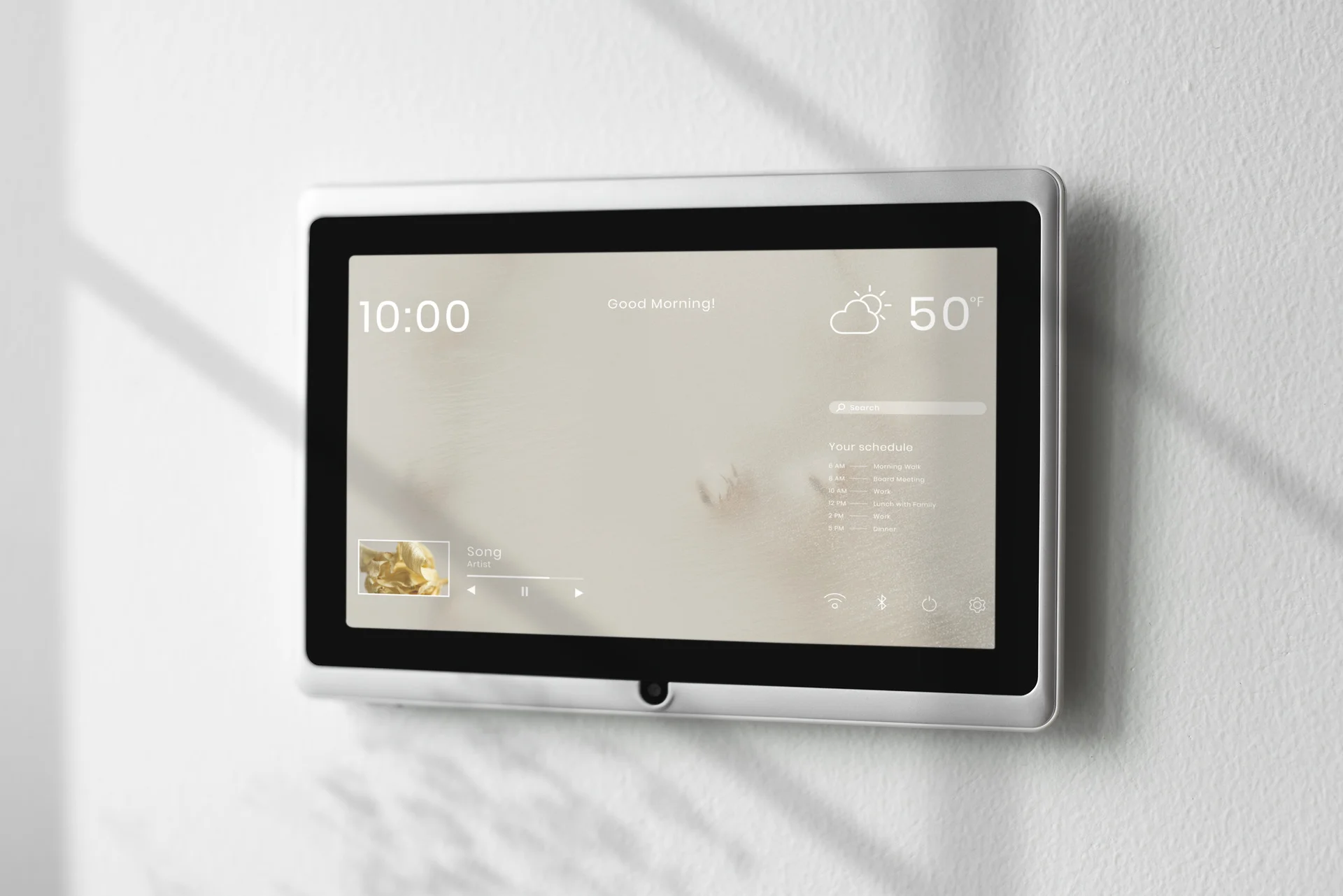
Larger screens in lobbies, common areas, and on team floors showing whole-building information:
- Today’s meetings and visitors
- Building announcements
- Emergency notifications
- Cafeteria menu / events schedule
- Weather, transit, news
- Visitor wayfinding to their meeting host
- Building occupancy and capacity
- Sustainability metrics (in some sustainability-focused offices)
These are the most flexible of the four types and often the most visible to employees and visitors. DeskFlex’s Status Board Display is built specifically for this use case.
Best for: Offices that want a strong workplace experience at first impression for both employees and visitors, especially HQ and customer-facing offices.
How the Four Types Work Together
In a mature hybrid office, all four types appear in different physical locations:
- Lobby: Large workplace status dashboard (Type 4) showing visitor wayfinding, building announcements, and the day’s meetings
- Conference room doors: Meeting room status displays (Type 1) for booking and check-in
- Floor lobby / break areas: In/out board (Type 2) and desk hoteling status (Type 3)
- Each workstation: Workstation touchscreens (Type 3) for desk-level booking and check-in
All four typically integrate with the same underlying workplace platform so that data stays consistent and admins manage one system, not four.
Digital Status Boards by the Numbers
| Stat | Figure | Source |
|---|---|---|
| Global digital signage market size | ~$26 billion (2025) | MarketsAndMarkets; Fortune Business Insights |
| Digital signage market growth rate | ~7–10% CAGR through 2030 | Fortune Business Insights |
| Knowledge-work organizations running hybrid models | ~70%+ | Gartner; Future Forum Pulse |
| Office desks unused on a typical weekday in fixed-seat offices | Up to 40% | Leesman; JLL |
| Real-estate cost reduction from utilization-led consolidation | 30 to 50% | CBRE; Verdantix |
| Adoption uplift for workplace platforms with mobile + display integration | +60% | Industry research |
| Meeting-room booking conflicts in offices without room displays | 20 to 30% of meetings | Vendor benchmarks |
| Reduction in booking conflicts after room display deployment | Drops to under 5% | Vendor benchmarks |
| Time saved per employee per week from real-time desk availability info | 15 to 30 minutes | Industry benchmarks |
Benefits of Digital Status Boards
The benefits of digital status boards in modern workplaces fall into six categories. The relative weight varies by which type of status board you are deploying, but most mature offices see measurable gains across all six.
1. Less wasted time looking for available space
Without real-time visibility, employees waste time walking to meeting rooms only to find them booked, hunting for desks that turn out to be occupied, or trying to track down colleagues who happen to be remote that day. Industry benchmarks suggest 15 to 30 minutes saved per employee per week when real-time information is readily available.
2. Fewer double-bookings and meeting conflicts
Meeting room conflicts (someone showing up for a meeting only to find the room already in use) typically run 20 to 30 percent of meetings in offices without room displays. With proper status displays plus calendar integration and abandoned-meeting protection, conflict rates drop below 5 percent.
3. Better visitor experience
A lobby display showing the visitor’s name, their meeting host, the room location, and wayfinding instructions transforms the visitor experience from “ask the receptionist who is busy” to “walk straight to where I need to be.” This is a small but visible improvement that customers and partners notice.
4. Improved emergency response
Real-time in/out board data tells facilities and security teams exactly who is in the building at any moment, which is critical for evacuation accountability, fire drills, and active-threat response. Most offices currently rely on paper sign-in sheets or assume everyone is at their assigned desk, both of which fail in real emergencies.
5. Higher employee satisfaction
The combination of clear information, frictionless booking, and visible workplace coordination consistently produces higher engagement scores in employee surveys. The effect is modest but measurable, and it compounds over time as the workplace feels more “modern” and “well-run.”
6. Better workplace analytics
Status boards generate the data that drives workplace analytics: booking volume, utilization rates, peak hours, room demand patterns, visitor traffic, attendance patterns. This data is the foundation for real-estate decisions, hybrid policy adjustments, and infrastructure investments. DeskFlex’s analytics connect this data into a single dashboard.
Key Features to Look For
When evaluating digital status board software, these are the must-have capabilities for each of the four types, plus the cross-cutting features that distinguish good systems from average ones.
Must-have features for meeting room displays (Type 1)
- Color-coded availability visible from a distance (green / red / amber)
- Real-time sync with the booking platform
- One-tap on-screen booking for spontaneous reservations
- Show current meeting organizer and title (configurable for privacy)
- Show next meeting and time
- Integration with Outlook, Google Calendar, and Microsoft Teams
- Support for abandoned-meeting protection (auto-release of unused bookings)
- Power over Ethernet (PoE) for clean installation
- Tamper-resistant mounting
Must-have features for digital in/out boards (Type 2)
- Real-time employee status (in, out, remote, in meeting, on break)
- Group / team / location filtering
- Search by name
- Expected return times for absent employees
- Mobile app for self-service status updates
- Manager override capabilities
- Integration with HR systems for organizational structure
- Emergency mode for evacuation accountability
Must-have features for desk hoteling status boards (Type 3)
- Real-time floor plan with available / booked / occupied states
- Filter by team, zone, or amenity (standing desk, monitor type)
- Mobile booking from the same data source
- Workstation-level touchscreens showing booking and check-in status
- Check-in / check-out workflows tied to occupancy data
Must-have features for general workplace dashboards (Type 4)
- Customizable content blocks (meetings, visitors, announcements, weather, transit)
- Multi-screen orchestration (different content in different locations)
- Brand customization (colors, logos, layouts)
- Emergency notification override
- Content scheduling (different content at different times of day)
- Integration with workplace platform, calendar, HR, and external feeds
Cross-cutting features that matter for all four types
- Native integrations with the underlying workplace platform, calendar, identity (SSO), and HR system
- Mobile companion apps so employees can see the same information on their phones
- Centralized admin console to manage all displays from one dashboard
- Role-based permissions for facilities, IT, HR, and management
- Audit logs for compliance-sensitive industries
- Accessibility compliance (WCAG 2.1, large fonts, color contrast)
- Hardware flexibility (works on Android tablets, iPads, dedicated kiosks, large displays, web)
- Offline graceful degradation (shows last known status if network is down)
- Multi-language support for global organizations
- API access for custom integrations and data export
Use Cases by Industry
The four types of digital status boards apply broadly, but several industry contexts have specific use patterns worth noting.
Corporate hybrid offices
The most common context. Typical deployment: room displays outside every conference room (Type 1), desk hoteling status (Type 3) on workstation touchscreens, a workplace dashboard in the lobby (Type 4). In/out boards (Type 2) are less common in pure-corporate environments unless attendance accountability is a stated requirement. DeskFlex’s hybrid work platform supports all four.
Healthcare administrative spaces
Healthcare admin offices benefit particularly from in/out boards (Type 2) for emergency response and from room displays (Type 1) for HIPAA-compliant meeting management. On-premise deployment is often required for systems handling PHI-adjacent data. See DeskFlex for healthcare.
Education
Universities and schools deploy status boards for faculty office availability, classroom and meeting room scheduling, and visitor wayfinding in administrative buildings. Campus-wide deployments commonly include multilingual support and integration with campus identity systems. See DeskFlex for education.
Government workplaces
Government deployments emphasize emergency response (Type 2 in/out boards), visitor accountability (Type 4 lobby displays), and audit trail capability. On-premise deployment is often required. See DeskFlex for government.
Multi-site enterprises
Enterprise deployments at 5+ offices in multiple countries add complexity through multi-language requirements, location-specific configurations, time-zone handling, and consolidated analytics across the portfolio. Look for platforms with strong multi-site administration and consistent branding controls. See DeskFlex for enterprise.
Coworking and shared offices
Shared workspaces and coworking spaces commonly use all four types to coordinate the variable activity of multiple member organizations sharing the same physical space. Status boards become critical infrastructure rather than a nice-to-have when the same conference room is used by 5 different companies in a single day.
How to Choose Digital Status Board Software?
The right approach is to identify your specific use cases, evaluate platforms against your must-haves, and pilot before scaling. Six steps:
Step 1: Define which types you actually need
Most organizations need 2 to 3 of the 4 types, not all four. Identify the specific problems you are solving:
- Meeting room conflicts and double-bookings → Type 1 (room displays)
- Emergency response or attendance visibility → Type 2 (in/out boards)
- Hot desking or hoteling at scale → Type 3 (desk status)
- First-impression visitor experience or building information → Type 4 (workplace dashboards)
Step 2: Identify required integrations
What needs to connect:
- Calendar platform (Outlook, Google, Teams)
- Identity provider (Okta, Microsoft Entra ID, SAML SSO)
- HR system (Workday, BambooHR, ADP)
- Building access (badge systems)
- Visitor management
- Workplace management platform (desk booking, room scheduling)
The fewer separate tools you have to integrate, the better. Platforms that combine status boards with the underlying booking and management system reduce both cost and complexity.
Step 3: Choose between standalone tools and integrated platforms
The two main options:
- Standalone digital signage / status board tools (Bisner, SwipedOn, Savance Workplace, InOutBoard.com, Monitask): focus on one or two of the four types specifically
- Integrated workplace platforms with built-in status board features (DeskFlex, Robin, OfficeSpace, Condeco / Eptura, Tactic): handle status boards as part of a broader desk booking, room scheduling, and visitor management stack
Integrated platforms usually win on total cost of ownership, data consistency, and admin overhead. Standalone tools can win when you only need a single type and the integrated platform overhead is not justified.
Step 4: Verify hardware compatibility
Different platforms support different displays:
- Android tablets (most common, cheapest)
- iPads (more expensive but better quality)
- Dedicated kiosks (purpose-built hardware)
- Large displays (32”+ for lobby use)
- Workstation touchscreens (small, embedded in desks)
If you already have hardware, verify the software runs on it. If you need new hardware, factor it into the budget.
Step 5: Get real demos and reference customers
Demo with your floor plan, your team data, your scenarios. Reference customers in similar industry and size. Specifically ask about: implementation experience, ongoing maintenance, what they would do differently, and adoption challenges.
Step 6: Pilot before scaling
Deploy to 1 to 3 conference rooms, one floor, or one office before scaling. Pilots catch hardware, network, and adoption issues before they become organization-wide problems. Typical pilot: 4 to 8 weeks.
How to Implement Digital Status Boards: a 5-step Framework
Once you have selected the platform, implementation follows five phases.
Phase 1: Plan (weeks 1 to 3)
- Map screen locations on the floor plan: conference rooms, lobby, common areas, workstation positions
- Confirm network coverage (Ethernet, wifi, PoE) at every screen location
- Plan content for each screen type
- Define administration model (who manages what)
- Build the budget including hardware, software, installation, and training
Output: A documented plan with screen locations, content, and budget.
Phase 2: Procure and prepare (weeks 3 to 6)
- Order hardware (tablets, mounts, large displays, kiosks)
- Set up software accounts, integrations (calendar, identity, HR), and admin permissions
- Configure brand customization (colors, logos, layouts)
- Build content templates for each screen type
Output: Hardware on hand, software configured, brand-ready.
Phase 3: Install (weeks 6 to 10)
- Mount hardware at planned locations
- Connect network (Ethernet preferred for fixed displays, wifi acceptable for tablets)
- Test each display individually
- Test integration with the underlying workplace platform
- Train administrators on managing content
Output: All hardware live and tested.
Phase 4: Launch and communicate (weeks 10 to 14)
- Announce the new displays to employees and visitors
- Run user training (often as short as 5 to 10 minutes)
- Place explanatory signage near new displays during the first 2 to 4 weeks
- Monitor usage and gather feedback
Output: Active use of all displays.
Phase 5: Measure and optimize (continuous)
- Track usage analytics for each display
- Review content effectiveness quarterly
- Update content based on feedback
- Add or relocate displays as workplace use patterns shift
Output: Continuous improvement.
Common Implementation Mistakes to Avoid
1. Buying hardware before software
Common pattern: facilities buys tablets without knowing which software will run on them, then discovers compatibility issues. Pick the software first, then buy hardware the software supports.
2. Skipping the network audit
Wifi dead zones, insufficient bandwidth, and PoE-incompatible switches at the planned screen locations cause endless support tickets after installation. Audit the network at every planned location before ordering hardware.
3. Under-investing in content management
Status boards are not “set it and forget it.” Someone needs to keep content fresh, update announcements, and adjust based on usage. Designate an owner before launch.
4. Overloading the display with information
Crowded status boards with too much information at once become noise instead of signal. Show the 3 or 4 things people actually need to see, not everything that could be shown.
5. Ignoring accessibility
Font size, color contrast, screen height, and WCAG compliance matter for employees and visitors with vision impairments or mobility limitations. Plan for accessibility from the start.
6. Treating in/out boards as surveillance
In/out boards work when they are framed as transparency and emergency-response tools. They fail when employees perceive them as surveillance. Communicate purpose clearly, allow opt-out where reasonable, and respect privacy in content choices.
7. Forgetting the mobile experience
The same data that appears on physical displays should appear on mobile apps so employees can check on the go. Status board systems that only work on the physical screens leave a meaningful gap.
8. Not piloting before scaling
Rolling out to every conference room and every floor on day one produces concentrated friction and support backlogs. Pilot with 1 to 3 displays, gather feedback, iterate, then scale.
How DeskFlex’s Status Board Works
DeskFlex’s Status Board Display is a workplace digital signage system that integrates natively with the broader DeskFlex platform. The platform covers all four status board types in one integrated system rather than requiring you to source four separate tools:
Type 1: Meeting room displays
Room Display Touchscreens outside every conference room with real-time booking status, one-tap booking, color-coded availability, and integration with Outlook, Office 365, and Microsoft Exchange.
Type 2: In/out boards
The check-in / check-out feature shows real-time employee presence, feeding the Status Board Display for in/out visibility plus emergency-response accountability via CheckInOut.
Type 3: Desk hoteling status
Workstation Touchscreens at each desk show booking status, while 3D floor maps and floor-level status boards show real-time desk availability across the building.
Type 4: Workplace dashboards
Large-screen Status Board Displays in lobbies and common areas show building information, visitor wayfinding, meetings, announcements, and other workplace data.
Why integration matters
When all four types come from one platform, data stays consistent (no “the status board says X but the booking app says Y”), administration is centralized (one admin console, not four), the user experience feels coherent, and the underlying analytics include all signal sources for stronger insights. DeskFlex also offers both cloud SaaS and on-premise deployment for regulated industries.
Book a 30-minute demo to see how DeskFlex’s status board system fits your specific office.
Conclusion
Digital status boards have become operationally essential infrastructure in modern hybrid workplaces. The four distinct types (meeting room displays, in/out boards, desk hoteling status, workplace dashboards) solve different problems and most mature offices deploy two or three of them in combination. The right choice depends on which specific workplace problems you are solving and whether you want to source from a standalone signage tool or an integrated workplace platform that includes status boards as part of a broader stack.
For offices wanting all four types from one platform with consistent data and unified administration, plus the rare option of on-premise deployment for regulated industries, DeskFlex’s Status Board Display sits inside the broader DeskFlex workplace management platform alongside desk booking, room scheduling, visitor management, and analytics. Book a 30-minute demo to walk through how status boards fit your specific office.
Frequently Asked Questions (FAQs)
What is a digital status board?
A digital status board is a screen, display, or dashboard that shows real-time information about a workplace, including meeting room availability, desk occupancy, employee presence, visitor activity, building information, and other dynamic workplace data. Status boards appear on large screens in lobbies, on tablet displays outside meeting rooms, on touchscreens at desks, and on web dashboards accessed by employees and facilities teams. The term covers four distinct categories: meeting room status displays, digital in/out boards, desk hoteling status boards, and general workplace dashboards.
What are the different types of digital status boards?
The four main types are:
(1) meeting room status displays (small touchscreens outside conference rooms showing booking and availability),
(2) digital in/out boards (replacing the old magnetic in/out boards with real-time employee presence visibility),
(3) desk hoteling status boards (showing real-time desk availability across hot-desking and hoteling environments),
(4) general workplace dashboards (lobby and common-area screens showing building information, visitor wayfinding, announcements, and meetings).
Most mature offices deploy two or three of these types in combination, ideally from a single integrated workplace platform.
How much does a digital status board cost?
Costs vary by type and scope. Meeting room display software typically runs $5 to $50 per room per month, plus hardware ($150 to $800 per tablet plus mounting). Digital in/out board software typically runs $5 to $30 per employee per month, with no extra hardware required if displayed on existing TVs. Desk hoteling status systems run $3 to $30 per user per month as part of a broader workplace platform. General workplace dashboards run $200 to $1,000 per display per year for software, plus the cost of the large screens themselves ($300 to $2,000+ per display). Total deployment for a 200-person office with all four types typically lands in the $20,000 to $80,000 first-year all-in.
Do I need digital signage for a meeting room?
Meeting room displays are not strictly required, but they significantly reduce booking conflicts, no-shows, and front-of-room confusion. Industry benchmarks suggest 20 to 30 percent of meetings hit a booking conflict in offices without room displays, dropping to under 5 percent with proper room displays plus abandoned-meeting protection. For offices with 5+ conference rooms or where meeting friction is a recurring complaint, room displays produce measurable ROI quickly. For smaller offices with 1 to 2 conference rooms and stable booking patterns, they are useful but less essential.
What is the difference between a digital status board and digital signage?
Digital signage is the broader category of any electronic display showing dynamic content in physical locations. Digital status boards are a specific type of digital signage focused on workplace status: meeting rooms, desk availability, employee presence, visitor flow. All digital status boards are digital signage, but not all digital signage is status boards. Other forms of digital signage include retail promotions, restaurant menu boards, transit information displays, and educational signage in schools and museums. The status board distinction matters because workplace status boards need to integrate with the underlying booking, identity, and HR systems, which generic digital signage typically does not.
What is the difference between a digital in/out board and an attendance tracking system?
A digital in/out board shows real-time employee presence (who is in the office right now, who is remote, who is at lunch). An attendance tracking system records historical attendance for HR, payroll, and compliance purposes. The two often share data sources (badge swipes, check-in events) but serve different audiences: in/out boards are for employees and facilities teams in the moment, while attendance tracking is for HR and finance over time. Modern workplace platforms typically include both, with the in/out board as a real-time visualization layer on top of the attendance database.
How do digital status boards help with hybrid work?
Digital status boards solve several hybrid-work-specific problems: real-time desk availability for hot desking and hoteling, team-presence visibility so colleagues can coordinate office days, meeting room booking that adapts to variable attendance, visitor experience that works whether employees are in or out, and emergency-response accountability when attendance varies day to day. In hybrid contexts, the “who is in today” question is harder to answer than in fixed-seat offices, and status boards are the operational answer.
What hardware do I need for a digital status board?
For meeting room displays, the typical hardware is a 7 to 15 inch Android tablet or iPad mounted next to the door with Power over Ethernet (PoE) for clean installation. For in/out boards, any smart TV or large display in a common area works (or it can be web-accessed without dedicated hardware). For desk hoteling status, workstation-level touchscreens (small, embedded in desks) plus large floor displays. For general workplace dashboards, large displays (32 inch and up) in lobbies and common areas, mounted at viewing height with brand-appropriate framing. Network requirements: Ethernet preferred for fixed displays, wifi acceptable for tablets.
How long does it take to deploy digital status boards?
Deployment timelines vary by scope. A single office with 5 to 10 meeting room displays and one lobby dashboard typically deploys in 4 to 8 weeks from order to live. A mid-market office with 20 to 50 displays across 1 to 3 floors typically runs 8 to 16 weeks. Enterprise multi-site deployments with hundreds of displays across multiple offices typically run 4 to 12 months for full coverage, often deployed in waves. The largest variable across all sizes is network readiness at the planned display locations; offices with mature network infrastructure deploy fastest.
How do I choose between standalone digital signage tools and integrated workplace platforms?
Standalone digital signage tools (Bisner, SwipedOn, Savance, InOutBoard.com, generic signage platforms) focus on one or two of the four status board types. Integrated workplace platforms (DeskFlex, Robin, OfficeSpace, Condeco) include status board features as part of a broader desk booking, room scheduling, and visitor management stack. Standalone tools work well when you need only one type and want to keep status boards separate from your booking infrastructure. Integrated platforms win on total cost of ownership, data consistency, and administrative overhead when you need 2+ types or when status boards should reflect data from your booking system. For most mid-market and enterprise offices, integrated platforms are the better choice.
Can a digital status board work with Microsoft Teams and Outlook?
Yes, all major status board platforms integrate with Microsoft Outlook, Microsoft Teams, and Microsoft 365. The depth of integration varies: DeskFlex offers native MS Exchange, Outlook, Office 365, and Active Directory integration; Robin, OfficeSpace, Condeco all have strong Microsoft stack integration; standalone signage tools typically have basic calendar sync. Verify the integration depth (one-way calendar read vs full bidirectional with meeting creation) before selecting if Microsoft integration matters for your deployment.
Do digital status boards help with emergency response?
Yes, specifically in/out boards (Type 2) and the underlying check-in / check-out infrastructure. In an evacuation, facilities and security teams need to know who is in the building at the moment of the emergency. Paper sign-in sheets fail in real emergencies, and assuming everyone is at their assigned desk does not work in hybrid offices. Real-time in/out board data tells responders exactly who needs to be accounted for. Some platforms (DeskFlex, Savance) include explicit emergency-mode features that switch the status board into an evacuation-accountability tool when needed.
What are the privacy considerations for digital status boards?
Digital in/out boards specifically raise privacy considerations because they show employee presence and status. Best practices include: clear policy on what information is displayed (just in/out vs detailed location), opt-out provisions for sensitive roles, role-based access controls so detailed information is visible only to managers and emergency responders, GDPR / CSRD / CCPA alignment for employee data, and transparent communication about purpose (transparency and emergency response, not surveillance). For meeting room displays, configurable settings to hide meeting titles (“Busy” only) are standard for organizations with confidential meetings.
Can DeskFlex provide digital status boards?
Yes. DeskFlex’s Status Board Display covers general workplace dashboards. Room Display Touchscreens handle meeting room displays. Workstation Touchscreens cover desk-level status. The CheckInOut feature drives in/out board functionality. Because all four types come from one integrated platform, data stays consistent across displays, administration is centralized, and the underlying analytics include all signal sources. DeskFlex offers both cloud and on-premise deployment for regulated industries (healthcare, government, education). Book a 30-minute demo.