


Blog
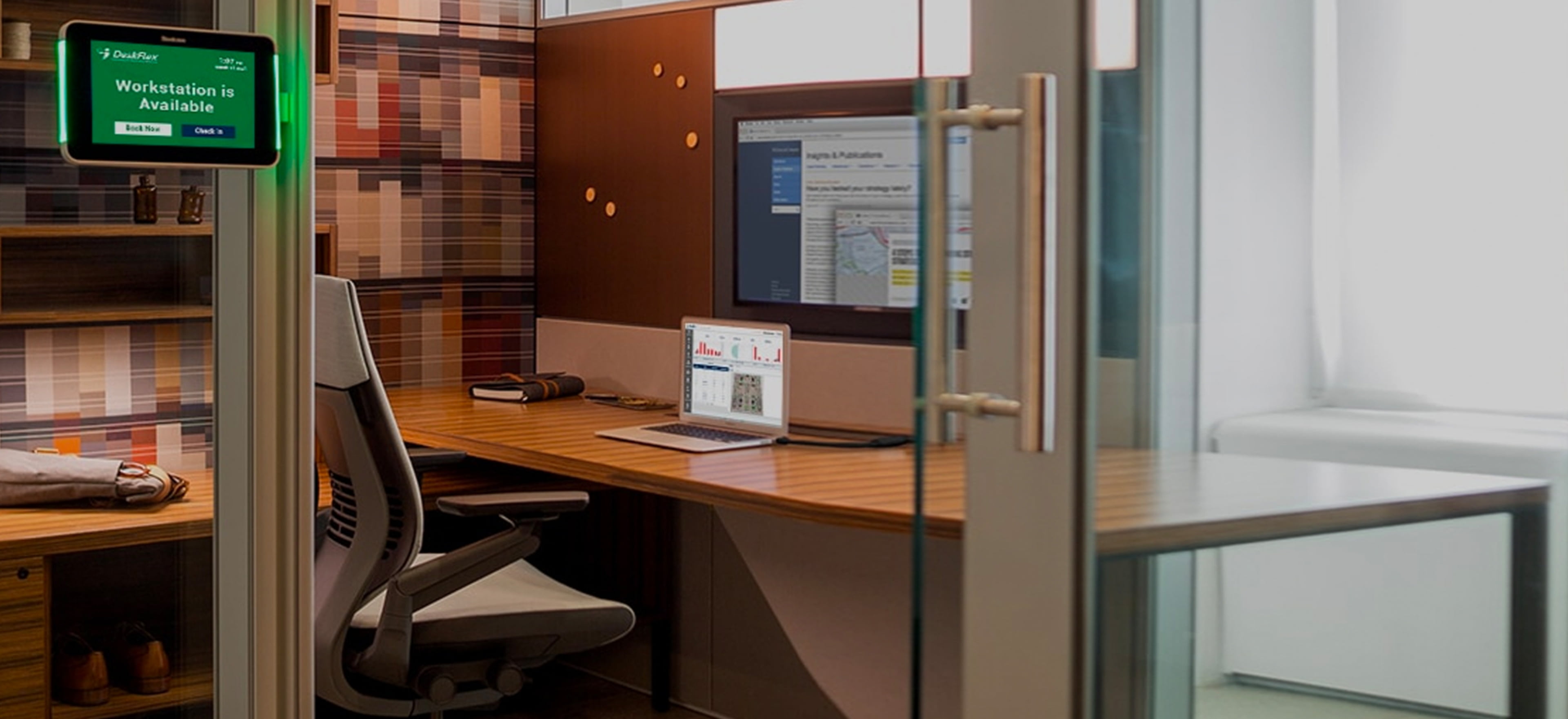
Workspace Reservation Software in 2026: The Essential Tool for Efficient Office Management
Today’s workplace is evolving faster than ever. Hybrid models, flexible schedules, and distributed teams have shifted how offices operate — and how space is used. Traditional assigned desks and manual schedules are no longer effective. To stay productive, efficient, and agile, organizations must adopt modern workspace reservation solutions.
Workspace reservation software empowers teams to optimize office space, improve collaboration, and support hybrid work with real-time visibility and intelligent automation — making it a must-have tool for modern office management.
The Changing Office Landscape: Why Space Management Matters
Hybrid work models are now standard across industries. Many employees split time between remote and on-site work, while others work flexible or staggered schedules. In this environment:
Assigned seating is often inefficient.
Peak office days can lead to overcrowding.
Under-used space represents a cost burden.
Coordination without digital tools leads to confusion.
According to workspace software trends, managing office space without reservation tools leads to wasted desks and frustrated teams, while reservation systems improve both space utilization and employee experience.
What Is Workspace Reservation Software?
Workspace reservation software is a digital platform that lets employees and administrators reserve office space — including desks, workstations, meeting rooms, and other shared resources — in advance. It serves as the backbone for workspace planning in hybrid and flexible environments.
Key capabilities include:
Real-time booking and availability
Interactive office maps
Reservations for desks, rooms, equipment
Scheduling and check-in features
Integration with calendars and collaboration tools
In essence, it replaces manual spreadsheets and guesswork with a streamlined, automated system.
Core Benefits of Workspace Reservation Software
1. Optimize Office Space Usage
Reservation tools give visibility into which workspaces are used — and which aren’t. This data helps facilities and HR teams reduce unused desks and align space with actual needs. Analytics dashboards allow:
Identification of peak utilization times
Insights into under-used zones
Data-backed workspace planning
Efficient space use can significantly lower operating costs and improve return on office real estate.
2. Enhance Flexibility for Hybrid Teams
Hybrid work means employees may only be on-site part of the week. Workspace reservation software enables:
Employees to choose when and where they want to work
Teams to book rooms or desks ahead of time
Office administrators to manage reservations across days and weeks
This flexibility deepens employee autonomy and satisfaction while keeping planning organized.
3. Boost Productivity and Collaboration
Reservation systems help team members coordinate better when working on-site. Features such as:
Booking desks near teammates
Reserving rooms for collaborative sessions
Linking space booking with calendar tools
make it easier to work together when physical presence matters. Seamless integration with tools like Microsoft 365 and Google Workspace ensures reservations align with team schedules.
4. Reduce Conflicts and Double-Bookings
Nothing kills productivity faster than arriving at the office to find your desk or meeting room occupied. Workspace reservation software eliminates confusion by:
Showing real-time availability
Updating schedules instantly
Preventing overlapping bookings
These systems provide clear, accurate reservations so employees can trust their office experience.
5. Capture Actionable Usage Analytics
Beyond scheduling, modern workspace reservation solutions include reporting and analytics that help office managers understand trends such as:
Most popular desks or spaces
Average daily occupancy
Patterns in peak usage days
Resource demand forecasting
With data, leaders can make informed choices about office layout, amenities, and future investments.
Key Features to Look For in Today’s Reservation Solutions
ensure your workspace software supports current hybrid work needs, consider tools with:
🔹 Interactive Floor Plans
Visual maps make booking intuitive and help users see exactly where they’ll sit or work.
🔹 Mobile and Calendar Integration
Employees want to reserve space from anywhere — via mobile apps — and sync reservations with Outlook or Google Calendar.
🔹 Check-In and Usage Tracking
Features like QR code check-in reduce no-shows and give accurate occupancy data.
🔹 Visitor and Resource Support
Top platforms also manage visitor access and shared resources like parking or equipment.
🔹 Custom Booking Rules
Admins should be able to define policies (e.g., who can book what and when).
These capabilities make workspace reservation tools fit seamlessly into large and small organizations alike.
Real-World Use Cases
Hybrid Workforce Scheduling
Hybrid teams can reserve desks before arriving on site and avoid overcrowding. Tools enable balanced space distribution and help HR ensure fairness among teams.
Hot Desking and Flex Seating
Unassigned seating — a common strategy in hybrid workplaces — works best when supported by intuitive reservation systems. Hot desk solutions let employees pick where they’ll sit each day, driving efficient workspace use.
Meeting Room Coordination
Aside from desks, reservation software helps avoid conflicts in meeting space. Users can book rooms with listed amenities (screens, whiteboards, etc.) and plan collaborative work sessions.
Space Planning for Growth or Downsizing
Long-term space analytics help organizations adapt office footprints as needs change, providing visibility to support strategic decisions.
How Workspace Reservation Supports Better Employee Experience
Employees matter — and the tools they use shape how they feel about work. Reservation software improves daily routines by:
✔ Removing uncertainty about workspace availability
✔ Ensuring employees arrive and have a place to work
✔ Allowing teams to sit or meet together intentionally
✔ Reducing friction caused by manual admin
This smoother experience increases engagement and helps companies attract and retain talent in a competitive job market.
Integration with Broader Hybrid Work Technology
Workspace reservation is only one part of managing hybrid operations. Leading platforms also integrate with:
Room scheduling systems
Visitor management
Chat and collaboration tools (Slack, Teams)
Security and access control
This ecosystem approach transforms the office from a static environment into a coordinated workspace network.
Best Practices for Implementing Reservation Software
To maximize the value of your workspace reservation tool:
✅ Communicate Clear Guidelines
Educate employees on how and when to book spaces.
✅ Monitor Office Patterns
Use analytics to adjust capacity planning and desk allocation.
✅ Pilot Before Full Launch
Test with a representative group, refine workflows, and collect feedback.
✅ Encourage Adoption
Simple interfaces and calendar sync make booking a natural part of the workday.
✅ Review Regularly
Evaluate usage trends quarterly to ensure the tool continues to meet organizational needs.
Future Outlook: Workplace Reservations and Beyond
As hybrid work becomes fully integrated into business operations, workspace reservation systems will continue to evolve. Upcoming trends include:
✨ AI-driven booking assistants that suggest optimal spaces
✨ Predictive analytics for space demand forecasting
✨ Touchless mobile check-in and occupancy sensors
✨ Integration with wellness and sustainability metrics
These advancements will make offices more responsive, personalized, and efficient.
Summary: Why Workspace Reservation Software Is Essential
In a world where flexibility is the norm, workspace reservation software is no longer optional — it’s essential. It helps organizations:
🔹 Optimize space and lower costs
🔹 Support hybrid and flexible work
🔹 Improve collaboration and satisfaction
🔹 Eliminate scheduling conflicts
🔹 Make smarter strategic decisions based on usage data
Workspace reservation tools transform office management from chaotic and manual into intelligent and user-centric.
Frequently Asked Questions (FAQs)
1. What is workspace reservation software?
Workspace reservation software is a digital platform that allows employees to book desks, meeting rooms, and other office resources in advance. It helps organizations manage hybrid work schedules, optimize office space usage, and prevent double bookings through real-time availability tracking.
2. Why is workspace reservation software important for hybrid workplaces?
In hybrid workplaces, employees split time between remote and in-office work. Workspace reservation software ensures efficient space allocation, prevents overcrowding, and provides employees with flexibility and certainty about where they will work when they come into the office.
3. How does desk booking software improve office efficiency?
Desk booking software improves efficiency by:
Reducing unused office space
Preventing scheduling conflicts
Providing real-time availability
Offering data insights on space usage
Streamlining administrative tasks
This leads to better space planning and cost optimization.
4. What features should I look for in workspace reservation software?
Key features to look for include:
Interactive floor plans
Mobile app access
Calendar integrations (Microsoft 365, Google Workspace)
Real-time availability tracking
Analytics and reporting dashboards
Check-in and no-show management
Custom booking rules
These features ensure seamless integration into hybrid work environments.
5. Can workspace reservation software reduce office costs?
Yes. By analyzing usage patterns, companies can identify underutilized spaces and reduce unnecessary real estate expenses. Many organizations use reservation analytics to right-size their office footprint and lower operational costs.