


Blog
A Complete Guide to Meeting Room Analytics and Efficiency
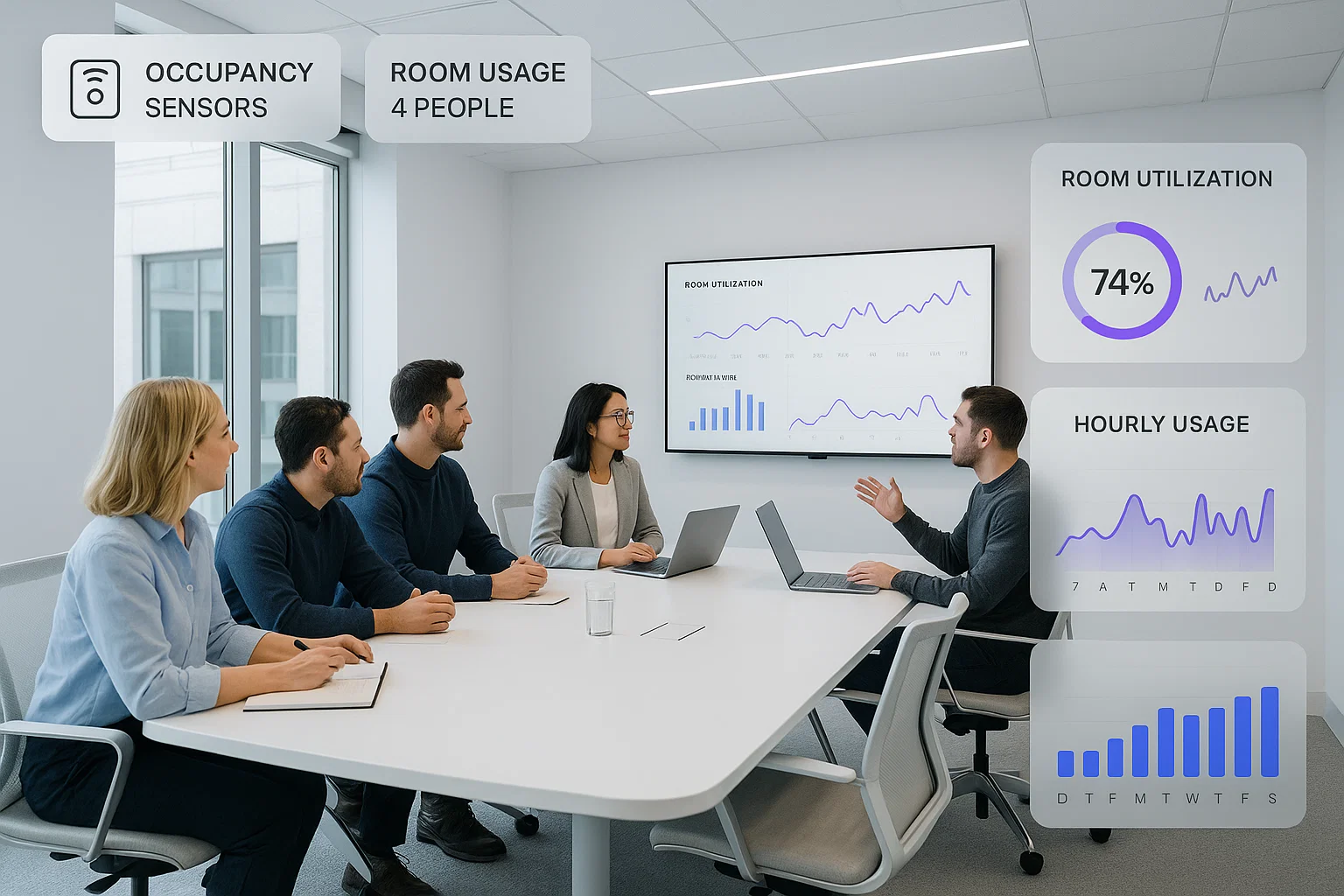
Meeting rooms are essential spaces where teams discuss ideas, plan projects, and make important decisions every day. Many offices still face challenges such as booking conflicts, empty rooms that appear reserved, or meeting spaces that are too small or too large. These issues waste time, reduce productivity, and create frustration for employees. Meeting room analytics helps solve these problems by revealing how meeting spaces are actually used in real situations. This guide explains meeting room analytics in a simple and understandable way so every reader can follow easily.
What is Meeting Room Analytics?
Meeting room analytics is the process of collecting and analyzing data about how meeting rooms are used. It captures booking patterns, actual room occupancy, meeting duration, and overall usage trends across the office. This information shows which rooms are busy, which remain empty, and how employees interact with the space. Businesses use this insight to improve their workplace design and make scheduling smoother for everyone. In today’s hybrid work environment, understanding real meeting room usage has become essential for efficient planning and better space management.
Key Features of Meeting Room Analytics
Meeting room analytics includes several important features that help you understand how effectively your meeting spaces are used each day.
- Occupancy and Utilization
Occupancy shows whether a meeting room is in use at any given moment. Utilization shows how often the room is used compared to its availability. These insights help identify underused spaces and reduce unnecessary office capacity. - Booking Behavior
Meeting room analytics highlights booking behavior such as early cancellations, no shows, and unused reservations. This information helps you understand employee habits and fix issues that limit room availability. - Meeting Duration and Room Suitability
Analytics reveals whether the chosen room size matches the number of attendees in each meeting. It also shows if meetings usually end earlier or continue longer than expected. - Feature and Equipment Usage
You can track usage of tools such as screens, video conferencing systems, and collaboration equipment. This helps you invest in the right technology and avoid spending money on features employees rarely use. - Sensor Based Occupancy Data
Smart sensors provide accurate real time data about actual room occupancy during the day. This helps reduce ghost meetings and ensures that rooms become available when they are not truly in use.
How Meeting Room Analytics Works?
Meeting room analytics uses multiple technologies that work together to collect accurate information and convert it into useful insights.
Sensors
Occupancy sensors detect movement and confirm whether people are actually inside the room. These sensors provide real time occupancy data that shows if a booked room is truly being used. Door sensors track when a room is entered or exited, helping measure actual meeting start and end times. Environmental sensors measure room temperature, lighting, and air quality, which help improve comfort and energy efficiency.
Booking Software
Booking software records every meeting reservation created by employees. It provides detailed data on booking times, cancellations, no shows, and last minute changes. This information helps identify booking behavior and highlight patterns that affect meeting room availability. Meeting room Booking tools also connect with calendars to ensure all reservations remain accurate and synchronized.
Analytics Dashboards
Analytics dashboards collect all sensor and booking data in one easy to read place. They provide clear visuals that show usage trends, peak hours, and underused meeting rooms. Dashboards also provide comparisons between rooms, helping businesses understand which spaces perform best. These insights support informed decisions about space planning and office improvements.
Automation
Automation uses real time data to adjust room availability without manual actions. It provides automatic room release when a space stays empty after a meeting begins. Automation also provides energy savings by adjusting lighting or temperature when rooms are not in use. These features improve efficiency and reduce daily management tasks for workplace teams.
Benefits of Using Meeting Room Analytics
Meeting room analytics offers several important advantages that help businesses improve efficiency, save costs, and enhance employee experience.
- Better Space Utilization
Analytics shows which rooms are used most often and which remain empty during the day. This information helps businesses plan office layouts and allocate space more effectively to meet real needs. - Fewer Booking Conflicts
Data highlights double bookings, ghost meetings, and scheduling errors. With this insight, employees can find available rooms faster, reducing disruptions and improving meeting efficiency. - Lower Real Estate Costs
Understanding actual room usage prevents businesses from paying for unused or unnecessary office spaces. Proper utilization planning can lead to significant savings on rent, utilities, and maintenance costs. - Improved Employee Experience
Employees feel more productive when rooms are easy to book and reliably available. Better scheduling and room management reduce frustration and encourage smooth collaboration across teams. - Stronger Hybrid Work Planning
Meeting room analytics helps organizations plan in-office days for hybrid teams more effectively. It ensures that meeting spaces match team needs and support flexible work schedules.
How to Implement Meeting Room Analytics?
Implementing meeting room analytics can be simple if you follow a few structured steps that ensure successful adoption.
- Set Clear Goals
Decide what you want to achieve with analytics, such as reducing no shows, improving utilization, or optimizing space. Clear goals help measure success and guide the implementation process effectively. - Choose the Right Software
Select meeting room scheduling software that supports analytics, integrates with sensors, and connects to your calendar tools. The right software ensures smooth data collection and accurate insights for decision making. - Integrate Sensors and Systems
Install occupancy sensors in meeting rooms and connect them to your calendars and booking software. This ensures that all usage data is captured accurately and flows seamlessly into the analytics system. - Train Teams
Provide simple and clear guidance to employees on how to book rooms and use the new system. Proper training improves adoption rates and helps teams follow the process correctly. - Monitor Results Regularly
Check your analytics dashboard frequently to review trends and patterns in room usage. Use this data to adjust your space planning and improve meeting room efficiency over time.
Why DeskFlex Is the Smart Choice for Meeting Room Analytics?
Managing meeting rooms efficiently can be a challenge for any business. DeskFlex provides all the tools you need to collect accurate usage data, analyze room performance, and optimize your office space. With DeskFlex, businesses can solve common meeting room problems like no-shows, double bookings, and underutilized rooms, while improving employee experience and productivity.
Real-Time Room Booking Analytics
DeskFlex gives real time updates on all meeting room reservations. Teams can instantly see which rooms are available and which are occupied. This prevents confusion, reduces wasted time searching for a free room, and ensures meetings start on schedule. Real time data helps managers understand room usage patterns and make data-driven decisions about space allocation.
Built-in Occupancy Sensors for Accurate Data
DeskFlex uses advanced smart sensors to detect whether a room is actually occupied. This means analytics are based on real activity, not just calendar bookings. Businesses can see which rooms are frequently used, which remain empty, and which equipment is utilized the most. Accurate data allows better planning, ensures proper room allocation, and improves overall office efficiency.
Automated Room Release for No-Shows
If a meeting room remains empty after a scheduled start time, DeskFlex automatically releases it. This feature prevents ghost meetings from blocking valuable space and increases room availability for other teams. Automation saves time for employees and facilities managers while ensuring every room is used efficiently.
Smart Dashboards for Utilization Insights
DeskFlex dashboards collect all room and occupancy data in one easy-to-read interface. They show trends like peak usage hours, underused rooms, and equipment usage patterns. These visual insights allow businesses to make informed decisions about room assignments, office layouts, and space optimization strategies.
Perfect for Hybrid Offices and Flexible Teams
Hybrid work requires flexibility and accurate scheduling. DeskFlex’s hybrid work software is built to support hybrid workplaces by giving teams real time access to room availability. Employees can plan in-office meetings efficiently, avoid conflicts, and collaborate smoothly. The system supports flexible schedules while keeping rooms organized and fully utilized.
Ready to Optimize Your Meeting Rooms with DeskFlex
DeskFlex helps businesses eliminate booking conflicts, improve space utilization, and enhance employee productivity. By providing real-time data, automated tools, and smart insights, DeskFlex transforms meeting rooms into highly efficient spaces. Start using DeskFlex today to optimize your workplace, reduce wasted space, and create a smoother, more productive office experience.
Frequently Asked Questions (FAQs)
1. What is meeting room analytics?
Meeting room analytics is the process of collecting and analyzing data about how your office meeting spaces are used. It helps organizations identify booking patterns, measure occupancy rates, and understand which rooms are most or least utilized. This data helps businesses make informed decisions about space planning and resource allocation.
2. Why are meeting room analytics important for modern workplaces?
In today’s hybrid work environment, meeting room analytics ensure that office spaces are used efficiently. They reduce wasted space, prevent double bookings, and improve employee productivity by making it easier to find and reserve available rooms when needed.
3. What kind of data does meeting room analytics track?
Meeting room analytics typically track room occupancy rates, booking frequency, meeting duration, no-shows, and cancellation rates. Advanced systems may also integrate sensor data or collaboration tool usage to give a complete picture of how workspaces are used.
4. How do workspace collaboration tools support meeting room analytics?
Workspace collaboration tools like shared calendars, communication apps, and booking systems complement meeting room analytics by streamlining how employees coordinate and reserve spaces. When integrated, these tools make it easier to track usage, prevent scheduling conflicts, and improve overall workplace efficiency.
5. Can meeting room analytics help reduce office costs?
Yes. By revealing underused meeting rooms or inefficient layouts, analytics help businesses optimize their real estate. This can lead to downsizing unused spaces or repurposing them for other needs, ultimately reducing overhead costs.
6. How can small businesses benefit from meeting room analytics?
Even small offices can benefit from meeting room analytics. By tracking how spaces are used, small businesses can prevent booking overlaps, improve meeting flow, and ensure that every part of their workspace adds value to their operations.
7. What tools or technologies are used for meeting room analytics?
Organizations often use software platforms that integrate with IoT sensors, booking systems, and collaboration apps. These technologies work together to collect real-time data on room occupancy, user behavior, and meeting trends, providing valuable insights through visual reports and dashboards.
8. How can I start implementing meeting room analytics in my workplace?
You can begin by using a room booking system or workspace management software that includes analytics features. Start small—track occupancy and booking data—then expand to integrate sensors or advanced dashboards as your needs grow.