


Blog
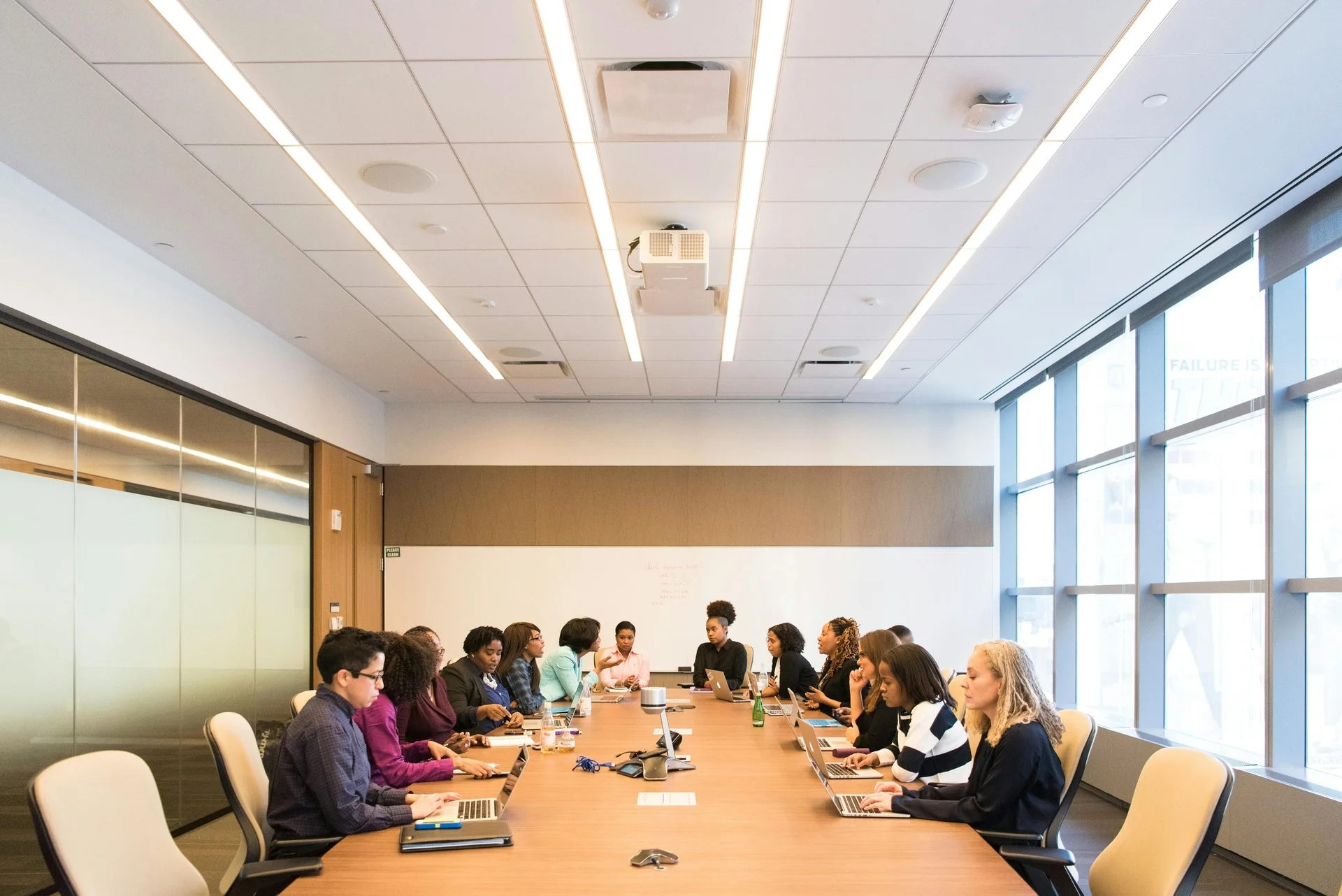
Hotel Conference Room Rental: Pricing, Booking Tips & Smarter Scheduling (2026)
Quick Facts at a Glance
| Detail | Info |
|---|---|
| Average hourly rate | $50–$250/hour |
| Average daily rate | $300–$1,500+/day |
| Recommended booking lead time | 1–2 weeks minimum |
| Typical room capacity | 5–300+ attendees |
| Cancellation window | Usually 24–72 hours |
| Best managed with | Room scheduling software like DeskFlex |
Finding the right space for your next business meeting is more than a logistics decision — it directly affects your team’s productivity, your brand image, and your client relationships. In fact, poorly planned meetings cost U.S. businesses an estimated $37 billion per year in lost productivity (Harvard Business Review).
A hotel conference room rental gives you a professional, fully equipped, and flexible venue without the overhead of owning or managing space. But if you’re booking multiple rooms across locations, managing recurring reservations, or coordinating hybrid teams, the manual process quickly becomes a bottleneck.
That’s exactly where DeskFlex comes in — giving businesses a smarter way to schedule, manage, and optimize every conference room, hotel or otherwise.
This guide covers everything you need to know: real 2026 pricing, what’s included, how to book step-by-step, and how DeskFlex helps businesses eliminate booking headaches for good.
What Is a Hotel Conference Room Rental?
A hotel conference room rental is a paid reservation of a professional meeting space within a hotel property for a defined period. Unlike leasing office space, there’s no long-term commitment you pay only for the time you use.
These rooms are used for:
- Executive boardroom meetings and strategy sessions
- Client presentations and business pitches
- Employee training workshops and seminars
- Company-wide conferences and product launches
- Hybrid meetings connecting on-site and remote teams
Hotels design these spaces specifically for business use, with built-in tech, flexible layouts, and on-site support so you walk in and get to work.
Why Businesses Choose Hotel Conference Rooms
1. Professional Environment That Builds Credibility
A hotel conference room signals professionalism. For client-facing meetings, presentations, or high-stakes negotiations, the environment itself communicates quality. Clean, branded, quiet spaces help attendees focus and leave a strong impression.
2. Everything Is Already Set Up
Unlike renting a raw event space, hotel conference rooms come equipped. AV systems, seating, Wi-Fi, whiteboards — it’s all ready. No external vendors, no day-of scrambling. This is critical for businesses managing multiple meetings per week.
3. Ideal for Out-of-Town Attendees
Hotels solve the accommodation + meeting space problem in one booking. External clients, regional team members, or international guests can sleep and meet in the same building, reducing friction and travel stress.
4. Flexible Booking Options
Most hotels offer hourly, half-day, and full-day rates. For businesses that don’t need a permanent conference space, this flexibility makes hotel rooms far more cost-effective than leasing.
5. On-Site Services Reduce Coordinator Workload
Catering, tech support, event staff — hotels offer all of it in-house. For HR teams, operations managers, or executive assistants coordinating meetings, this consolidated service model saves hours of planning time.
Types of Hotel Conference Rooms and What They're Best For
| Room Type | Capacity | Best Use Case |
|---|---|---|
| Boardroom | 6–20 people | Executive meetings, confidential discussions |
| Standard Meeting Room | 10–50 people | Team meetings, training, client presentations |
| Conference Hall | 50–300+ people | Seminars, company events, product launches |
| Hybrid Meeting Room | 10–50 people | Distributed teams, cross-location meetings |
| Training Room | 15–60 people | Workshops, onboarding, certification sessions |
By City (Approximate Mid-Range Daily Rate)
| City | Estimated Daily Rate |
|---|---|
| New York City | $800–$1,500 |
| San Francisco | $750–$1,400 |
| Chicago | $600–$1,200 |
| Los Angeles | $700–$1,300 |
| Dallas / Houston | $400–$900 |
| Miami | $500–$1,000 |
| Smaller US Cities | $300–$700 |
What Drives the Price Up
- Advanced AV equipment (video walls, hybrid tech): +$100–$300
- Catering: $15–$75/person depending on service level
- Extended hours beyond booking window: billed at hourly overage rate
- Same-day or last-minute bookings: typically 20–40% premium
- Premium floor or view: varies by property
What's Included vs. What Costs Extra
This is where most businesses get surprised. Here’s the honest breakdown:
Usually Included in the Base Rate
- Basic table and chair setup for your confirmed headcount
- High-speed Wi-Fi (confirm speed if running video calls)
- Standard whiteboard or flip chart with markers
- One room layout configuration
- Basic lighting and climate control
Almost Always Costs Extra
| Add-On | Typical Cost |
|---|---|
| Projector or LED Screen | $50–$150/day |
| Microphone and Sound System | $75–$200/day |
| Video Conferencing Equipment | $100–$300/day |
| Coffee/Tea Service | $8–$15/person |
| Full Catering (Lunch) | $40–$75/person |
| Parking for Attendees | $10–$40/day per car |
| Printing / Business Center | Per page/job |
| Room Layout Reconfiguration | $50–$150 |
Always request a full itemized quote. A room advertised at $150/hour can easily become $400/hour once AV, catering, and Wi-Fi are added.
Hotel Conference Rooms vs. Alternatives: Which Is Right for You?
| Factor | Hotel Conference Room | Coworking Space | Dedicated Event Venue | Your Own Office |
|---|---|---|---|---|
| Professional Image | ★★★★★★★★★★ | ★★★★☆☆☆☆☆☆ | ★★★★★★★★★☆ | ★★★☆☆☆☆☆☆☆ |
| Cost | $$$$ | $$ | $$$ | $ (if already leased) |
| AV/Tech Included | Usually yes | Sometimes | Often extra | Varies |
| Catering Available | Yes, on-site | Rarely | Yes | Requires vendor |
| Overnight Accommodation | Yes | No | Sometimes | No |
| Booking Flexibility | High | High | Low | Depends on scheduling |
| Ideal For | Client meetings, out-of-town attendees | Casual internal work | Large-scale events | Regular internal meetings |
Hotels win when: You’re hosting external clients, need catering, require overnight accommodation for attendees, or want a premium, branded environment.
Coworking wins when: You need a quick, affordable space for small internal teams with no external audience.
DeskFlex wins when: You’re managing multiple rooms across any of these environments and need centralized visibility, automated bookings, and conflict-free scheduling.
How to Book a Hotel Conference Room: Step-by-Step
Step 1 – Define Your Exact Requirements
Lock these in before you contact any venue:
- Number of attendees (confirmed, not estimated)
- Meeting purpose and format (presentation, workshop, discussion)
- AV and tech requirements
- Catering needs
- Date, start time, and expected duration
- Hard budget ceiling
Step 2 – Shortlist 3–4 Hotels
Search via direct hotel websites, Peerspace, Bizly, or Venuu. Direct booking often unlocks better rates than third-party platforms. Focus on proximity to attendee locations — a 30-minute commute reduction increases attendance reliability.
Step 3 – Request Itemized Quotes
Don’t compare headline rates. Request a full breakdown: room cost, AV charges, catering, setup fees, parking, and any mandatory service charges. Compare total cost, not base rate.
Step 4 – Inspect the Room
For client-facing or large events, always do a site visit or request a video walkthrough. Check: AV quality, acoustic isolation, natural light, room shape, and proximity to distractions (lobby, bar, kitchen noise).
Step 5 – Confirm in Writing
Get a written confirmation covering: room name and floor, exact setup style, all included services, full cost breakdown, cancellation policy, and your day-of contact person.
Step 6 – Brief the Hotel Coordinator 48 Hours Before
Send your agenda, tech requirements, and headcount confirmation. Ask for a test run of AV if presentations are involved. This prevents day-of surprises.
7 Proven Tips to Save Money on Hotel Conference Room Rentals
- Book Tuesday–Thursday mornings — peak demand is Monday afternoon and Friday. Weekday AM slots are often 20–30% cheaper.
- Ask about minimum F&B spend deals — some hotels waive the room fee entirely if you commit to a food and beverage minimum.
- Bundle room + catering — package deals consistently beat separately priced services.
- Negotiate corporate rates — if you host 5+ meetings per year at the same property, ask for an annual account rate.
- Avoid day-of AV rentals — bring your own laptop, clicker, and HDMI adapter. Hotel AV markup is significant.
- Book 2–3 weeks out minimum — last-minute availability comes at a premium and with fewer layout options.
- Use room scheduling software — tools like DeskFlex help you avoid double-bookings and unused paid reservations, which is one of the most common hidden costs businesses don’t track.
The Hidden Cost Nobody Talks About: Unmanaged Room Bookings
Here’s a problem most businesses don’t quantify: ghost meetings.
A team books a hotel conference room, the meeting gets cancelled internally, but nobody cancels the hotel reservation. Or two department heads book overlapping rooms for the same team. Or a room goes unused because the booking system isn’t visible to the whole team.
According to workplace research, up to 40% of booked meeting rooms are unused on any given day — yet the cost is still charged.
For businesses managing hotel conference rooms alongside internal office spaces, a dedicated room management platform like DeskFlex eliminates this waste entirely.
DeskFlex’s Abandoned Meeting Protection feature automatically releases rooms when attendees don’t check in — freeing up space and preventing unnecessary charges. This single feature alone can recover thousands of dollars annually for mid-to-large businesses.
How DeskFlex Solves Conference Room Management for Businesses
Whether you’re booking hotel conference rooms once a week or managing a portfolio of meeting spaces across multiple locations, DeskFlex gives you complete control.
Real-Time Room Availability
See which rooms are booked, available, or in use — across every location — in a single dashboard. No phone calls, no email chains, no back-and-forth with hotel coordinators. → Room Scheduling
Conflict-Free Automated Booking
DeskFlex prevents double-bookings automatically. When a room is reserved, it’s instantly blocked across all users and integrated with your existing calendar tools. → Room Booking
Microsoft Outlook & Office 365 Integration
Book a conference room directly from your Outlook calendar. No separate system to log into. Reservations sync instantly and appear in everyone’s schedule. → Outlook Integration | Office 365 Integration
Hybrid Meeting Support
DeskFlex’s hybrid-ready rooms integrate with video conferencing tools, ensuring remote participants are accounted for in room capacity planning and tech setup. → Hybrid Work Software
Room Display Touchscreens
Mount a display outside any conference room showing real-time availability. Walk-in attendees can see current bookings, end times, and upcoming reservations at a glance — no app needed. → Room Display Touchscreen
Analytics and Reporting
Understand which rooms are overbooked, underused, or generating the most cost. DeskFlex analytics give operations teams the data to optimize space decisions — including whether renting hotel rooms is still cost-effective vs. investing in in-house space. → Analytics Reporting
Best Use Cases: When to Rent a Hotel Conference Room
| Situation | Why a Hotel Works |
|---|---|
| Client Pitch or Proposal | Neutral ground, professional setting, strong first impression |
| Annual Company Planning Session | Away from office distractions, full-day packages available |
| Out-of-Town Team Gathering | Accommodation + meeting in one location |
| Training with External Facilitator | Full-day room with catering, classroom layout |
| Product Launch or Press Event | Conference hall capacity, AV support, media-ready setup |
| Board Meeting or Investor Review | Boardroom privacy, executive atmosphere |
| Hybrid All-Hands Meeting | Video-ready rooms with hybrid conferencing tools |
Key Questions to Ask Every Hotel Before You Book
- What is the room’s maximum and comfortable seating capacity?
- Is Wi-Fi included, and what is the confirmed upload/download speed?
- What AV equipment is available at no extra charge?
- What is the exact cancellation and rescheduling policy?
- Is there a dedicated point of contact on the day?
- Are there noise restrictions or hard end times?
- What is the cost of attendee parking?
- Can the room layout be reconfigured, and is there a setup fee?
- Is catering available on-site, and what are the minimum orders?
- Is hybrid/video conferencing equipment available or BYO?
Ready to Eliminate Conference Room Chaos?
Managing hotel conference room bookings manually — across email, phone, and spreadsheets — is inefficient and expensive. Missed cancellations, double-bookings, and unused reservations quietly drain budgets every month.
DeskFlex gives businesses a smarter system:
- Real-time room visibility across all locations
- Automated conflict-free booking
- Outlook and Office 365 sync
- Hybrid meeting support
- Usage analytics to cut waste
Whether you’re scheduling a single boardroom or managing an entire portfolio of meeting spaces, DeskFlex makes every booking faster, cleaner, and more cost-effective.
👉 Book a Free Live Demo Today — see exactly how DeskFlex can transform your conference room management in under 30 minutes.
Frequently Asked Questions (FAQs)
How much does it cost to rent a hotel conference room in 2026?
Hotel conference room rental rates range from $50–$250/hour or $300–$1,500+/day, depending on hotel category, city, room size, and included services. Budget hotels in smaller cities start around $300/day; luxury properties in New York or San Francisco can exceed $1,500/day. Always get a full itemized quote AV, catering, and parking are frequently billed separately.
What is included in a hotel conference room rental?
Most hotel conference rooms include basic seating, a table configuration, standard Wi-Fi, and a whiteboard. Projectors, microphones, video conferencing equipment, and catering are typically charged as add-ons. Confirm every line item before signing a contract.
What is included in a hotel conference room rental?
Most hotel conference room rentals include essential facilities such as high-speed Wi-Fi, audiovisual equipment, comfortable seating, and basic technical support. Many hotels also offer additional services like catering, event coordination, and business support services, which may come at an extra cost.
How can I manage hotel conference room bookings more efficiently?
Room scheduling software like DeskFlex centralizes all bookings in one system, prevents double-bookings, integrates with Outlook and Office 365, and provides usage analytics. For businesses booking multiple rooms or locations, this eliminates the manual coordination that wastes significant time and money.
Are hotel conference rooms good for hybrid meetings?
Yes many modern hotels now offer rooms equipped for hybrid meetings with video conferencing cameras, dual screens, and reliable high-speed internet. Before booking, confirm the exact tech specs. DeskFlex’s Hybrid Work Software helps ensure remote and in-person attendees are properly accounted for in room planning.
Can I rent a hotel conference room for just 2–3 hours?
Yes. Most hotels offer hourly bookings with a 2-hour minimum. Half-day (4-hour) and full-day packages also exist and tend to offer better per-hour value if your meeting might run long.
How far in advance should I book a hotel conference room?
Book at least 1–2 weeks in advance for standard meetings. For large events, peak business periods (end of quarter, industry conference season), or luxury properties, book 4–6 weeks out to secure your preferred room and pricing.
What is the difference between a boardroom and a conference room?
A boardroom is a smaller, fixed-layout room (typically 6–20 people) with executive seating and a formal atmosphere, designed for high-level private meetings. A conference room is a broader term covering flexible spaces for various group sizes, meeting formats, and purposes.
How does DeskFlex help with conference room management?
DeskFlex provides a complete room scheduling platform that shows real-time availability, automates reservations, prevents conflicts, integrates with Microsoft tools, and provides analytics on room usage. It works for hotel conference rooms, office meeting rooms, and hybrid workspaces — giving businesses full control from a single platform. Book a demo to see it in action.
Is hotel conference room rental cheaper than coworking spaces?
Not always. Coworking day passes for meeting rooms range from $25–$75/hour — cheaper than hotels. However, hotels offer catering, on-site accommodation, a more professional image, and full event support that coworking spaces don’t match. For client-facing or high-stakes meetings, hotels typically deliver better ROI.
What should I do if my hotel conference room booking needs to be cancelled?
Contact the hotel directly as early as possible. Most hotels require 24–72 hours notice for cancellations without a penalty charge. Full-day and large event bookings may have longer cancellation windows. Always confirm the exact cancellation terms in writing when you book. Using a room management tool like DeskFlex also helps teams catch and cancel unused bookings before they incur costs.