


Blog
Blog
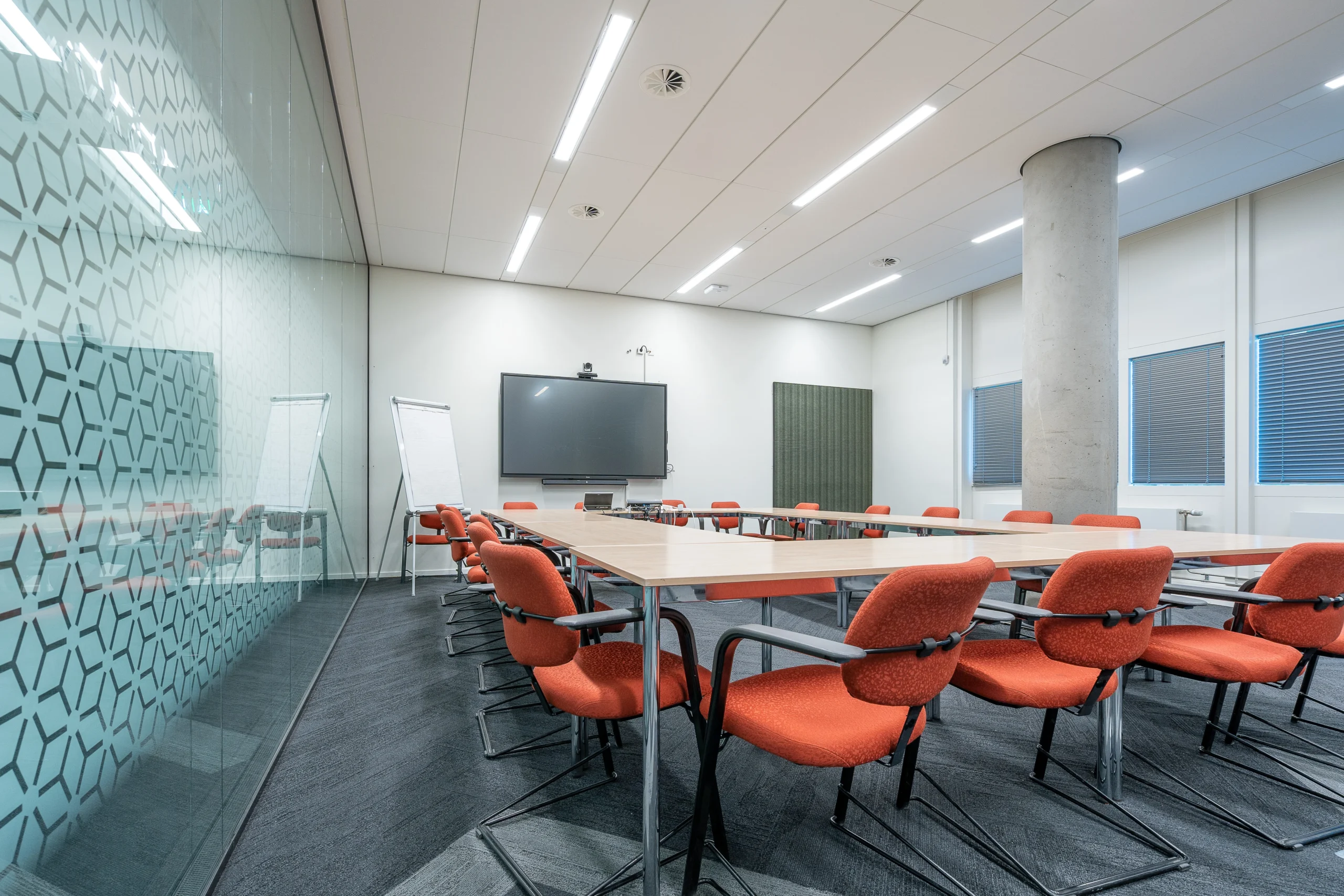
A Complete Guide to Creating Productive Conference Room Setups
A properly modelled conference room setup directly affects team effort, decision-making, and team productivity. It is clear that in modern workplaces, many meetings are conducted online.
Most of them incorporate work-from-home workers, mobile work schedules, and office shares. In this regard, poorly planned conferences lead to frustration when function rooms are inadequately organized, with audio issues or time conflicts.
An intelligent conference room setup helps reduce wasted time, facilitates hybrid work more efficiently, and streamlines meetings. Intelligent room management tools such as DeskFlex, when used together, can help the organization not only enhance meeting quality but also improve the actual use of rooms.
Why Conference Room Setup Matters?
It is necessary to understand why the setup of conference rooms is crucial to the day-to-day. Here are some reasons why:
Improved Meeting Efficiency
An adequately prepared conference room setup will ensure that meetings commence on time and proceed with minimal to no issues. In situations where screens, microphones, and seating are already streamlined, there will be less time spent troubleshooting technical or space-related issues and more time focused on the conversation. This saves time, reduces meeting time, and enhances productivity.
Strong Professional Image
Since clients, partners, and executives are also hosted in conference rooms, a modern, clean design conveys professionalism and order. Poor layouts or outdated equipment create a negative impression and erode confidence in doing business.
Better Hybrid Collaboration
Part of a hybrid work model is that some individuals attend the meetings remotely. The absence of cameras, audio, and displays can make remote workers feel isolated or forgotten. A hybrid-ready meeting room design will enable everyone to view, listen, and engage on par with the rest of the people, making interaction and collaboration easier.
Smarter Use of Office Space
Some of the most significant challenges many organizations have been encountering include overbooking rooms, underutilization, and unused reservations. Conference rooms should be thoughtfully designed, providing businesses with a better understanding of utilization patterns and allowing them to plan their office space more efficiently with the help of booking tools.
Types of Conference Room Setups
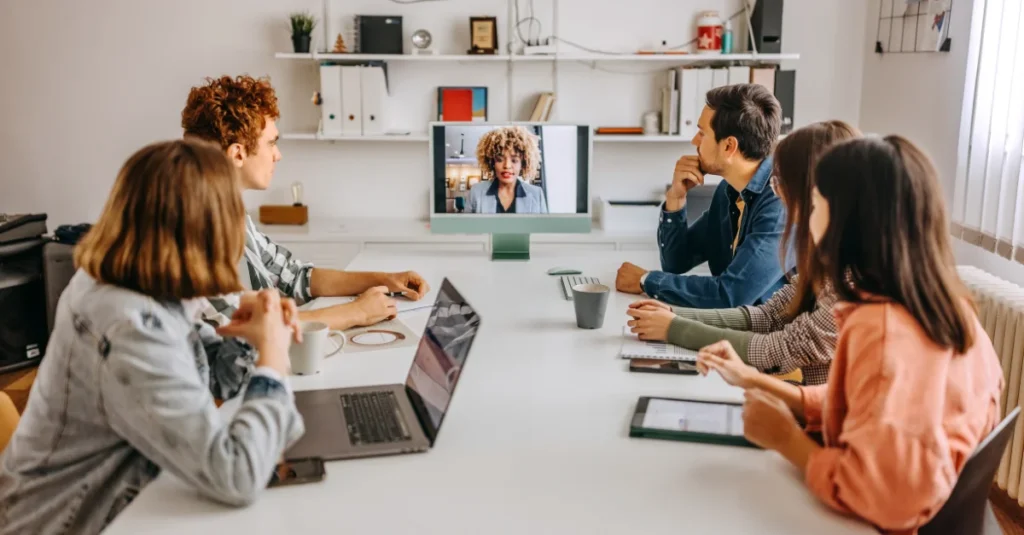
The various meeting setups have different arrangements. The correct choice of format is to make the room facilitate the way people work. These are some of the conference room setups to consider:
Traditional Conference Room Setup
This arrangement is aimed at face-to-face meetings and official discussions. A conventional conference room typically features a large table and permanent seating. This layout is suitable for executive meetings and presentations where a face-to-face meeting is most important. It has, however, offered less support for remote participants, making it less suitable for hybrid teams.
Hybrid Conference Room Setup
A hybrid conference room is currently the most popular option for modern office design. It is a setup that integrates in-room and remote participation. Remote employees are actively involved with cameras, microphones, and conference room displays. This arrangement allows flexible working hours and helps close the gap between office and remote employees.
Video Conference Room Setup
There are rooms designed for virtual meetings. A video conference room setup facility is dedicated to quality audio, lighting, and video. The rooms are ideal for international teams and organizations with multiple locations. Clear graphics and audio will help minimize miscommunication and make virtual meetings more natural and productive.
Conference Room Setup Checklist
| Use Case / Requirement | Traditional Conference Room | Hybrid Conference Room | Video Conference Room |
|---|---|---|---|
| On-site talks with executives | ✅ | ✅ | ❌ |
| Meetings with the board and official talks | ✅ | ✅ | ❌ |
| Meetings with clients (in person) | ✅ | ✅ | ⚠️ |
| Hybrid talks (in-person and online) | ❌ | ✅ | ⚠️ |
| Completely online or remote discussions | ❌ | ⚠️ | ✅ |
| Teams with members in more than one country | ❌ | ✅ | ✅ |
| Needs high-quality audio and video | ⚠️ | ✅ | ✅ |
| Teamwork between office and online workers | ❌ | ✅ | ⚠️ |
| Offers flexible work hours and hot-desking services | ❌ | ✅ | ❌ |
| Not much room modification is needed | ✅ | ⚠️ | ✅ |
| Economical for regular online meetings | ❌ | ⚠️ | ✅ |
| Most suitable for the current hybrid work environment | ❌ | ✅ | ⚠️ |
Legend: ✅ Best suited ⚠️ Can work, but with limitations ❌ Not recommended
Essential Elements of a Conference Room Setup
Every conference room has some elements that are considered core and directly related to behavior and productivity. These are some of them:
Furniture and Layout
The conference room layout determines how individuals will interact during a meeting. Seating and appropriately sized tables keep participants focused and engaged. Flexible designs enable rooms to be configured for various types of meetings and promote cooperation rather than formal, strict discussions. Unplanned layouts often lead to cramped, uncomfortable conditions that harm concentration and engagement.
Technology and Equipment
Modern meetings are based on technology. Conference room technology, such as displays, cameras, microphones, and audiovisual solutions, enhances communication clarity. When technology works faultlessly, employees will feel comfortable using meeting rooms rather than avoiding them due to technical challenges.
Lighting and Acoustics
The quality of lighting and sound directly affects the perception of meetings. Proper lighting enhances the visibility of both participants in the room and those remote, and good acoustics minimize background noise and echo. Poor audio and lighting tend to result in exhaustion and misunderstandings, particularly in long or hybrid meetings.
Connectivity and Power
Good connectivity ensures meetings do not have to be interrupted. Good Wi-Fi and accessible power outlets help participants access the Internet during the meeting. In cases of poor connectivity, meetings are brief, less fruitful, and frustrating for employees.
Best Practices for an Effective Conference Room Setup
Best practices can ensure that conference rooms meet real workplace requirements.
Spatial Allocation of Strategy
The alignment of room capacity to meeting intent so that square footage is used efficiently and, at the same time, eliminates the logistical nightmare of overcrowding and underutilization. Because there are different types of spaces, like small huddle pods and big boardrooms, companies can make a more intentional place that connects the physical and team spaces.
Intuitive User Experience
A plug-and-play philosophy enables employees to set up meetings on the spot without the hassle of complicated configurations and the extra training required. With simplified controls and cable control, participants can devote all their energy to collaboration, rather than spending time troubleshooting hardware problems in the middle of a session.
Enterprise Technology that is standardized.
Using homogeneous hardware and software across all meeting areas builds employee muscle memory and reliability in their experience, regardless of the room they choose to meet in. This organizational consistency gives its employees the confidence to chair meetings and significantly reduces the number of emergency-support tickets for the IT department.
Common Conference Room Setup Mistakes to Avoid
These are some of the errors many organizations make in organizing meeting spaces.
Congested Designs
Room layouts that are not well planned inhibit participants’ movement and make it difficult for them to stay active. When furniture is overcrowded, or walkways are narrow, movement becomes disruptive and uncomfortable, particularly in longer chain meetings. Crowded designs are also distracting; individuals can pay more attention to physical pain than to the discussion, which eventually reduces cooperation and effectiveness.
It is always good to test internet speed before participants join the meeting.
Bad Sound Quality
Poor audio systems may have a grave effect on meeting effectiveness. In situations where voices are indistinct, distorted, or irregular, participants find it difficult to track conversations, leading to frustration and zoning out. Poor sound quality would deter attendance and hinder communication between the in-room presenter and the virtual presenter.
Absence of Hybrid Support
Conventionally-equipped meeting rooms are likely to provide unequal collaboration experiences. Face-to-face participants prevail in meetings, while remote participants are neglected or disregarded due to a lack of visibility, audio, or engagement tools. In the absence of adequate hybrid support, including built-in video conferencing, microphones, and content-sharing features, teams experience disjointed communication and diminished alignment.
Unutilized Booked Rooms
Reserved, unoccupied rooms indicate inefficiency in booking and room planning. This commonly happens when employees book rooms as a contingency due to poor visibility into their availability or the absence of automated check-in systems. Subsequently, this means that other teams cannot access the required space when it is needed, while the needed office space goes to waste, adding to congestion and frustration in the workplace.
How DeskFlex Optimizes Conference Room Setup and Usage?
Even the most managerial room requires management. DeskFlex complements conference room booking with real-time availability, calendar-based features, and no-show prevention. Usage analytics can help organizations understand how rooms are being used, enabling them to plan, lay out space more effectively, and optimize long-term use.
The best implementation of a smart conference room setup should be combined with intelligent management tools.
👉 Request a free DeskFlex demo today
Having a problem with the underutilization of conference rooms or overbooked rooms? DeskFlex helps organize rooms, arrange them, and manage their use in a single convenient platform.
Conclusion
The conference room design transcends furniture and equipment and directly influences the way people communicate and collaborate, as well as how they make decisions. By preventing typical design and technology errors, it is possible to design the meeting space that would be inclusive, efficient, and consistent with new work habits. Organizations can make their conference rooms conducive to effective meetings by focusing on mobility, high-quality sound, hybrid use, and intelligent scheduling.
Frequently Asked Questions (FAQs)
What is the ideal conference room setup for hybrid meetings?
The ideal hybrid conference room setup includes high-quality cameras, microphones, displays, reliable internet connectivity, and flexible seating. These elements ensure equal participation for both in-person and remote attendees.
What equipment is essential for a modern conference room?
A modern conference room requires a large display, video conferencing camera, noise-canceling microphones, speakers, strong Wi-Fi, power outlets, and integrated room scheduling software for smooth meetings.
How does conference room layout affect meeting productivity?
Conference room layout directly impacts communication, comfort, and engagement. Poor layouts cause distractions and delays, while well-planned seating, spacing, and visibility improve focus and collaboration.
What is the difference between traditional, hybrid, and video conference rooms?
Traditional rooms support in-person meetings, hybrid rooms enable both on-site and remote collaboration, and video conference rooms are optimized for fully virtual meetings with advanced audio and video equipment.
How can businesses prevent conference room overbooking and underutilization?
Businesses can prevent overbooking and unused rooms by using conference room booking software with real-time availability, check-ins, and usage analytics to improve space management.
Why is audio and video quality important in conference rooms?
High-quality audio and video reduce misunderstandings, improve engagement, and ensure remote participants feel included, especially in hybrid and international meetings.
How does conference room management software improve meeting efficiency?
Conference room management software streamlines scheduling, prevents no-shows, provides usage insights, and helps organizations optimize room layouts and meeting workflows.