


Blog
Blog

What Is a Hybrid Meeting and How to Run Hybrid Meetings Successfully?
Hybrid meetings have become a standard way for teams to work together across offices and remote environments today. They allow both in-office and remote team members to join the same meeting using shared technology and tools.
In 2025 more than half of organizations report adopting hybrid meeting formats as part of everyday work practices. WifiTalents When managed correctly hybrid meetings improve collaboration inclusion and productivity across distributed teams.
This guide explains what hybrid meetings are their benefits, challenges and how to run them successfully.
What Is a Hybrid Meeting?
A hybrid meeting is a meeting format where both in-office and remote participants join at the same time. Participants collaborate using video conferencing screens and meeting technology designed for shared interaction. The goal of a hybrid meeting is to give equal participation opportunities to everyone regardless of location.
Benefits of a Hybrid Meeting
Hybrid meetings help organizations combine flexibility and collaboration by connecting remote and in-office teams seamlessly. They support modern work styles while improving participation, productivity, and the overall employee experience. When implemented effectively, hybrid meetings can strengthen teamwork, engagement, and decision-making across distributed teams.
Team Flexibility
Hybrid meetings allow employees to join from the office or remotely without disrupting collaboration. This flexibility accommodates different hybrid work schedules and personal circumstances. Employees can participate fully regardless of location, which helps maintain productivity and team cohesion. Flexible meeting options also make it easier for organizations to adapt to hybrid work models.
Time Savings
Hybrid meetings reduce the need for travel between offices or locations, saving valuable time for everyone. Less commuting means employees can focus more on their work and make decisions faster. Time saved can be reinvested in project tasks, strategy discussions, or personal productivity. Overall, hybrid meetings increase efficiency and help hybrid teams make better use of their workday.
Higher Attendance
Hybrid meetings make it easier for more people to attend discussions consistently. Remote access ensures that participants are not restricted by location or travel constraints. This flexibility increases participation from key team members and decision-makers. Higher attendance leads to more inclusive discussions and better outcomes.
Work-Life Balance
Hybrid meetings give employees more control over their schedules and work routines. This flexibility reduces stress, prevents burnout, and promotes healthier daily habits. Employees who can balance personal and professional responsibilities are often more satisfied and productive. Improved work-life balance also contributes to long-term employee retention.
Inclusive Collaboration
Hybrid meetings bring together team members from multiple locations into one shared conversation. Everyone has the opportunity to contribute ideas, provide feedback, and participate equally. Inclusive collaboration ensures that remote participants feel valued and engaged. Stronger collaboration results in better decisions and more innovative solutions.
Challenges of Hybrid Meetings
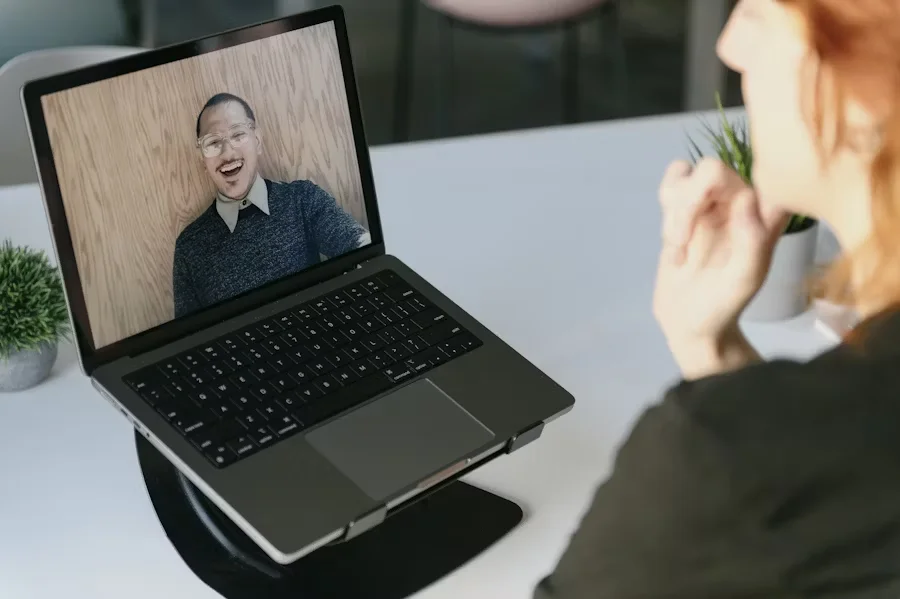
Hybrid meetings can be highly effective, but they often present challenges when technology, planning, or facilitation is not handled properly. Understanding these challenges allows teams to improve meeting quality, participation, and overall productivity. By identifying common obstacles, organizations can take proactive steps to make hybrid team meetings more successful and inclusive.
Engagement Gaps
Hybrid meetings can create unequal participation between in-room and remote attendees. Remote participants may feel overlooked if discussions focus mainly on those physically present. This gap can lead to lower engagement, missed ideas, and a sense of disconnection. Actively addressing engagement ensures all participants have equal opportunity to contribute.
Technical Issues
Audio problems, poor camera placement, and unstable connections can disrupt communication. Remote participants may struggle to follow conversations if technology is not set up properly. Frequent technical issues can waste time and reduce the overall effectiveness of the meeting. Ensuring reliable equipment and connectivity is essential for smooth collaboration.
Meeting Facilitation
Without strong facilitation, hybrid meetings can become unstructured and inefficient. A facilitator is needed to manage time, balance contributions, and guide discussions. Clear moderation helps prevent domination by a few participants and keeps everyone involved. Effective facilitation improves focus, engagement, and the achievement of meeting objectives.
Scheduling Conflicts
Improper scheduling can lead to room overlaps or conflicts with participant availability. Last-minute changes or double-bookings often cause delays and frustration. Scheduling challenges can reduce attendance and make meetings less productive. Planning ahead and coordinating calendars carefully helps avoid these issues.
Room Setup
Inadequate meeting room layout can limit visibility, audio clarity, and overall participation. Rooms without proper equipment often frustrate remote participants and reduce engagement. Seating, lighting, and equipment placement all impact the quality of hybrid meetings. A well-prepared room ensures both in-office and remote attendees can collaborate effectively.
Hybrid Meeting Best Practices
Following best practices helps hybrid meetings run smoothly, keep participants engaged, and include everyone. These steps make it easier for teams to communicate and work together, whether people are in the office or remote. Using these strategies can avoid common problems and make meetings more effective.
1. Make a Clear Agenda: Share a simple agenda with all participants before the meeting. It helps everyone know what topics will be discussed and what is expected. A clear agenda keeps the meeting on track and avoids wasting time. It also ensures both remote and in-office participants understand the goals.
2. Use the Right Technology: Make sure the room has working microphones, cameras, screens, and speakers. Good technology allows everyone to see, hear, and participate easily. Test devices and software before the meeting to avoid delays. The right tools let teams focus on the meeting instead of fixing technical problems.
3. Have an Active Facilitator: Assign someone to lead the meeting and guide the discussion. The facilitator makes sure everyone gets a chance to speak and follows the agenda. They keep the meeting organized and prevent one group from taking over. A good facilitator helps everyone stay involved and focused.
4. Keep Participants Engaged: Use polls, Q&A, or collaborative documents to involve everyone. Encourage attendees to ask questions and share ideas. This keeps people focused and makes the meeting more productive. Engaged participants contribute more and lead to better decisions.
5. Test Everything Before the Meeting: Check all equipment, software, and internet connections before the meeting starts. Testing helps avoid interruptions and technical issues during the session. It ensures remote participants can join easily and in-room participants can hear and see clearly. A proper setup makes the meeting smooth and effective for everyone.
Hybrid Meeting Equipment and Technology Checklist
Block off time before your meeting to review all essentials. Check your collaboration platform, microphones, monitors, and other equipment. Small issues like being on mute or unplugged cables are the most common causes of delays.
Equipment
Hybrid meeting equipment includes anything physically present in the room that supports in-person attendees. Proper setup ensures everyone can participate comfortably and effectively.
- Microphones: Ensure all participants in the room and online can be heard clearly. Test them beforehand to avoid feedback or low volume issues.
- Screens: Provide clear visibility of presentations and shared content. Position them so both remote and in-person participants can see without obstruction.
- Interactive whiteboard or smartboard: Enables brainstorming, note-taking, and visual collaboration. Make sure remote participants can view and contribute if possible.
- Tables, chairs, and seating: Arrange the room for comfort and easy interaction. Proper spacing and seating orientation improve engagement and participation.
- Lighting: Ensure in-room lighting is bright enough for video calls. Avoid shadows or glare that can reduce visibility for remote attendees.
- Temperature and ventilation: Keep the room comfortable to maintain focus. A well-ventilated room prevents distractions from discomfort.
Technology
Hybrid work technology connects remote and in-office participants, making collaboration seamless. Proper tools ensure smooth communication and interaction.
- Virtual meeting platform: Choose a reliable platform accessible to everyone. Test login, permissions, and connectivity for both remote and in-office participants. Using a virtual conference room makes it easy to run a one-time hybrid meeting without any technical issues.
- Control panel: Helps manage cameras, microphones, and room technology. Ensures smooth transitions between speakers and content sharing.
- Audiovisual technology: Provides clear audio and high-quality video. Check for echo, background noise, and camera angles before starting.
- Remote visual enhancement tools: Secondary cameras or virtual backgrounds help improve visibility. They allow remote participants to feel included and see the room clearly.
- Document sharing tools: Enable real-time collaboration on files and presentations. Everyone can view and edit documents simultaneously, reducing delays and confusion.
How to Run Hybrid Meetings Successfully?

Running hybrid meetings successfully requires careful planning, the right tools, and active facilitation. Proper preparation ensures that all participants, whether in the office or remote, can collaborate effectively. Following these steps helps make meetings productive, engaging, and inclusive for everyone involved. By addressing technology, participation, and follow-up, teams can avoid common pitfalls and achieve better outcomes.
1. Choose the Right Platform
Selecting a reliable meeting platform is the first step to a successful hybrid meeting. The platform should support high-quality video, clear audio, and seamless content sharing. It must be accessible to all participants, including those working remotely or in different time zones. Testing the platform beforehand helps prevent technical issues that can disrupt the meeting. A stable and intuitive platform allows everyone to focus on collaboration instead of troubleshooting technology.
2. Prepare Meeting Rooms
Book meeting rooms well in advance and make sure all necessary equipment is ready. Check microphones, speakers, cameras, and screen-sharing setups to avoid interruptions. Ensure the room layout allows both in-person and remote participants to engage comfortably. Test the technology and room conditions before the meeting starts to catch potential problems. Proper preparation creates a smooth experience that keeps participants focused on discussion and decision-making.
3. Assign a Meeting Host
Designate a meeting host to guide the discussion and manage time effectively. The host ensures that both in-office and remote participants have equal opportunities to contribute. They handle questions, moderate discussions, and keep the agenda on track. A good host monitors engagement, noticing if anyone is struggling to participate or follow along. Having a dedicated facilitator helps meetings stay productive and prevents disengagement or confusion.
4. Encourage Participation
Actively involve all attendees by asking questions and requesting feedback throughout the meeting. Use interactive methods like polls, chat messages, or collaborative documents to engage participants. Encouraging input from both remote and in-person attendees fosters inclusivity and creativity. Regularly check in with participants to ensure they are following along and feel comfortable contributing. When attendees are engaged, meetings are more productive and lead to better decisions.
5. Follow Up and Share Notes
After the meeting, send a summary of notes, action items, and any recordings to all participants. This ensures everyone, including those who could not attend live, stays informed and accountable. Follow-up reinforces decisions, clarifies responsibilities, and prevents miscommunication. Sharing materials promptly also allows team members to review discussions and next steps. A strong follow-up process strengthens collaboration and ensures meeting outcomes are successfully implemented.
Run Your Hybrid Meetings With DeskFlex
DeskFlex provide hybrid work software to make hybrid meetings simple and efficient for modern workplaces. It helps teams focus on collaboration instead of spending time on scheduling challenges.
- Easy Room Scheduling: DeskFlex allows employees to quickly book meeting rooms and check real-time availability. This eliminates conflicts and ensures everyone has access to the right space at the right time.
- Resource Management: Teams can manage meeting resources such as projectors, screens, and conference tools efficiently. Having the right resources ready improves meeting quality and reduces technical issues during discussions.
- Improve Productivity: With DeskFlex, hybrid meetings run smoothly and participants stay engaged throughout. Organizations benefit from better collaboration, time savings, and more productive team interactions.
- Streamlined Collaboration: DeskFlex provides a centralized platform for room scheduling and managing hybrid meetings. This ensures that remote and in-office participants can collaborate effectively without any hassle.
Ready to make your hybrid meetings seamless and productive? Try DeskFlex today and book your first meeting room effortlessly!
Frequently Asked Questions (FAQs)
What is a hybrid meeting?
A hybrid meeting is a format where some participants attend in person while others join remotely via video conferencing or collaboration tools.
What equipment is needed for a hybrid meeting?
Key equipment includes microphones, cameras, speakers, screens, interactive whiteboards, proper lighting, and comfortable seating for in-person attendees.
What technology tools are required for hybrid meetings?
Hybrid meetings require a reliable video conferencing platform, screen sharing tools, document collaboration software, control panels, and audiovisual enhancement tools.
How can I ensure equal participation for remote and in-office attendees?
Use active facilitation, encourage questions, employ polls or collaborative tools, and make sure everyone has a chance to speak during discussions.
How do I prevent technical issues during hybrid meetings?
Test all equipment, software, and network connections before the meeting. Ensure audio and video devices are functioning and backup options are available.
How should meeting rooms be set up for hybrid meetings?
Arrange seating to ensure visibility of screens and cameras, provide proper lighting, and place microphones strategically for clear audio capture.
What are common challenges of hybrid meetings?
Challenges include engagement gaps, technical issues, poor facilitation, scheduling conflicts, and inadequate room setup affecting remote participants.
How can hybrid meetings improve productivity?
Hybrid meetings reduce travel time, increase attendance, support work-life balance, and allow teams to collaborate efficiently across locations.
How do I run a successful hybrid meeting?
Plan agendas in advance, prepare technology and rooms, assign a host, engage participants actively, and follow up with notes and recordings.
How can DeskFlex help with hybrid meetings?
DeskFlex simplifies scheduling of rooms and resources, avoids conflicts, manages bookings efficiently, and ensures smoother collaboration for both in-office and remote teams.