


Blog
Blog
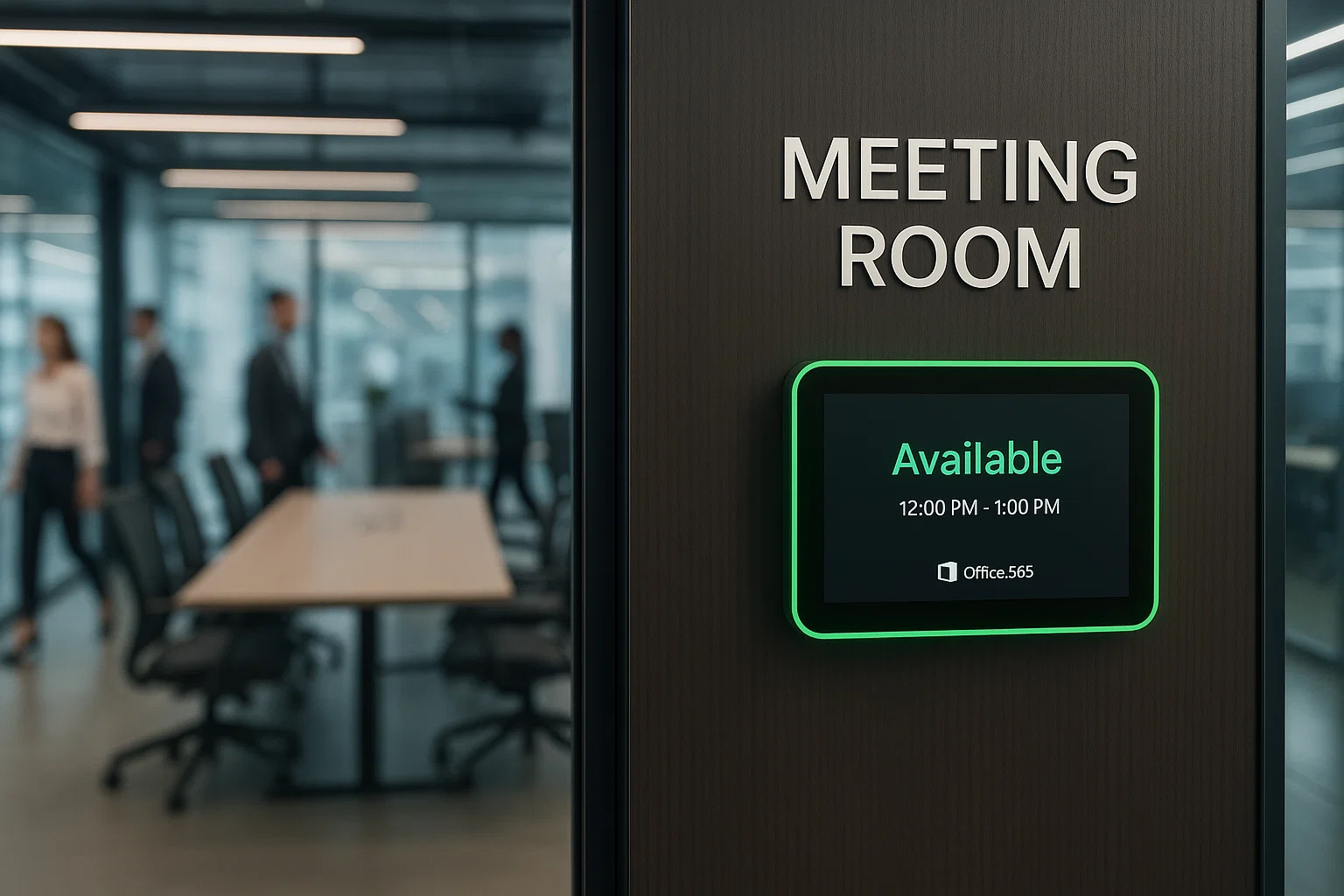
How Does the Microsoft Office 365 Meeting Room Booking System Work?
Managing meeting spaces can be challenging in any organization. Finding available rooms, avoiding conflicts, and coordinating schedules often takes valuable time and effort. This is where the Microsoft Office 365 meeting room booking system comes in.
The system works by connecting calendars, meeting rooms, and organizational schedules in one central platform. Teams can quickly access available rooms without confusion or repeated communication. Employees can view room availability through Outlook or mobile devices, allowing faster decisions and smoother coordination.
The platform automatically checks for conflicts and prevents double bookings, creating a more organized workplace. By structuring workflows and centralizing room information, it saves time, reduces scheduling errors, and improves daily team communication.
What is a Microsoft Office 365 Room Booking System?
A Microsoft Office 365 room booking system is a digital platform designed to manage and organize meeting spaces efficiently. It allows users to book rooms, check availability, and share schedules seamlessly across teams.
The system integrates with Outlook and Microsoft Teams, making it convenient for employees across departments. It acts as a centralized tool that manages resources, enforces booking policies, and supports better planning. Many organizations rely on this system because it reduces confusion, improves room usage efficiency, and ensures smoother meeting coordination.

What Are the Key Features of Microsoft Office 365 Room Booking System?
The Microsoft Office 365 room booking system offers several features that simplify scheduling, improve productivity, and ensure efficient use of meeting spaces. Each feature is designed to save time and make booking easier for both employees and administrators.
1. Real-Time Room Availability
The system provides instant visibility into which rooms are available at any given time. This helps teams make faster scheduling decisions, avoid double bookings, and ensures that meetings start on time. Real-time updates mean that changes to room schedules are immediately reflected across all users, reducing confusion and improving coordination.
2. Simple and User-Friendly Interface
Employees can easily view room details, including capacity, layout, and amenities, before making a booking. The interface is intuitive, which means even new users can navigate it without training. By simplifying the booking process, it reduces errors, speeds up scheduling, and allows employees to focus on preparing for their meetings rather than figuring out logistics.
3. Equipment and Resource Information
Each room displays the available equipment, such as projectors, video conferencing tools, whiteboards, and seating arrangements. This feature allows employees to select rooms that meet their meeting requirements and ensures that meetings are well-equipped. It reduces last-minute changes or technical issues and increases overall meeting effectiveness.
4. Access on Multiple Devices
The platform can be accessed on desktops, laptops, and mobile devices. Employees can book rooms on the go, check availability remotely, and make quick updates if plans change. This flexibility is especially useful for hybrid teams and employees who travel between offices or work remotely.
5. Automated Confirmations and Notifications
The system automatically sends confirmations when a room is booked and reminders before the meeting starts. This reduces the need for manual follow-ups and ensures that attendees are always aware of their scheduled meetings. Automated notifications improve reliability, accountability, and overall team coordination.
6. Administrative Controls and Policies
Administrators have full control over room resources and booking rules. They can restrict access, set booking limits, enforce cancellation policies, and monitor usage trends. These controls help organizations optimize space utilization, maintain order, and enforce compliance with internal policies, making the system efficient for large teams and complex office environments.
What Are the Benefits of Using Microsoft Office 365 for Room Booking?
Using Microsoft Office 365 for room booking offers several benefits that streamline scheduling, improve productivity, and enhance workplace efficiency. Each advantage helps organizations manage their meeting spaces more effectively while supporting employees and managers.
1. Reduces Double Bookings and Scheduling Conflicts: The system prevents overlapping reservations, ensuring that rooms are only booked by one team at a time. This reduces confusion, avoids wasted time, and helps meetings start promptly.
2. Seamless Integration with Existing Calendar Tools: Office 365 integrates smoothly with Outlook and Teams, which employees already use daily. This makes adoption easy and eliminates the need for separate scheduling tools, saving time and simplifying workflows.
3. Improved Meeting Coordination: Room availability is visible to all employees, which makes conference room scheduling faster and more transparent. Teams can plan meetings efficiently without constant back-and-forth communication, improving collaboration across departments.
4. Reliable Performance for Teams of All Sizes: The platform supports both large organizations and small teams. Its reliable performance ensures meetings can be scheduled and managed consistently, regardless of the number of users or locations.
5. Insights from Usage Data: Managers can access analytics that show room utilization, peak booking times, and space demand trends. These insights help in planning office layouts, optimizing resources, and making informed decisions.
6. Structured Environment for Planning and Time Management: By centralizing room scheduling, the system creates an organized process that improves planning and time management. Teams know which rooms are available, employees can plan their work better, and overall productivity increases.

How to Set Up Microsoft Office 365 Room Booking System?
Setting up Microsoft Office 365 for room booking is straightforward when you follow the proper steps. The process ensures rooms are ready to use and scheduling runs smoothly across the organization.
1. Access the Microsoft 365 Admin Center
Begin by logging into the Microsoft 365 Admin Center, where administrators can create and manage all room resources. This central location ensures settings are applied consistently.
2. Add Room Details
Each meeting room is added with a specific name, capacity, and additional details such as location or available equipment. Providing accurate information helps employees choose the right room for their needs.
3. Assign Booking Policies
Administrators set booking rules to control who can reserve rooms and for how long. Policies may include time limits, approval requirements, or recurring meeting restrictions to maintain fairness and organization.
4. Connect Rooms to Outlook and Teams
Rooms are linked to Outlook and Microsoft Teams calendars, allowing employees to view availability and book spaces directly from tools they already use. This integration simplifies scheduling and increases adoption.
5. Perform Simple Configuration Checks
Ensure all rooms, policies, and permissions are correctly configured. These checks prevent errors, avoid double bookings, and make the system reliable from day one.
6. Activate Rooms for Employee Access
Once setup is complete, rooms become visible to all users across the organization. Employees can start booking immediately, and administrators can monitor usage and adjust settings as needed.

How to Book Meeting Rooms With Microsoft Office 365?
Booking a meeting room with Microsoft Office 365 is simple, fast, and helps teams coordinate efficiently. The process integrates seamlessly with tools employees already use, reducing confusion and saving time.
1. Start in Outlook or Microsoft Teams
Begin by creating a new event in Outlook or Microsoft Teams. These platforms allow you to schedule meetings without switching between multiple tools.
2. Search for Available Rooms
The system lets employees filter rooms based on time, capacity, and equipment. This ensures that the selected space meets the team’s requirements.
3. Automatic Conflict Checking and Confirmation
Once a room is selected, Microsoft 365 automatically checks for scheduling conflicts. The system then sends confirmation to the organizer and attendees, eliminating double bookings.
4. Add Meeting Details and Attach Files
Users can include agendas, meeting notes, or relevant documents in the booking. This ensures everyone is prepared and the meeting runs smoothly.
5. Booking Appears on Room Calendars
The reserved room is immediately reflected in its calendar, notifying all team members of its availability. This transparency helps avoid confusion and keeps the workplace organized.
6. Quick Scheduling Without Long Approval Chains
The entire process is streamlined, allowing meetings to be scheduled quickly. Teams can focus on collaboration instead of administrative delays.
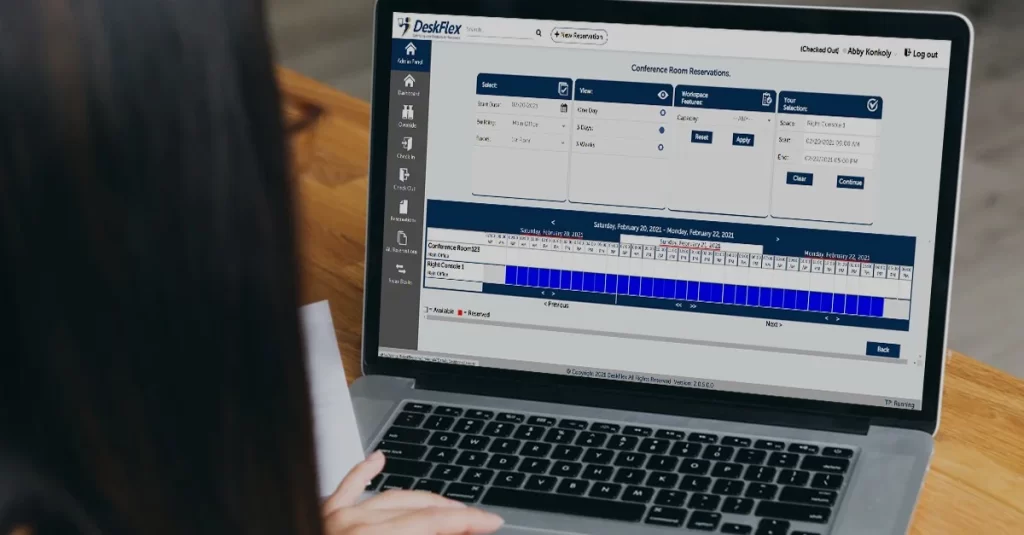
How Does DeskFlex Meeting Room Booking Software Integrate With Microsoft Office 365?
DeskFlex provides room booking software that integrates with Microsoft Office 365, offering advanced scheduling options for modern workplaces. This integration helps teams save time, reduce errors, and optimize space utilization across the organization.
1. Real-Time Room Data Sync
DeskFlex synchronizes room availability and booking information in real time with Microsoft 365. This ensures that changes made on either platform are instantly updated, preventing double bookings and scheduling conflicts.
2. Smooth User Experience Through Microsoft Accounts
Employees can access DeskFlex directly using their Microsoft accounts. This eliminates the need for separate logins and provides a consistent experience across Outlook, Teams, and DeskFlex.
3. Customizable Booking Rules
DeskFlex allows organizations to set specific booking policies, such as time limits, approvals, or recurring meeting rules. These customizable rules help meet unique workplace requirements and maintain a fair scheduling system.
4. Advanced Analytics and Insights
The platform provides detailed analytics on room usage, peak hours, and resource demand. Managers can leverage these insights to optimize office space and make data-driven decisions.
5. QR Check-Ins and Smart Recommendations
DeskFlex supports QR check-ins and smart suggestions for room selection, helping teams find the best available spaces quickly. This feature enhances convenience and improves overall workplace efficiency.
6. Flexible and Efficient Space Management
Organizations benefit from the integration by gaining flexibility, better resource utilization, and improved team collaboration. The combination of Microsoft 365 and DeskFlex ensures meetings are scheduled smoothly, every time.
Try DeskFlex Today!
Looking for an easier way to manage your meeting rooms and streamline scheduling? DeskFlex makes it simple for teams to find available spaces, book rooms in seconds, and stay organized without the usual back-and-forth emails.
With DeskFlex, you get real-time updates, smart recommendations, and seamless integration with Microsoft 365, so your workflow stays smooth and your meetings always run on time.
Don’t wait to make your workplace more efficient and collaborative. Try DeskFlex today and see how effortless room management can be. Book your free demo and experience the difference!
Frequently Asked Questions (FAQs)
What is Microsoft 365 integration?
Microsoft 365 integration connects DeskFlex with Office 365 apps like Outlook and Teams. It syncs calendars and bookings in real time, making workspace scheduling easy and efficient.
How to integrate Office 365?
Simply connect your Microsoft account in DeskFlex’s settings and authorize access. Once done, your bookings and calendars will sync automatically.
What is the purpose of using Microsoft 365?
Microsoft 365 helps you stay organized by syncing your emails, calendars, and files in one place. It makes teamwork easier and boosts productivity with tools like Outlook, Teams, and OneDrive.
If any, what is the benefit of Microsoft integration?
Microsoft integration helps keep your calendars and bookings in sync, so you don’t have to worry about double bookings. In addition, it also makes communication with your team smoother by connecting tools you already use. Overall, it saves you time and reduces scheduling headaches.
Can DeskFlex work with other calendar systems besides Microsoft 365?
Yes! DeskFlex also supports syncing with other popular calendar systems like Google Calendar, making it easy to manage bookings across different platforms in one place.
Is DeskFlex easy to use for employees new to booking software?
Definitely. DeskFlex is designed to be simple and intuitive, with features like one-click booking and mobile access. New users can quickly learn how to reserve desks or rooms without any hassle.
Can I manage DeskFlex bookings directly from Outlook or Teams?
Yes! Once integrated, you can view and manage your DeskFlex bookings right from Outlook or Teams, making it easy to schedule without switching apps.
How does DeskFlex improve booking when integrated with Microsoft 365?
DeskFlex syncs seamlessly with Microsoft 365 calendars, so your bookings update in real time. This helps avoid double bookings and keeps everyone’s schedule in sync.