Blog
How to Book a Meeting Room Quickly and Easily?
To book a meeting room means reserving a shared workspace for a specific time so teams can meet without interruptions. It ensures the room is available when needed and properly prepared for the meeting.
In today’s workplaces meeting rooms are shared resources. Without a proper booking process, teams face scheduling conflicts and wasted time. Using meeting room analytics can help optimize space usage and improve collaboration. Efficient room booking improves productivity supports smoother meetings and helps organizations use office space more effectively.
What It Means to Book a Meeting Room?
Booking a meeting room involves selecting a room, choosing a date and time and confirming the reservation so others cannot use it during that period. The process helps teams coordinate meetings without confusion or overlap.
Traditional booking systems relied on manual methods such as spreadsheets, emails or physical sign up sheets. Modern booking systems allow employees to book meeting rooms online using meeting room booking software, making the process faster and more reliable.
Why You Should Book meeting Room in Advance?
Booking a meeting room in advance helps prevent conflicts and double bookings that often disrupt meetings. When rooms are reserved ahead of time teams can focus on preparation instead of last minute changes.
Booking in advance ensures smoother operations and reduces conflicts. Using a meeting room booking system can make this process seamless. It allows organizations to understand room usage patterns, schedule meetings efficiently and ensure the right space is available for the right purpose.
Key advantages of booking in advance include
- Reduced risk of meeting room conflicts and scheduling issues
- More time for teams to prepare agendas materials and presentations
- Clear visibility into room availability for all employees
- Improved use of meeting spaces across the workplace
- Better coordination between teams departments and managers
Step by Step Guide How to Book a Meeting Room?
Booking a meeting room efficiently requires careful planning to avoid conflicts and ensure the space meets all your needs. Here’s a detailed step-by-step guide to help you reserve the perfect room.
1. Choose the Right Time and Date
Start by identifying a suitable date and time that works for all participants. Consider:
- Meeting duration and whether it may run over
- Time zones for remote attendees to avoid scheduling issues
- Availability of key stakeholders and decision makers
- Peak office hours when rooms are more likely to be busy
2. Check Room Availability
Once the time is selected, verify which meeting rooms are available. This step ensures the selected room is free for the entire meeting period and avoids overlaps.
Things to consider:
- Check shared calendars or online booking tools for real-time availability
- Ensure recurring meetings do not conflict with existing bookings
- Confirm any maintenance or restrictions for specific rooms
3. Select Room Based on Size and Equipment
Choose a room that matches the number of attendees and your meeting requirements. Consider:
- Room size: Smaller rooms for focused discussions, larger rooms for presentations or workshops
- Equipment: Video conferencing, projectors, whiteboards, microphones, or screens
- Layout: Boardroom, classroom, or collaborative seating depending on meeting style
4. Complete the Booking Online or Using Software
After selecting the room, confirm the booking using an online system or meeting room booking software. Modern tools simplify this step and help organizations choose the best meeting room booking software for their needs.
Modern tools offer:
- Real-time room availability
- Automatic calendar updates for all participants
- Instant booking confirmations via email or app notifications
- Options to add equipment requests or special requirements
5. Add the Meeting to Your Calendar (Optional Step)
Although this step may seem obvious, it’s essential to prevent accidental double bookings.
- Add the meeting to participants’ calendars
- Include all necessary information such as agenda, link for virtual meetings, and room location
- Set reminders so everyone is aware ahead of time
- This step ensures everyone stays informed and prepared.
Things to Consider When Booking a Meeting Room
When booking a meeting room, it is important to evaluate several factors to ensure the space meets your needs and supports a productive meeting environment.
Room Size and Capacity
The room should comfortably accommodate all attendees. Choosing a space that is too small can make participants feel cramped and distracted, while an overly large room may feel empty and impersonal. Ensuring the right size helps everyone stay focused and engaged throughout the meeting.
Location and Accessibility
Select a room that is easy for all participants to find. Consider visitors who may be unfamiliar with your office layout as well as team members who require accessibility accommodations. Convenient locations reduce delays and stress, allowing everyone to arrive on time and prepared.
Technical Equipment and Facilities
Verify that the room is equipped with all necessary tools for the meeting. This may include projectors, video conferencing systems, microphones, whiteboards, or screens. Checking the room layout in advance ensures it supports your meeting style. You can learn more about meeting room layouts and how to optimize them. Having the right equipment in place prevents interruptions, ensures smooth presentations, and supports effective communication.
Room Comfort and Design
The overall comfort of the room impacts focus and engagement. Pay attention to seating, lighting, ventilation, and acoustics. A well-designed room with comfortable chairs and good lighting promotes a productive atmosphere where participants can concentrate without discomfort.
Catering and Amenities
Some meetings may require refreshments or additional amenities. Make sure the room can accommodate catering services if needed, including space for coffee, snacks, or lunch. Providing these conveniences ensures participants remain energized and focused throughout the session.
Price and Budget
For organizations that use external or paid meeting spaces, it is essential to consider the cost of the room. Ensure the pricing aligns with the purpose of the meeting and the available budget. Balancing cost with quality and facilities helps make efficient use of resources.
Layout Flexibility
Different types of meetings require different room layouts. Confirm that the space can support boardroom setups, classroom-style arrangements, or collaborative seating as needed. Flexible layouts enable you to configure the room for maximum effectiveness based on your meeting goals.
Cancellation and Change Policies
Before finalizing the booking, understand the rules for modifying or canceling reservations. Being aware of cancellation policies allows unused rooms to be freed up for others and prevents scheduling conflicts. Clear policies ensure that everyone can plan their meetings confidently without risk of disruption.
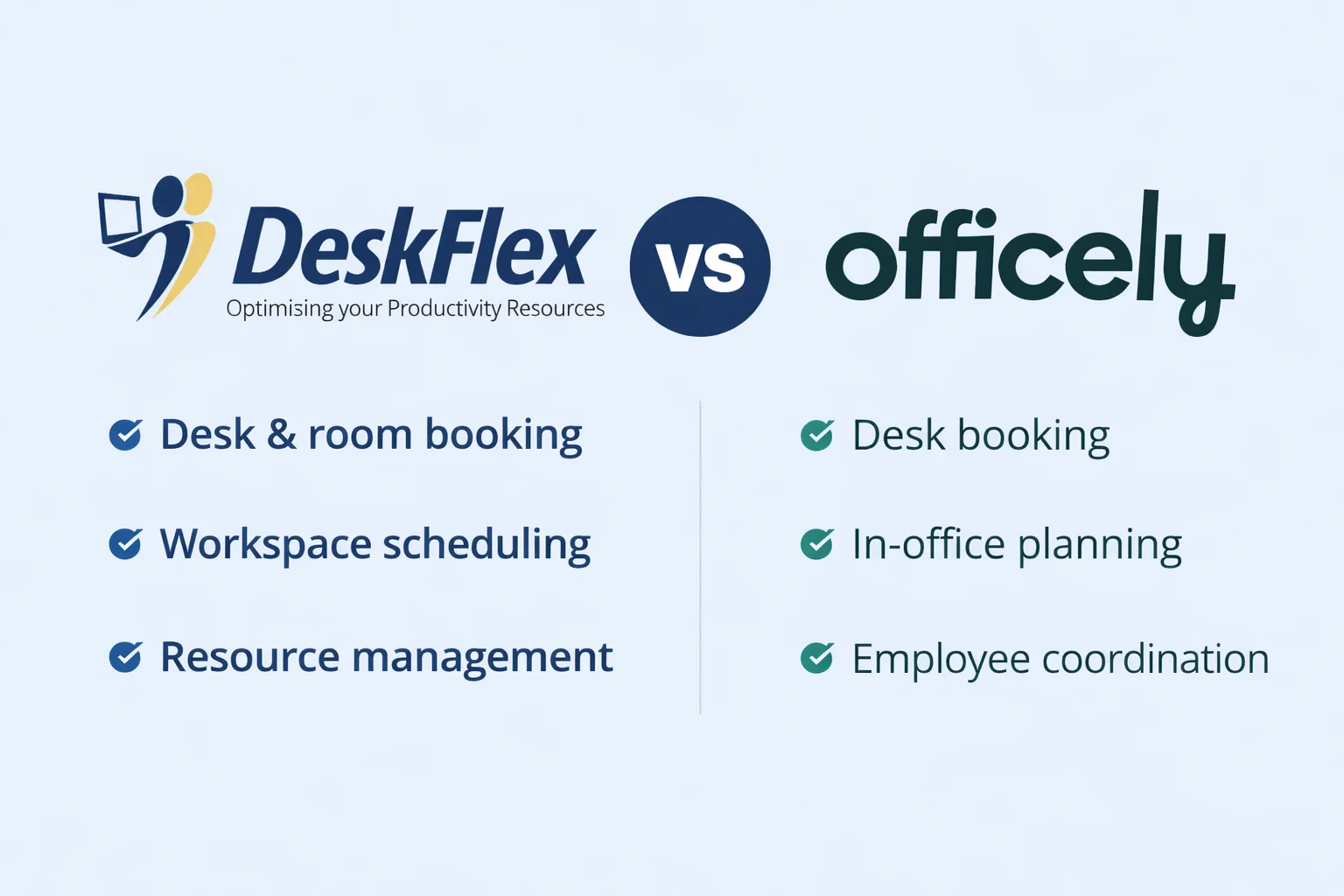
How DeskFlex Helps You Book Meeting Rooms Faster?
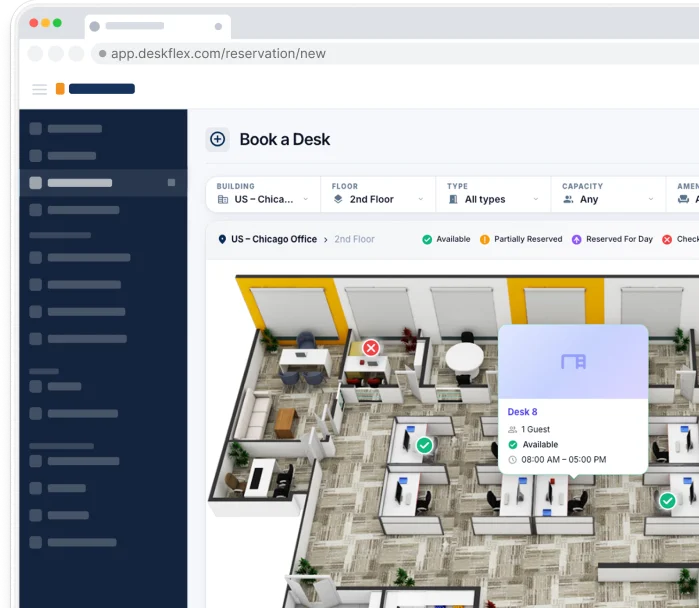
DeskFlex makes booking meeting rooms simple and efficient by providing real-time visibility of room availability across your workplace. Users can quickly see which rooms are free and reserve them immediately, eliminating delays and uncertainty. DeskFlex is especially useful for hybrid meetings, ensuring both in-office and remote participants can join without scheduling conflicts.
The platform automatically updates conference room scheduling and syncs with calendars to prevent double bookings. Notifications are sent instantly to all participants, keeping everyone informed and ensuring that meeting plans run smoothly. DeskFlex also allows you to select rooms based on size, equipment, and location, making it easy to find the right space for any type of meeting. By streamlining the booking process, DeskFlex saves time, reduces errors, and allows teams to focus on their work instead of managing logistics.
Key Features
- Real-Time Room Availability: Instantly see which rooms are free and book without conflicts
- Automatic Schedule Updates: Syncs with calendars to prevent double bookings and errors
- Instant Notifications: Keeps all participants informed about the booking status
- Room Selection Options: Filter rooms based on size, equipment, and location
- Online and Mobile Booking: Reserve rooms from any device at any time
- Efficient Resource Management: Helps organizations track room usage and optimize space
- Customizable Booking Rules: Set policies for duration, approval, and recurring meetings
- Analytics and Reporting: Understand usage patterns to plan meetings and allocate resources better
Conclusion
Booking a meeting room correctly ensures that teams avoid conflicts, plan meetings more effectively, and make the best use of available office space. A clear and organized booking process supports productivity, encourages collaboration, and helps meetings start on time without unnecessary disruptions.
For organizations looking to simplify their meeting scheduling, DeskFlex offers a faster, smarter solution. By providing real-time availability, automatic updates, and easy confirmations, DeskFlex makes booking meeting rooms effortless. Start using DeskFlex today and make your workplace meetings more efficient and productive.
Frequently Asked Questions (FAQs)
Can I book a meeting room online?
Yes, most modern workplaces allow booking meeting rooms online using dedicated software or integrated calendar tools. This makes the process faster, reduces errors, and ensures all participants are notified immediately.
How far in advance should I book a meeting room?
It depends on room demand and the size of your organization. Booking several days or even weeks in advance helps secure the best room and avoids scheduling conflicts.
What happens if a meeting is canceled?
When a meeting is canceled, the reservation should be updated immediately in the system. This frees up the room for others and keeps schedules accurate and transparent.
Is meeting room booking software better than manual booking?
Yes, software reduces human errors, saves time, and provides better visibility for all team members. It also allows real-time availability checks and automated notifications, making planning more efficient.
Can I book a room for recurring meetings?
Yes, most booking systems allow you to schedule recurring meetings at regular intervals. This ensures consistency and prevents the need to manually reserve the room for each session.
What information do I need to book a meeting room?
Typically, you should provide the date, start and end time, number of attendees, required equipment, and the contact person for the meeting. Providing complete information helps avoid misunderstandings and ensures the right room is reserved.
Can I modify a meeting room booking after it has been confirmed?
Yes, most systems allow you to update the booking if details change. It is important to update the reservation promptly to keep all participants informed and free the room if it is no longer needed.
How do I know which room is best for my meeting?
The best room depends on the number of participants, equipment needs, and the type of meeting. Checking room size, available facilities, and location helps ensure a productive and comfortable meeting environment.


Support
Demo
Blog