


Blog
A Complete Guide to Using Hoteling Apps for Corporate Events
TL;DR
Corporate event planners face constant headaches — double bookings, no-shows, long queues, and poor space visibility. A hoteling app like DeskFlex solves all of this by centralizing room reservations, equipment booking, attendee check-ins, visitor access, and post-event analytics in one platform.
Key highlights:
- Prevents double-bookings with real-time conflict detection
- Abandoned Meeting Protection auto-releases empty rooms
- QR code check-in cuts registration time by up to 60%
- 3D floor maps help attendees navigate multi-floor venues
- Native Microsoft 365/Outlook sync keeps everyone updated
- Post-event analytics show what worked and what didn't
Corporate event planning has never been more complex. With hybrid workforces, multi-site venues, and attendees spread across time zones, coordinating spaces, schedules, and resources manually leads to costly mistakes. According to a 2025 Global Meetings & Events Forecast, 68% of corporate event planners cite scheduling conflicts and room management errors as their top pain points.
A hoteling app solves these problems by centralizing every aspect of event logistics — from room reservations and equipment booking to attendee check-ins and real-time occupancy tracking — into a single, automated platform. Unlike consumer event ticketing tools, a workplace hoteling app is purpose-built for internal corporate events where space, resources, and access control are the core challenges.
This guide covers exactly how event planners use a hoteling app in 2026, including real use cases, key features, DeskFlex-specific capabilities, and a step-by-step workflow to run a flawless corporate event.
What Is a Hoteling App?
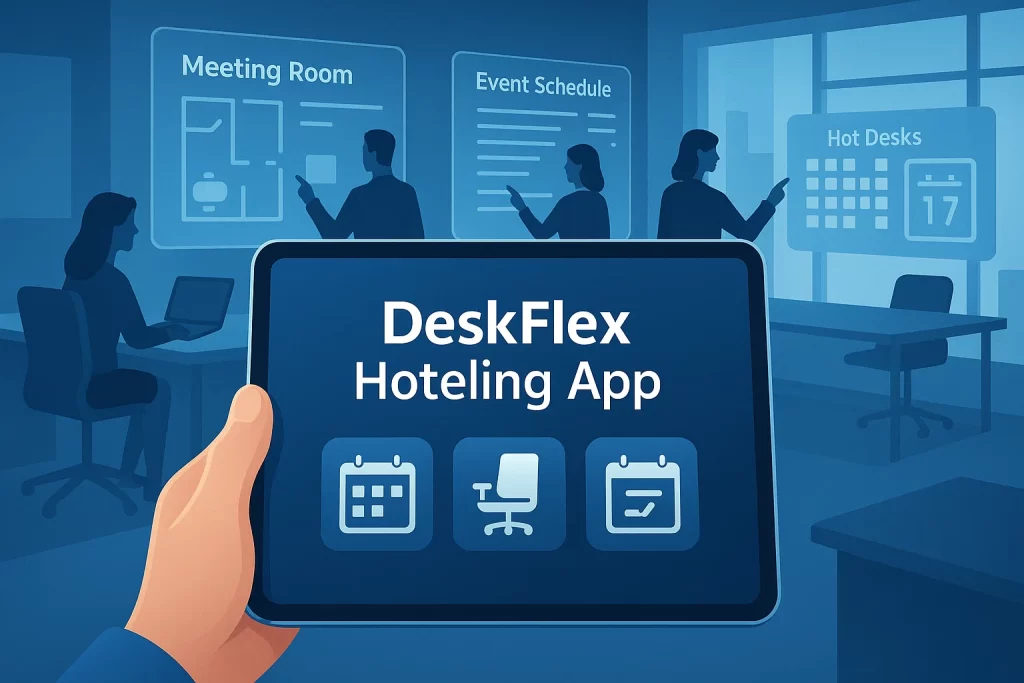
A hoteling app is a workplace management platform that allows employees and event organizers to reserve shared spaces and resources on an as-needed basis. Originally designed for hot-desking environments where workers book desks rather than owning assigned seats, modern hoteling apps have expanded into full-scale event coordination tools.
For corporate event planners, a hoteling app provides:
- Real-time room availability and conflict-free booking
- Equipment reservation linked directly to room bookings
- Digital attendee check-in via QR code or mobile app
- Access control for restricted sessions and VIP areas
- Calendar integration with Microsoft 365, Outlook, and Google Calendar
- Analytics dashboards showing attendance, space utilization, and session performance
The core difference between a hoteling app and a generic booking tool is workplace intelligence. Hoteling apps connect to floor maps, HR directories, resource inventories, and communication platforms — giving event planners a live, unified view of their entire event environment.
Why Corporate Event Planners Are Adopting Hoteling Apps in 2026
2026 Corporate Event Planning Data: 68% of planners report scheduling conflicts as their #1 pain point (Global Meetings Forecast, 2025). Companies using room booking software reduce no-show room waste by up to 40%, while digital check-in systems cut registration wait times by 60% compared to paper-based processes. Hybrid events now account for 55% of all corporate events globally (Cvent Hybrid Report, 2025), and organizations using hoteling software report a 30% improvement in post-event reporting accuracy.
These figures highlight why event planners at enterprise organizations are moving away from spreadsheets and email chains to purpose-built hoteling apps for event coordination.
Key Features of a Hoteling App for Corporate Event Planning
A hoteling app built for corporate events goes well beyond simple calendar booking. Here are the features that matter most to event planners in 2026:
1. Real-Time Room Reservations with Conflict Prevention
Event planners use the hoteling app to reserve conference rooms, auditoriums, boardrooms, and breakout spaces weeks in advance. The system maintains a live availability calendar, so two organizers can never accidentally double-book the same room.
Real Use Case: A multinational financial firm running a 3-day leadership summit used DeskFlex to pre-book 18 meeting rooms across two floors. The real-time availability dashboard prevented 6 potential double-bookings that would have created last-minute confusion for 200 executives.
2. Abandoned Meeting Protection
One of the most common event headaches is rooms that appear booked but sit empty because attendees are running late or sessions end early. DeskFlex’s Abandoned Meeting Protection feature automatically detects unreleased rooms and makes them available for rebooking when no check-in is detected within a set window.
Real Use Case: A technology company hosting a product launch event recovered 14 session slots in one afternoon after no-shows failed to check in — those spaces were reassigned within minutes to overflow groups using the hoteling app.
3. 3D Interactive Floor Maps
DeskFlex’s 3D floor map feature gives event planners a visual, spatial view of every room, corridor, and resource area across a venue. Attendees can use the interactive map to navigate between sessions, and planners can see real-time occupancy overlaid on the venue layout.
Real Use Case: A healthcare organization hosting a 500-person clinical training event used DeskFlex 3D floor maps to guide attendees between 11 simultaneous breakout sessions across 3 floors, reducing corridor bottlenecks and session overflow by 35%.
4. Equipment and AV Resource Booking
Hoteling apps allow planners to reserve microphones, projectors, LED screens, video conferencing systems, and presentation clickers alongside room bookings. Equipment availability is tracked in real time and linked to specific sessions.
Real Use Case: An enterprise HR team running a global onboarding day across 4 offices used DeskFlex resource reservation to pre-assign laptops, webcams, and HDMI adapters to each training room — eliminating the scramble that had disrupted the previous year’s event.
5. Digital Attendee Check-In with QR Code Scanning
DeskFlex’s check-in and check-out system allows event coordinators to configure QR-code-based entry at room touchscreens or via the mobile app. Attendees scan on arrival, generating real-time attendance data across all sessions simultaneously.
Real Use Case: A law firm hosting a 300-person annual partner retreat cut registration time from 25 minutes of queue management to under 4 minutes by deploying DeskFlex QR check-in at each session entrance.
6. Visitor Management for External Attendees
Corporate events often include external speakers, clients, or vendors who need controlled access. DeskFlex’s visitor management module allows planners to pre-register guests, assign temporary access badges, and restrict entry to specific areas based on attendee type.
Real Use Case: A consulting firm hosting a client showcase used DeskFlex visitor management to issue digital badges to 80 external clients, restricting their access to the main auditorium and client lounge while keeping internal meeting rooms secure.
7. Microsoft 365 and Outlook Integration
DeskFlex integrates natively with Microsoft 365 and Outlook, syncing all event room bookings directly to attendee calendars. When session times or room assignments change, updates push automatically to all connected calendars — no manual re-sends required.
Real Use Case: A global manufacturing company used DeskFlex’s Outlook integration to synchronize a 2-day executive offsite across 14 time zones, ensuring all 90 attendees had accurate session times and room numbers on their devices before the event started.
8. Room Display Touchscreens
DeskFlex room display touchscreens mounted outside each session room show the current booking status, session title, presenter name, and next available slot. Attendees can check room status at a glance, and planners can extend or end sessions directly from the screen.
Real Use Case: A pharmaceutical company deployed DeskFlex touchscreens outside 22 meeting rooms during a 2-day regulatory training event, reducing ‘is this room taken?’ interruptions to zero and cutting planner coordination calls by over 50%.
9. Real-Time Space Utilization Analytics
DeskFlex’s analytics and reporting module tracks room occupancy rates, session attendance, peak usage windows, and equipment utilization throughout the event. Planners receive post-event reports that show exactly which spaces and sessions were most valuable.
Real Use Case: A fintech company used DeskFlex analytics after their annual all-hands to discover that 3 breakout rooms were consistently over capacity while 2 larger spaces sat at 40% utilization — data they used to restructure session formats for the following year.
10. Okta and Single Sign-On (SSO) Integration
DeskFlex integrates with Okta and Microsoft Active Directory via SSO, allowing all attendees and staff to access the hoteling app with their existing corporate credentials. This removes friction at sign-in and ensures security compliance across the event environment.
11. Catering and Facilities Coordination
DeskFlex’s catering module lets planners attach catering requests directly to room bookings. Coffee service for a morning breakout, AV setup for a keynote, or lunch delivery for a workshop can all be requested and tracked within the same hoteling app workflow.
Real Use Cases: How Organizations Use a Hoteling App by Event Type
| Event Type | Key Challenge | How Hoteling App Helps | DeskFlex Feature Used |
|---|---|---|---|
| Leadership Summit | Double-booked executive boardrooms | Real-time conflict prevention and pre-booking | Room Booking, Abandoned Meeting Protection |
| Global All-Hands | Coordinating 10+ rooms simultaneously | Centralized scheduling dashboard | Room Scheduling, 3D Floor Maps, Outlook Integration |
| Product Launch | Controlling client and press access | Visitor badges and restricted room access | Visitor Management, Access Control |
| Training & Onboarding | Multiple parallel sessions with equipment needs | Linked room + equipment reservations | Resource Reservation, Check-In/Check-Out |
| Trade Show / Expo | Booth assignments and exhibitor flow | Floor map-based space allocation | 3D Floor Maps, Space Management |
| Hybrid Corporate Event | Syncing in-person and virtual attendees | Calendar integration + remote room display | Outlook Integration, Room Display Touchscreens |
| Client Showcase | External guest security | Pre-registered visitor badges | Visitor Management, SSO/Okta Integration |
| Annual Partner Retreat | Long registration queues | QR-code self check-in | Check-In/Check-Out, Mobile App |
How to Use a Hoteling App for Corporate Events: Step-by-Step

Follow this workflow to get the most out of DeskFlex or any hoteling app when planning your next corporate event.
Step 1 — Set Up Your Event Spaces in the App
Import or manually add all available event rooms, auditoriums, breakout areas, and resource zones. Define room capacity, AV equipment included, accessibility features, and any booking restrictions. Accurate room profiles ensure planners assign the right space to each session.
Step 2 — Build the Event Schedule and Assign Rooms
Create each session with start time, end time, presenter, and assigned room. Use the real-time availability calendar to prevent conflicts. Set time buffers between sessions to allow room turnover. For multi-day events, DeskFlex supports recurring session blocks and cross-day scheduling.
Step 3 — Reserve Equipment and Catering for Each Session
Link AV equipment, laptops, microphones, and catering requests to specific room bookings. DeskFlex tracks equipment availability alongside room availability, so planners see both in one view. Any conflicts in equipment scheduling are flagged automatically.
Step 4 — Configure Attendee Access and Permissions
Set up access levels for different attendee groups: general attendees, speakers, VIP guests, external visitors, and staff. Use DeskFlex’s visitor management module to pre-register external guests and issue digital or printed badge codes. Restrict access to executive or confidential sessions.
Step 5 — Activate Check-In at Touchscreens and Mobile Devices
Enable QR code check-in at room display touchscreens outside each session entrance. Send attendees their unique QR codes via DeskFlex or your integrated Outlook/365 calendar invite. Staff can also perform manual check-ins from the admin dashboard if needed.
Step 6 — Sync with Microsoft 365 and Outlook
Connect DeskFlex to your organization’s Microsoft 365 tenant. All room bookings sync automatically to the Outlook calendars of attendees and session organizers. Any changes made in DeskFlex — room swaps, time adjustments — push instantly to all connected calendar entries.
Step 7 — Monitor Live Space Usage During the Event
Use the DeskFlex real-time dashboard to track room occupancy, check-in rates, and session attendance as the event unfolds. If a session draws significantly more attendees than expected, planners can trigger a room reassignment from the dashboard in under 2 minutes. Abandoned Meeting Protection handles no-shows automatically.
Step 8 — Review Analytics and Improve
After the event, DeskFlex generates detailed reports on attendance by session, room utilization rates, peak booking windows, and equipment usage. Use these reports to inform your next event — which sessions to expand, which rooms to deprioritize, and where resources were wasted.
Why DeskFlex Is the Best Hoteling App for Corporate Event Planners
DeskFlex is a full-suite hoteling app built for organizations that manage complex spaces across multiple floors, buildings, or sites. For event planners, DeskFlex offers a complete set of tools specifically designed to reduce coordination overhead, eliminate booking conflicts, and give leadership clear visibility into event performance.
DeskFlex Features That Set It Apart for Events
- Abandoned Meeting Protection: Automatically releases unreleased rooms when no check-in is detected, freeing space for overflow sessions without manual intervention.
- 3D Interactive Floor Maps: Allow attendees to navigate complex venues visually, reducing planner Q&A and improving session flow across multi-floor events.
- Room Display Touchscreens: Mounted outside each room, showing live availability and session details — eliminating ambiguity at high-traffic event venues.
- Visitor Management: Pre-register external guests, assign digital badges, and control room access by attendee type — critical for client-facing events.
- Microsoft 365 / Outlook Integration: Bi-directional calendar sync ensures every session change reaches attendees instantly, with no manual re-scheduling required.
- Okta SSO: Corporate attendees sign in with existing credentials — no new accounts, no forgotten passwords on event day.
- Catering Integration: Attach food and beverage requests directly to room bookings for fully coordinated session management.
- Analytics Reporting: Post-event dashboards break down attendance, room utilization, peak usage windows, and session popularity for data-driven planning.
- Zapier Integration: Connect DeskFlex to 5,000+ external tools including Slack, Salesforce, and event management platforms via Zapier automation.
DeskFlex works across enterprise, government, healthcare, education, and financial services organizations — making it one of the most versatile hoteling apps available for corporate event teams.
Best Practices for Using a Hoteling App in Event Planning
Book Rooms 4–6 Weeks in Advance for Large Events
High-traffic conference rooms and auditoriums fill up fast, especially in shared office environments. Use the hoteling app to block key spaces early and prevent conflicts with day-to-day meeting bookings that would otherwise take priority.
Enable Abandoned Meeting Protection for Every Session
No-show sessions are one of the biggest sources of wasted space at corporate events. Activate Abandoned Meeting Protection across all event bookings so the system automatically recovers unused rooms without requiring coordinator intervention.
Use QR Check-In at Every Session Entrance
Manual registration creates bottlenecks. Deploy QR code check-in at every session door to give attendees a frictionless entry experience and give planners accurate, real-time attendance data per session.
Train Event Staff on the Admin Dashboard Before the Event
Staff who manage room reassignments, equipment swaps, or attendee issues during the event should be trained on the hoteling app dashboard at least one week in advance. Run a practice event in the system to build confidence.
Set Buffer Times Between Sessions
Most hoteling apps, including DeskFlex, allow planners to configure automatic time buffers between bookings. Set a 10–15 minute gap between sessions to allow room setup, cleaning, and AV reconfiguration without overlapping the next group.
Use Analytics to Debrief Within 48 Hours
The data from a hoteling app degrades in usefulness over time. Pull your attendance, utilization, and session reports within 48 hours of the event ending, while the context is fresh and decisions about future events can be made immediately.
Frequently Asked Question
In simple terms, a hoteling app is a software program that enables corporate organizers to manage venue and equipment reservations, track guest attendance, and allocate event resources.
Easier task centralization for room booking and check-ins and equipment management, thereby easing your plan and saving time with fewer errors.
Yes, the app can organize and handle multiple event bookings simultaneously on most platforms without any risk of approaching.
Absolutely. Most companies have an existing network in their organization. The DeskFlex hoteling app can integrate with its network and sync with other popular systems, including Outlook, Zapier, and Salesforce.
The system automatically updates availability, tracks reservations, and protects users from cancellations by automating the entire process.
For other companies, yes, it is just a matter of integrating technology into your business. They are similar in function but also more adjustable for a workplace.
The app tracks the number of attendees and event check-ins. It provides report analytics, such as date and time, and attendance, for analyses and post-event preparations.
Yes, the details are provided in hoteling apps, outlining the number of attendees and the level of engagement during the event.
The system automatically releases the venue and makes it available for booking to others.
Always check the integration, ease of use, and scale of an app being incorporated, as well as the strong support for it in the business domain.