Blog
Top Event Venue Booking Software Solutions for 2026
Choosing the right software to manage venue bookings can completely transform how event spaces operate. In busy venues, scheduling conflicts, double bookings, and missed reservations are common challenges that disrupt both staff and client experiences. Modern venue booking systems simplify this process by offering real-time calendar views, automated confirmations, and centralized management. This not only prevents errors but also ensures that every booking is seamless and well-organized.
Beyond reducing mistakes, a reliable venue booking tool saves teams countless hours of manual work. Coordinators no longer need to track multiple spreadsheets or rely on phone calls and emails to manage bookings. Instead, they can focus on creating memorable events, enhancing customer experiences, and optimizing the use of each space. With features like automated reminders, reporting dashboards, and integrated payments, venue booking software becomes an essential solution for any organization looking to streamline operations and increase efficiency.
What Is Event Venue Booking Software?
Event venue booking software is a digital tool that streamlines reservations, calendars, and space management for venues. It allows managers to handle inquiries, maintain availability calendars, and automate bookings in one place. These systems often include payments, client data, and reporting features to improve operational workflow.
Key Features of Event Venue Booking Software
Event venue booking software comes packed with features designed to simplify scheduling, enhance client experience, and streamline venue operations. These tools save managers time, reduce errors, and provide valuable insights into bookings and space utilization.
Automated Calendar Views
Automated calendar views give venue managers a clear visual representation of all bookings and open time slots. This helps prevent double bookings and makes it easier to plan events efficiently. Real-time availability ensures that staff can quickly see which spaces are free, while drag-and-drop scheduling simplifies the planning process. Some systems even provide conflict alerts to notify managers if a booking overlaps with another event or exceeds the space capacity.
Online Booking Forms
Online booking forms allow clients to submit reservation requests directly without relying on phone calls or email exchanges. Self-service access lets customers check availability and reserve their preferred time slots anytime. These forms can often be customized to gather specific information about the event, such as setup requirements, guest count, or special requests. Automated confirmation emails instantly reassure clients that their booking has been recorded, reducing the need for follow-ups and improving overall experience.
Payment Integration
Many venue booking platforms include secure payment integrations that allow managers to collect deposits or full payments at the time of booking. This feature reduces cancellations and ensures financial security for the venue. Integrated payment gateways protect sensitive client information, while automatic invoice generation keeps all financial records organized. By streamlining the payment process, venues can save time and maintain a professional workflow from booking to payment.
Client Relationship Management (CRM)
CRM features in venue booking software help maintain detailed records of client information and communication history. Managers can track past events, client preferences, and contact details in one centralized system. Communication logs capture emails, calls, and messages, allowing staff to follow up efficiently and maintain strong client relationships. This information also helps personalize services for returning clients, fostering loyalty and enhancing the overall customer experience.
Reporting and Analytics
Advanced reporting and analytics tools provide insights into bookings, revenue, and space utilization. Managers can identify peak booking times, monitor financial performance, and make informed operational decisions. Data on cancellations, no-shows, and recurring bookings helps optimize scheduling and staff allocation. Reporting dashboards allow venue owners to plan strategically, improving efficiency and maximizing the use of available spaces.
External Calendar Integration
Integration with external calendars like Google Calendar and Outlook ensures that all venue bookings are synchronized across platforms. This centralizes scheduling and keeps staff and clients up to date in real time. Automatic updates prevent miscommunication and make it easier for teams to coordinate across departments. By maintaining a unified calendar view, venue managers can collaborate more effectively and manage multiple events without conflicts.
Benefits of Event Venue Booking Software
Using dedicated event venue booking software offers numerous advantages for venue managers, staff, and clients. These tools streamline operations, reduce errors, and improve overall efficiency across all aspects of event planning.
Prevents Double Bookings and Maximizes Space Utilization
One of the most significant benefits of venue booking software is the ability to eliminate double bookings. Automated calendars and real-time availability allow managers to see which spaces are free and which are reserved. This helps optimize the use of every room or hall, ensuring that the venue operates at full capacity without conflicts or scheduling errors.
Saves Time and Reduces Administrative Work
Manual scheduling, phone calls, and email coordination can take up hours of staff time each week. Booking software automates these tasks, allowing staff to focus on more strategic responsibilities such as event preparation and client support. By reducing repetitive administrative work, venues can operate more efficiently and provide faster service to clients.
Enhances Client Experience
Clients enjoy a seamless booking experience with instant access to availability and easy online reservations. Customizable booking forms and automated confirmation emails make the process simple and stress-free. By providing clear information and quick confirmations, venues can build a professional reputation and improve client satisfaction.
Reduces No-Shows with Automated Reminders
Automated reminders and notifications keep clients informed about upcoming events. These messages help reduce no-shows and ensure attendees arrive prepared. Notifications can include event details, setup instructions, or payment reminders, helping both clients and venue staff stay organized and prepared.
Provides Real-Time Analytics for Smarter Decisions
Advanced reporting features allow managers to monitor booking trends, peak times, and revenue patterns. Real-time insights help optimize staffing, pricing, and space allocation. By analyzing data, venue owners can make informed decisions that improve operational efficiency and maximize profitability.
Streamlines Revenue Collection
When integrated with payment systems, booking software allows venues to collect deposits and payments online securely. This speeds up revenue collection and reduces the risk of errors. Automated invoices and receipts keep financial records organized, helping venue managers maintain transparency and accountability.
How to Select Event Venue Booking Software?
Choosing the right event venue booking software requires careful consideration of your venue’s size, the types of events you host, and your operational needs. The right tool should simplify scheduling, reduce errors, and make both staff and clients’ experience seamless. Taking the time to evaluate software features ensures you invest in a platform that truly supports your venue’s workflow.
Consider Venue Size and Event Frequency
The software you choose should align with the scale of your operations. Small venues with occasional events may require a simpler system, while large facilities hosting multiple events daily need robust tools capable of handling complex scheduling. Understanding your event frequency and space requirements helps narrow down options and ensures the system can scale with your needs.
Look for User-Friendly Interfaces
Ease of use is critical for both staff and clients. Software with an intuitive interface reduces training time and prevents errors. Clients should be able to book venues easily online, while staff should manage schedules, approvals, and updates efficiently. A simple yet powerful design improves adoption and enhances the overall experience.
Check for Secure Payments and Calendar Integration
Integrated online payments simplify revenue collection and reduce administrative work. Look for software that supports secure payment gateways, invoicing, and deposit collection. Additionally, calendar integrations with Google, Outlook, or other tools help sync bookings across platforms, providing a centralized and accurate view of all scheduled events.
Evaluate Customization and Automation Features
Booking forms should be customizable to capture the specific information needed for each event. Automated notifications, reminders, and confirmations reduce manual follow-ups and ensure clients are always informed. Features like approval workflows and automated booking confirmations further streamline communication and save valuable staff time.
Consider Reporting and Analytics
Reporting dashboards provide insights into venue utilization, revenue, and booking trends. These analytics help managers make informed decisions about staffing, pricing, and space allocation. Choosing a system with robust reporting ensures you can continuously improve efficiency and optimize operations over time.
Review Pricing Models
Finally, consider pricing structures and ensure they align with your expected return on investment. Some software charges per user, per venue, or offers tiered subscriptions. Understanding costs upfront ensures you select a solution that is sustainable for your business while delivering maximum value.
Top 10 Event Venue Booking Software Solutions
Here are the leading software solutions that venue managers can evaluate based on features, usability, and business needs. Each platform offers unique capabilities to streamline bookings, enhance client experience, and optimize space utilization.
| Platform | Starting Price | Best For | Key Strengths |
|---|---|---|---|
| DeskFlex | Contact for pricing | Multi-space venues and offices | Real-time availability, centralized scheduling, analytics |
| Tripleseat | Contact for pricing | Professional planners | Ready-made templates, CRM integration, proposal management |
| Event Temple | $109 per month | Spaces with heavy inquiries | Lead tracking, customizable proposals, email marketing |
| Skedda | Free and paid plans | Small to medium venues | Visual booking calendar, automation tools, Stripe integration |
| Planning Pod | Contact for pricing | Event logistics management | Task tracking, CRM, real-time event status |
| HoneyBook | Contact for pricing | User-friendly event planning | Automated workflows, contract templates, billing tools |
| BriteBiz | Contact for pricing | Booking-heavy operations | Quick quote generation, dashboards, calendar integration |
| iVvy | Contact for pricing | Multi-function venues | Cloud-based platform, centralized bookings, analytics |
| Function Tracker | $62 per month | Food and beverage focused events | Booking and catering management, calendar and contract tracking |
| Event Booking Engines | Contact for pricing | Unified venue operations | CRM, booking automation, staff scheduling, analytics |
1. DeskFlex
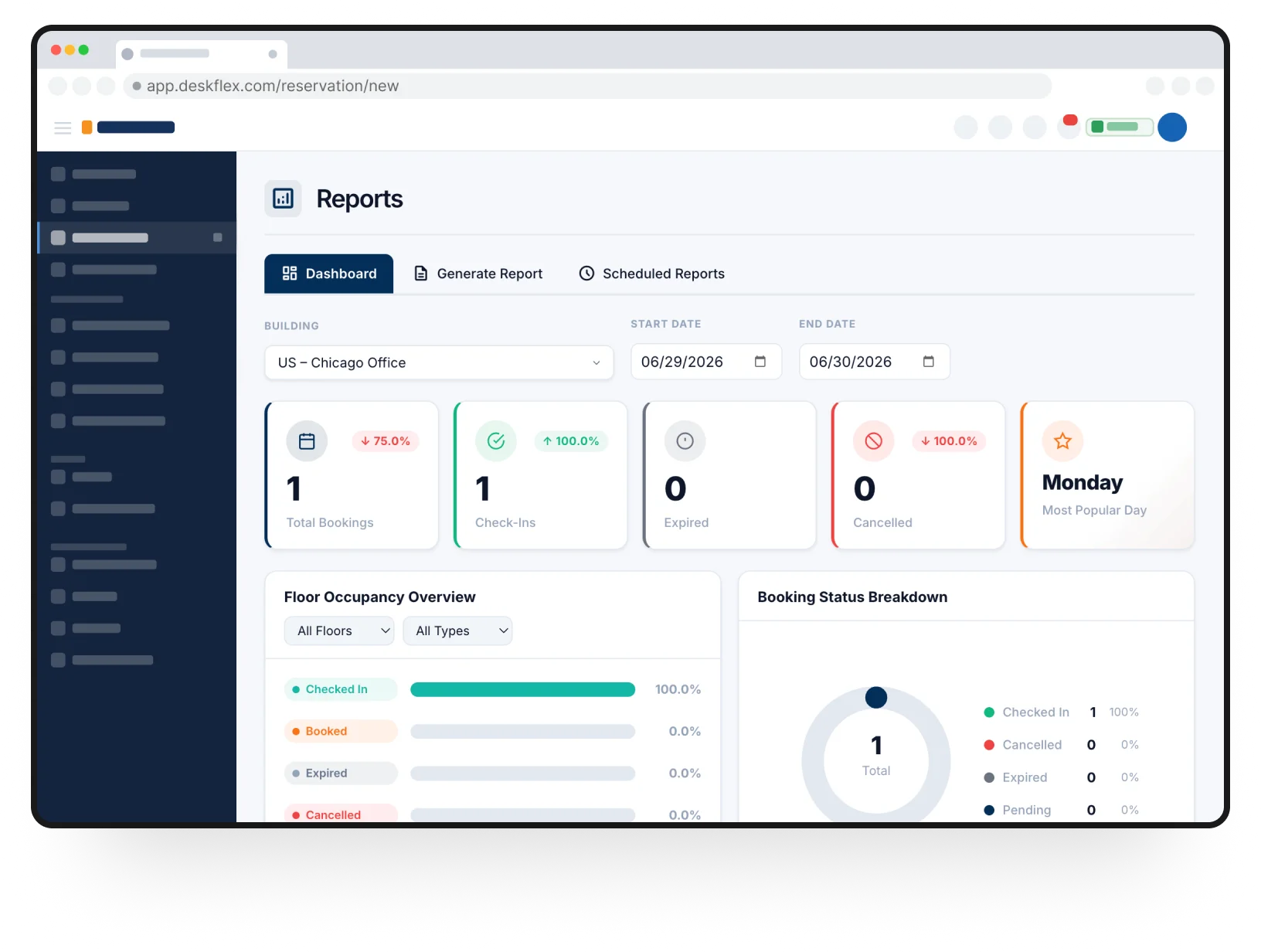
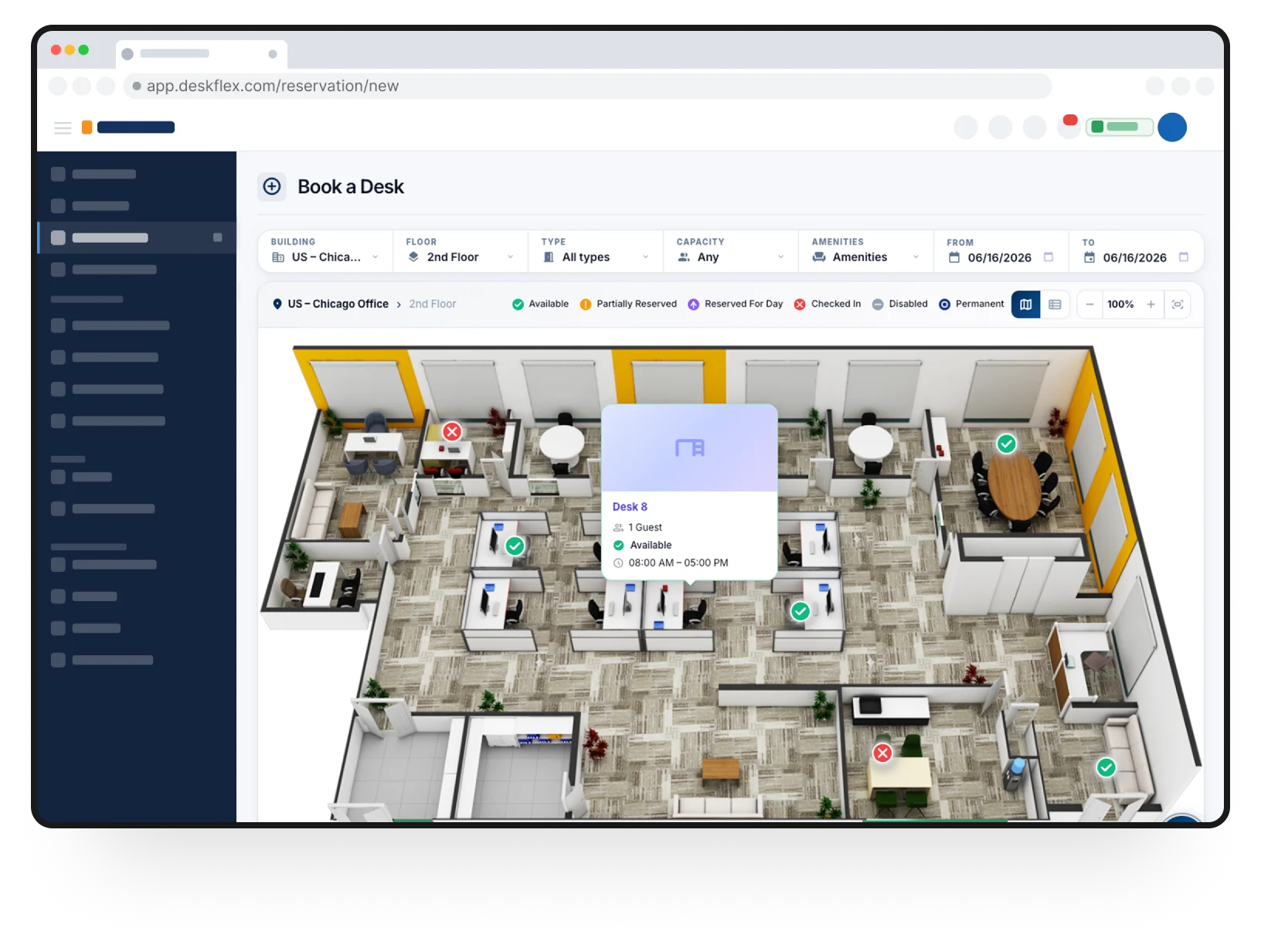
DeskFlex provides real-time availability views for rooms, event spaces, and conference areas. It allows managers to control bookings centrally while giving clients a self-service option to reserve spaces easily. Its scalable design makes it suitable for both small venues and large multi-room facilities.
Key Features:
- Real-time booking calendar to prevent double bookings
- Self-service client booking portal
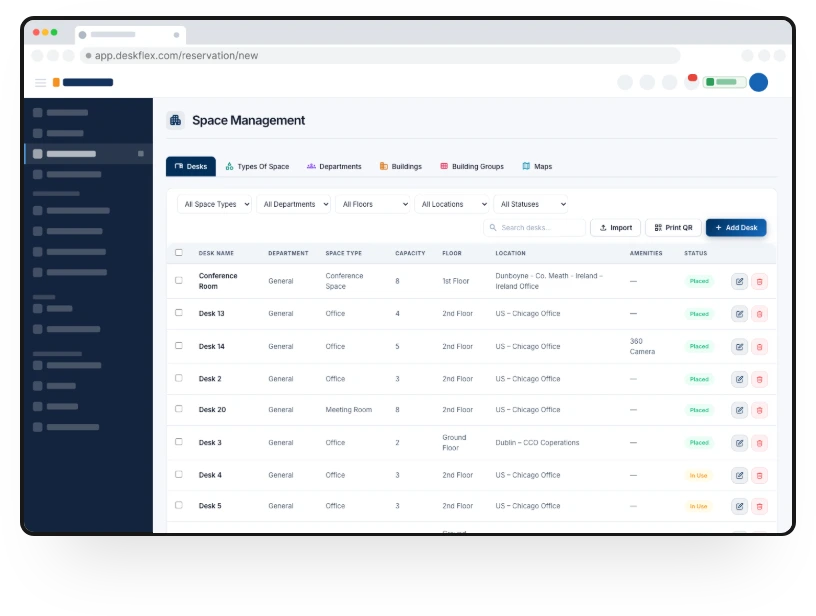
- Centralized scheduling controls for staff
- Built-in reporting dashboards for utilization tracking
- Supports hybrid and complex venue setups
2. Tripleseat
Tripleseat is designed for event venues that need to manage proposals, contracts, and payments in one place. It integrates with CRM and calendar tools, making coordination between staff and clients seamless. Catering and BEO (Banquet Event Order) management is built directly into the platform.
Key Features:
- Proposal and contract creation within the software
- Payment processing and deposit collection
- CRM integration for client management
- Calendar synchronization with external tools
- Catering and event-specific workflow management
3. Event Temple
Event Temple focuses on streamlining the sales and lead management side of venue operations. The platform stores communication history and tracks leads, helping managers convert inquiries into confirmed bookings efficiently. Customizable proposals and contracts are built directly inside the system.
Key Features:
- Lead tracking and client communication history
- Customizable proposals and contracts
- Email marketing tools for client follow-ups
- CRM features for organized client management
- Reporting on conversion and sales performance
4. Skedda
Skedda offers an intuitive online booking calendar that clearly visualizes space usage. It integrates with Stripe for secure payments and major calendar systems to simplify scheduling. Its automation tools help reduce manual tasks and adapt to user booking patterns over time.
Key Features:
- Interactive calendar for visualizing venue usage
- Online booking with secure payments
- External calendar integration with Google and Outlook
- Automation tools to reduce repetitive tasks
- Customizable booking rules and user permissions
5. Planning Pod
Planning Pod helps venue teams manage event logistics and task tracking efficiently. The platform includes CRM features to capture client information and provides a clear view of event status. Managers can place holds on dates and track progress across multiple events.
Key Features:
- Task management for event planning
- CRM tools for client information and follow-ups
- Real-time event status tracking
- Calendar holds to prevent scheduling conflicts
- Centralized dashboard for multiple venue locations
6. HoneyBook
HoneyBook is a user-friendly venue and event planning platform with strong CRM and billing capabilities. It integrates with calendar applications and accounting tools like QuickBooks. Automated workflows and contract templates simplify the booking process for staff and clients.
Key Features:
- Client management with built-in CRM
- Automated booking workflows and reminders
- Contract and invoice templates
- Calendar integration for scheduling
- Payment processing and bookkeeping support
7. BriteBiz
BriteBiz specializes in handling inquiries, proposals, and bookings through a simple and intuitive interface. Its dashboards provide real-time visibility into all bookings, while automated follow-ups improve communication with clients. Integration with payment systems and calendars streamlines operations further.
Key Features:
- Centralized booking management
- Automated client follow-ups and reminders
- Real-time dashboards for scheduling and utilization
- Payment and calendar system integration
- Easy-to-use interface for staff and clients
8. iVvy
iVvy is a cloud-based platform aimed at increasing venue revenue and optimizing space usage. It centralizes all bookings and communications, giving managers a complete view of events. The software also provides global exposure for venue listings to attract new clients.
Key Features:
- Cloud-based platform for remote access
- Centralized booking and communication management
- Analytics for revenue and utilization optimization
- Global venue listing exposure
- Integration with payment and calendar tools
9. Function Tracker
Function Tracker combines booking and food and beverage management in one system. It provides a central dashboard for calendars, quotes, and contracts. Financial tools help managers track deposits, invoices, and outstanding payments efficiently.
Key Features:
- Centralized event and F&B management
- Calendar, quote, and contract management
- Financial tracking for invoices and deposits
- Real-time booking visibility
- Streamlined client communication and reporting
10. Event Booking Engines
Event Booking Engines unifies CRM, booking automation, and staff scheduling for seamless venue operations. It integrates with tools like MailChimp and QuickBooks and provides analytics to help venues grow strategically and make data-driven decisions.
Key Features:
- CRM and client management
- Automated booking workflows
- Staff scheduling and calendar integration
- Payment and accounting tool integration
- Reporting and analytics for business growth
Try DeskFlex Today for Event Venue Booking and Scheduling
DeskFlex combines powerful features with an intuitive interface to make event venue booking simple and efficient. It provides real-time availability, centralized scheduling, and automated reminders to prevent double bookings while keeping staff and clients aligned. With built-in reporting and analytics, DeskFlex helps managers optimize space usage and streamline operations for any type of event.
Experience seamless venue scheduling today – Try DeskFlex now!
Conclusion
Event venue booking software is an essential tool for modern venues looking to streamline operations, prevent scheduling conflicts, and enhance client experiences. From automated calendars and online booking forms to integrated payments and advanced analytics, these platforms save time, reduce errors, and improve overall efficiency.
Choosing the right software ensures that venues can manage multiple events smoothly, optimize space utilization, and make data-driven decisions for long-term growth. By investing in a reliable solution like DeskFlex, venue managers can simplify scheduling, improve client satisfaction, and focus on creating memorable events.
Frequently Asked Questions (FAQs)
What is event venue booking software used for?
Event venue booking software helps manage reservations, availability calendars, and client bookings in one centralized system.
How does venue booking software prevent double bookings?
It shows real time availability and blocks booked time slots automatically across all connected calendars.
Is event venue booking software suitable for small venues?
Yes many tools are designed for small venues and offer simple interfaces with affordable pricing plans.
Can venue booking software handle payments and invoices?
Most platforms support online payments, deposits, invoices, and integration with accounting tools.
Why is DeskFlex a good choice for event venue booking?
DeskFlex offers real time scheduling, self service bookings, and detailed reporting for efficient venue management.


Support
Demo
Blog