


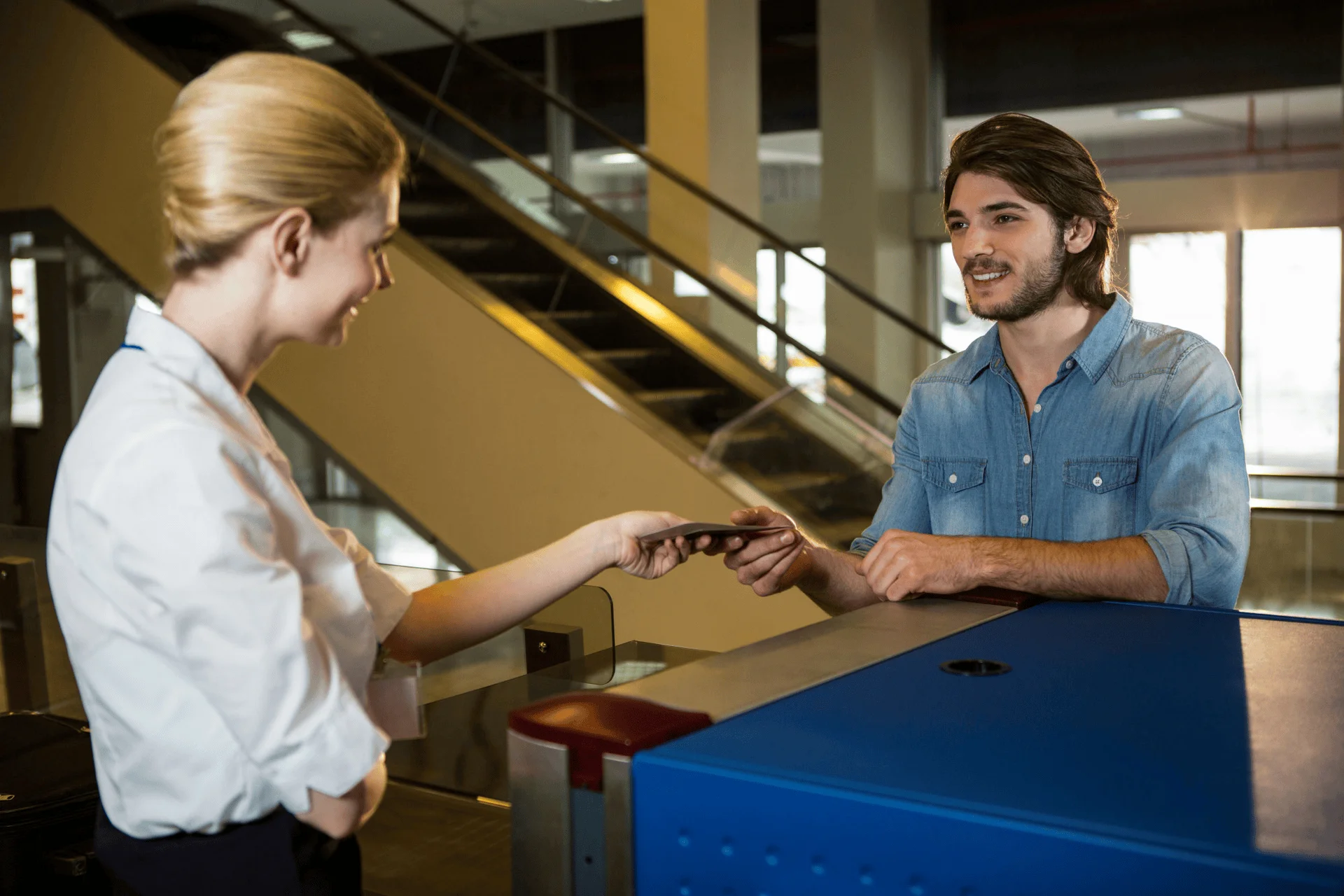
How to Improve Visitor Experience? Strategies and Best Practices
Visitor experience—the complete journey a guest has with an organisation—has become a key differentiator for businesses. A polished visitor journey reflects professionalism, enhances security and compliance, and shapes how clients, partners, job candidates and other guests perceive your brand. In today’s hybrid work environments, visitors expect the same seamless, contactless experiences they enjoy in hospitality and retail. Electronic visitor management systems (EVMS) help organisations modernise check‑ins, improve security, and boost efficiency. Businesses that implement modern EVMS report a 30 percent reduction in security incidents and improved operational efficiency—evidence that thoughtful visitor experience design is not just a courtesy but a strategic advantage.
This article offers a deep dive into why visitor experience matters, the challenges companies face, and actionable strategies—backed by research—to transform your lobby into a welcoming, secure, and efficient hub. Through detailed sections on planning, technology, industry considerations and future trends, you’ll learn how to craft a visitor experience program that delights guests and aligns with your organisational goals.
What is Visitor Experience?
Visitor experience refers to how guests interact with your workplace from arrival to departure. It includes every touchpoint such as check in, navigation, communication, and security processes.
Unlike traditional visitor management, which focuses mainly on logging entries, visitor experience focuses on the overall journey. Adapting a digital visitor management system, which ensures that every step feels smooth, guided, and well coordinated.
The goal is to create an environment where visitors feel welcomed, informed, and secure without unnecessary delays or confusion.
Components of the Visitor Experience
According to Kisi’s visitor experience guide, the visitor journey begins even before guests arrive and includes six core components:
- Pre‑arrival: Guests may receive invitations, pre‑registration links, directions or introductory phone calls. Clear communication sets expectations and reduces anxiety.
- Arrival: First impressions matter. A clean, well‑organised reception area with clear signage, comfortable seating and hospitality signals professionalism and respect.
- Navigation: Visitors should easily find where to sign in and locate their host. Digital wayfinding tools, mobile maps and friendly staff help visitors move confidently through the premises.
- Interactions with staff: Courtesy and respect from front‑desk staff influence how guests view your brand. Proper training ensures employees deliver consistent service.
- Access and comfort: Guests judge their experience based on accessibility, wait times, safety measures, lighting and temperature. Accessible entrances, ergonomic seating and clean facilities reduce barriers.
- Security: Security solutions such as access control and video surveillance reassure visitors that you value their safety.
The Importance of Visitor Experience Management
Without proper visitor management, interactions are left to chance and may result in negative encounters. Organisations can shape perceptions by guiding visitors down a carefully designed path—improving first impressions, streamlining processes, strengthening security and building lasting relationships. Strategising the visitor experience ensures guests feel comfortable and confident in your organisation. Moreover, focusing on visitor experience demonstrates that you care about all stakeholders—not just customers—and underscores your commitment to professionalism and hospitality.
Why Visitor Experience Matters
Builds Strong First Impressions
Visitors form an immediate opinion of your organisation upon entering the premises. A welcoming smile, clear directions and a comfortable waiting area create positive emotions and reduce stress. Providing guest Wi‑Fi, refreshments and seating signals that you value their time. A negative encounter—cluttered desks, long lines, or disinterested staff—can damage relationships and deter potential clients or candidates. By designing the visitor experience intentionally, you control the narrative from the moment guests arrive.
Enhances Workplace Security
Visitor management systems bolster security by verifying identities, tracking entry and exit times, and integrating with access control systems. An EVMS can restrict access to specific areas based on clearance levels and trigger alerts if a visitor attempts to access a restricted space. Real‑time monitoring adds an extra layer of protection and ensures your facility complies with safety protocols. Security measures not only protect assets and staff but also reassure visitors that their safety is a priority.
Strengthens Brand Reputation
A polished visitor experience reinforces brand identity at every touchpoint. Customisable digital signage, branded badges and professional reception areas communicate your values. An electronic visitor management system allows you to design visitor badges with your logo and event details, and digital screens can display promotional content or corporate messages. Consistency between digital communications and on‑site experience fosters trust and recognition.
Increases Operational Efficiency
Manual sign‑in sheets and paper logs slow down check‑ins and create administrative work. EVMS solutions automate visitor registration, enabling pre‑registration and quick QR‑code scanning that reduces wait times. Pre‑registered visitors can check in in seconds, freeing staff to focus on hospitality or security tasks. Automation also generates accurate visitor logs for compliance and reporting. Additionally, real‑time notifications let hosts greet visitors promptly, ensuring no one waits unnecessarily.
Improves Compliance and Data Privacy
Modern visitor systems help organisations meet data protection regulations (e.g., GDPR) by securely storing personal details and limiting access to authorised personnel. Visitor data is encrypted and stored centrally, reducing the risk of unauthorised access and paper log exposure. Audit trails provide evidence for regulatory compliance and support investigations in the event of incidents.
Supports Hybrid and Remote Work Models
As workplaces become more flexible, visitor traffic becomes unpredictable. Visitor systems allow employees, contractors and clients to schedule visits in advance, ensuring lobbies remain uncrowded. Cloud‑based solutions provide centralised oversight across multiple locations and support remote approvals. With features like pre‑arrival health screenings and touchless check‑ins, EVMS helps organisations maintain safety and adapt to evolving public health guidelines.
Common Visitor Experience Challenges in Workplaces
Many organizations still rely on outdated systems that were built for basic administration rather than user experience. As a result, these systems create gaps that affect both visitors and internal teams. Over time, these issues lead to delays, confusion, and a lack of coordination across the workplace.
1. Long Wait Times at Reception
Long waiting times are one of the most noticeable problems in visitor management. Visitors often stand in queues while manual processes slow down the check in process. This creates frustration and sets a negative tone before the visit even begins.
2. Manual Check In and Paper Logbooks
Paper logbooks and manual check in systems reduce efficiency and increase the risk of errors. Information can be incomplete or difficult to track, making it harder for teams to manage visitor records accurately. These outdated methods also limit visibility for security teams.
3. Lack of Pre Arrival Communication
When visitors do not receive clear instructions before arriving, they often feel uncertain about where to go or what to expect. This lack of communication leads to confusion, delays, and unnecessary questions at the front desk.
4. Limited Visibility for Security Teams
Without real time data, security teams struggle to maintain a clear view of who is on site. Delayed or incomplete information makes it difficult to respond quickly in case of unexpected situations.
5. Complex and Disconnected Security Processes
Security procedures can feel complicated and time consuming when they are not properly integrated with visitor workflows. This creates friction during entry and slows down the overall experience for both visitors and staff.
12 Proven Strategies to Improve Visitor Experience

Improving visitor experience requires a thoughtful approach that combines efficiency, clarity, and security. By focusing on practical strategies, organizations can create smoother and more engaging arrival experiences for every visitor.
1. Enable Contactless Check In
Contactless check in creates a faster and more convenient arrival process for visitors. Guests can scan a QR code, confirm their details, and proceed without delays. This approach reduces physical interaction points and helps maintain a smooth flow of people, especially during busy hours. It also aligns with modern expectations for quick and simple digital interactions.
2. Pre Register Visitors Before Arrival
Pre registration allows visitors to receive invitations and clear instructions before they arrive at the workplace. This reduces uncertainty and prepares them for a smooth entry process. When visitors already know where to go and what to expect, their experience becomes more efficient and stress free. It also minimizes confusion at the reception desk.
3. Reduce Wait Times at Reception
Long waiting times can create a negative first impression that is difficult to recover from later. Automating check in processes helps reduce queues and speeds up entry. A faster reception process improves both visitor satisfaction and staff productivity. It allows reception teams to focus more on assisting visitors rather than managing paperwork.
4. Provide Clear Directions and Wayfinding
Clear guidance is essential for helping visitors navigate your workplace without confusion. Digital maps, signage, and instructions can make a significant difference. Visitors should be able to reach their destination without needing constant assistance from staff members. This creates a more independent and comfortable experience.
5. Use Real Time Visitor Tracking
Real time tracking allows organizations to see who is on site at any given moment. This improves both operational awareness and security control. In case of emergencies, accurate visitor data supports faster decision making and coordinated responses. It also helps monitor visitor flow throughout the day.
6. Personalize the Visitor Journey
Different types of visitors have different needs and expectations. Clients, candidates, and contractors should not go through the same process. Personalized experiences make visitors feel valued and ensure that each interaction feels relevant and efficient. This approach creates a more thoughtful and professional impression.
7. Strengthen Security Without Creating Friction
Security is essential, but it should not slow down the visitor experience. Automated approvals and smart access control systems help maintain a balance. Visitors should feel secure while still enjoying a smooth and welcoming entry process. A well designed system ensures both safety and convenience.
8. Train Front Desk and Reception Staff
Technology plays an important role, but human interaction still matters. Reception staff should be trained to communicate clearly and assist visitors when needed. A friendly and professional greeting can significantly enhance the overall experience. It helps visitors feel welcomed and supported from the moment they arrive.
9. Collect Visitor Feedback
Visitor feedback provides valuable insights into what is working and what needs improvement. Organizations can use this data to refine their processes over time. Continuous improvement ensures that the visitor experience keeps evolving with changing expectations. It also helps identify gaps that may not be immediately visible.
10. Use Integrated Visitor Management Technology
Modern visitor management systems connect different workplace tools into a single platform. This integration improves efficiency, visibility, and coordination. Organizations can manage visitor data, security processes, and communication from one centralized system. This creates a more consistent and reliable experience across the workplace.
11. Provide Real‑Time Notifications
Real‑time notifications alert hosts as soon as a visitor checks in, ensuring prompt greetings and eliminating waiting. FriendlyWay emphasises that immediate alerts via SMS, email or app help hosts manage their schedules and minimise waiting times. Systems also offer updates on visitor status—when they arrive, check in or depart—and can send emergency broadcasts to all occupants during incidents. This communication ensures visitors never feel abandoned and increases operational awareness.
12: Offer Digital Visitor Badges
Digital badges—printed or displayed on smartphones—provide clear identification and access permissions. They typically include the visitor’s name, company, host, photograph and expiration time. EVMS solutions integrate badge issuance with access control systems, granting temporary access to authorised areas. By incorporating your logo and event details, badges reinforce brand identity. Expired badges automatically deny access, improving security and compliance.
Creating a Visitor Experience Plan

Developing a formal visitor experience plan ensures that strategies are coordinated across departments. Consider the following steps:
- Objectives: Define what you hope to achieve—whether reducing wait times, enhancing security, improving satisfaction scores or supporting hybrid work.
- Stakeholders: Identify who is involved—facilities, IT, security, reception, HR and department heads. Ensure everyone understands their roles and responsibilities.
- Visitor Categories: Segment visitors into categories (clients, contractors, delivery personnel, job candidates, interview panels, regulators) and tailor processes accordingly. Contractors may require safety briefings, while clients may need a personal escort.
- Technology: Select a visitor management solution that meets your needs. Consider integration with existing systems (access control, HR software), support for mobile check‑ins, and regulatory compliance.
- Policy Development: Document policies for each visitor stage, including identity verification, data handling, emergency procedures, and hospitality standards. Create checklists and signage to guide staff.
- Training: Conduct training sessions for staff and hosts. Provide resources and guides to ensure consistent implementation.
- Testing and Rollout: Pilot your plan in one location. Evaluate performance, gather feedback, and refine before scaling across additional sites.
- Monitoring and Review: Track metrics such as average check‑in time, number of visitors per hour, compliance incidents, and satisfaction scores. Review policies regularly and update them based on data, feedback and changing regulations.
Visitor Management Software: Features and Benefits
Pre‑Registration and Health Screening
Modern systems enable visitors to complete forms, sign NDAs and answer health screening questions online before arrival. This speeds up the check‑in process, ensures compliance with health guidelines and allows security teams to vet guests in advance. Health questionnaires—mandated in many industries—can flag potential risks, while digital signature features reduce paper waste.
Self‑Service Kiosks and Tablets
Self‑service kiosks allow visitors to check in, print badges and receive wayfinding instructions without requiring staff assistance. They often support multiple languages, making them accessible to international guests. Kiosks can display promotional videos, safety instructions or company news. During high traffic periods, self‑service devices help reduce congestion and improve flow.
QR‑Code and Mobile Check‑In
Mobile check‑in eliminates the need for physical registration entirely. Visitors receive a QR code via email that they scan on arrival. Some systems use mobile apps that store digital badges and instructions. Mobile check‑ins align with contactless technology and support hygienic practices.
ID Scanning and Facial Recognition
Enhanced security features include scanning government IDs, driver’s licences or passports. Facial recognition can verify identity quickly and ensure that the person checking in matches their credentials. These technologies reduce identity fraud and enable rapid access for authorised visitors.
Real‑Time Notifications and Messaging
Visitor management systems send immediate alerts to hosts when their guests arrive. They can also notify security teams if a visitor overstays or attempts to access restricted areas. Two‑way messaging allows hosts to communicate with visitors (e.g., informing them about delays or offering directions), improving responsiveness.
Integration with Access Control and Surveillance
Linking visitor systems to access control ensures that doors unlock automatically for authorised visitors and remain locked for others. Integration with video surveillance helps security teams monitor visitor activity and verify identities in real time. Audit trails facilitate investigations and support compliance.
Badge Printing and Expiration
On‑demand badge printing ensures that each visitor wears proper identification. Badges can include the visitor’s name, photo, host, company and access level. When the badge expires, access is revoked automatically. Custom designs reinforce branding.
Reporting and Analytics
Visitor management systems generate reports on visitor frequency, peak times, average wait times, repeat visits, and other metrics. Analytics help facilities and security teams allocate resources, identify trends and make evidence‑based decisions. Historical data can aid contact tracing, evacuation planning and resource forecasting.
Cloud vs. On‑Premise Deployment
Cloud‑based solutions offer automatic updates, remote management and elastic scalability, making them ideal for organisations with multiple locations or limited IT resources. On‑premise deployments provide greater control over data storage and may appeal to organisations with strict data sovereignty requirements. Evaluate infrastructure, security policies and budgets before choosing a deployment model.
Industry‑Specific Considerations
Corporate Offices and Professional Services
Clients and partners visiting corporate offices expect professionalism and privacy. Confidentiality agreements (NDAs) can be included in pre‑registration forms. Customisable badges with discrete access reduce the risk of information leaks. Pre‑scheduled visits help reception teams plan staffing levels and minimise wait times.
Healthcare Facilities
Hospitals, clinics, and medical offices face strict regulatory requirements and heightened hygiene needs. Contactless check-ins and health screening questionnaires reduce infection risks. Integration with Electronic Medical Records Software and electronic health record (EHR) systems ensures that patient and visitor data remain consistent, secure, and easily accessible across healthcare departments. Visitor management systems can track visiting hours, patient visits, and compliance with visitor policies, helping healthcare providers improve security and operational efficiency.
Education and Universities
Schools and universities must protect students and staff while welcoming parents, alumni, contractors and prospective students. Visitor management systems help verify identities, ensure visitors are authorised, and guide guests to the correct buildings or departments. Pre‑registration for events (e.g., open days, lectures) helps manage crowd sizes and allocate campus resources.
Manufacturing and Industrial Facilities
Factories and warehouses require strict safety protocols and controlled access to hazardous areas. Visitor management systems can track employee and visitor movements within the facility. Safety briefings and personal protective equipment (PPE) can be integrated into pre‑registration workflows. Restricting access to specific zones helps prevent accidents and theft.
Government and Public Buildings
Government offices must balance openness with stringent security. Visitor management systems support screening, ID verification and escort policies. Audit logs meet compliance requirements and help manage building occupancy during emergencies. Digital systems reduce paperwork and expedite check‑ins during busy periods.
Coworking Spaces and Shared Offices
Coworking spaces host a mix of tenants, guests and event attendees. Flexible visitor management accommodates different visitor types and billing structures. Access control integration ensures that guests enter only authorised zones. Pre‑registration helps manage occupancy and ensures compliance with capacity limits.
Events and Hospitality
Conferences, trade shows and corporate events often attract hundreds or thousands of visitors. Pre‑registration, QR‑code check‑ins and digital badges streamline entry. Real‑time analytics track attendance and support crowd management. Post‑event surveys capture feedback for future improvements. High‑volume visitor management demonstrates organisational capability and enhances the experience for exhibitors, sponsors and attendees.
Measuring Visitor Experience Success
Tracking metrics ensures that your visitor experience strategy delivers results. Consider monitoring:
- Check‑in times: Average duration from arrival to completion of registration. Shorter times indicate efficient processes.
- Wait times: Time spent waiting in line or in reception. Aim to minimise or eliminate waiting with pre‑registration and notifications.
- Pre‑registration rate: Percentage of visitors who complete forms before arrival. Higher rates correlate with shorter check‑ins and improved security screening.
- Visitor satisfaction: Survey visitors about their overall experience, ease of navigation, staff interactions, comfort and perception of security.
- Repeat visits and referrals: Positive experiences encourage guests to return or recommend your organisation to others.
- Security incidents: Number of unauthorised access attempts or breaches. Effective visitor management should reduce incidents and improve response times.
- Compliance metrics: Audit results, adherence to privacy regulations, and completion of health screening questionnaires.
Use these metrics to benchmark performance, identify bottlenecks and justify investment in improvements. Regularly share results with stakeholders to foster accountability and celebrate progress.
Future Trends in Visitor Experience
Artificial Intelligence and Automation
AI will play a significant role in optimising the visitor experience. Machine learning algorithms can pre‑approve or deny visitors based on risk factors, predict peak visitor times, and recommend staffing levels. AI chatbots will assist visitors with check‑ins, answer common questions, and provide directions in multiple languages. Personalised recommendations—such as nearby coffee shops or parking information—can be delivered via visitor apps.
Biometrics and Contactless Identity Verification
Fingerprint scanning, facial recognition and iris scans enhance security and efficiency. Biometrics confirm identities quickly and reduce the risk of credential theft. Systems may use multi‑modal biometrics, combining different identification methods for greater accuracy. Privacy considerations must be addressed with transparent policies and consent mechanisms.
Mobile Visitor Credentials
Physical badges may be replaced by mobile credentials stored in digital wallets. Mobile passes can update automatically when meeting details change and provide push notifications for directions and schedule changes. Contactless mobile credentials align with smart building systems and reduce environmental waste.
Internet of Things (IoT) and Smart Buildings
IoT sensors will support real‑time tracking of visitor movements and occupancy levels. Integrated with building management systems, visitor management can adjust lighting, HVAC and elevator operations based on occupancy patterns. Smart lockers can deliver packages to visitors, and digital signage can customise messages depending on who is passing by.
Virtual and Augmented Reality
Organisations may use VR or AR to give visitors a virtual tour of facilities before they arrive or guide them through buildings using AR overlays on smartphones. AR apps can highlight exits, restrooms and emergency equipment in real time. These technologies offer immersive experiences and help visitors feel more comfortable navigating complex spaces.
Hybrid Event Platforms
As hybrid events become the norm, visitor management systems will extend to virtual attendees. Platforms will track both in‑person and online participants, integrate with video conferencing tools, and provide unified analytics. Hosts will coordinate experiences across physical and virtual spaces, ensuring that all attendees feel engaged.
Improve Your Visitor Experience with DeskFlex
Improving visitor experience may seem straightforward, but it often becomes complex without the right system in place. Many organizations struggle with manual processes, disconnected tools, and limited visibility across their workplace.
DeskFlex simplifies this challenge by bringing visitor management, security, and workplace coordination into one unified platform. It helps organizations create a seamless and efficient experience from the moment a visitor arrives.
- Simplify and Speed Up Check In: DeskFlex enables fast and contactless check in, allowing visitors to complete the process within seconds. This reduces waiting times at reception and ensures a smooth and welcoming arrival experience.
- Prepare Visitors Before They Arrive: With pre registration features, organizations can send clear instructions and invitations in advance. Visitors arrive informed and confident, which reduces confusion and improves overall efficiency.
- Gain Real Time Visibility and Control: DeskFlex provides real time insights into who is on site at any given moment. This helps teams stay informed, improve coordination, and respond quickly when needed.
- Deliver Personalized Visitor Experiences: Different visitors require different experiences, and DeskFlex makes it easy to customize workflows. Whether it is a client, candidate, or contractor, each visitor follows a process tailored to their needs.
- Strengthen Security Without Slowing Down Entry: DeskFlex combines automated approvals with smart access control to maintain strong security. Visitors can move through the process easily while organizations retain full control and compliance.
By combining automation, visibility, and seamless workflows, DeskFlex helps organizations deliver visitor experiences that feel organized, efficient, and professional.
👉 Book a demo today and see how DeskFlex can transform your visitor experience.
Frequently Asked Questions (FAQs)
What is visitor experience in a workplace?
Visitor experience refers to how guests interact with your workplace from arrival to departure, including check in, navigation, communication, and security.
Why is visitor experience important?
Visitor experience shapes first impressions, builds trust, strengthens brand perception, and impacts workplace efficiency and security outcomes.
What are common challenges in visitor experience?
Challenges include long wait times, manual check in processes, unclear directions, limited security visibility, and disconnected or outdated systems.
How can contactless check in improve visitor experience?
Contactless check in speeds up arrival, reduces queues, limits physical contact, and ensures a smooth and convenient entry process.
Why is pre registering visitors important?
Pre registration provides instructions and invitations before arrival, reduces confusion at the reception, and ensures visitors feel prepared and confident.
How does real time visitor tracking help organizations?
Real time tracking gives teams visibility of who is on site, improves coordination, enhances security, and supports faster decision making in emergencies.
What strategies improve visitor experience?
Strategies include contactless check in, pre registration, personalized journeys, reduced wait times, clear wayfinding, and balanced security measures.
What are best practices for delivering a seamless visitor experience?
Best practices include maintaining consistency across locations, keeping processes simple, continuously improving workflows, using data analytics, and balancing security with convenience.
How can personalization enhance the visitor journey?
Personalization ensures that different types of visitors, such as clients, candidates, or contractors, follow tailored processes that match their needs and expectations.
How do integrated visitor management systems improve visitor experience?
Integrated systems centralize visitor data, security processes, and communication, creating efficiency, reliability, and a professional arrival experience across the workplace.