DeskFlex

Want to see DeskFlex in action? Book your live demo today!

Blog

social distancing meetings

A more intentional approach to in-person and hybrid work is taking hold. Social-distancing meetings let teams collaborate face-to-face while keeping everyone comfortable and safer. Implementing a well-designed social distancing meeting room setup is one thing; making it operationally effective is another. That’s the gap smart room booking software fills by automating the complex logistics of capacity, spacing rules, and sanitization requirements.

This guide will detail how these automated room booking systems work in practice by transforming a well-intentioned policy into a dependable, daily reality.

What Are Social Distancing Meetings?

Social distancing meetings are in-person or hybrid gatherings that utilize a comfortably spaced and safe setup to enable employees to collaborate and work without feeling too crowded. These meetings rely on intentional room layouts, controlled attendee numbers, and effective scheduling routines to maintain an organized environment.

Social distance meetings work for gatherings, such as:

  • team check-ins
  • training workshops
  • project reviews
  • strategy sessions
  • client updates

How Social Distancing Meetings Work?

Understanding Social Distance Meetings

Social distancing meetings help teams meet safely while staying productive and organized. They rely on structured space usage and proper scheduling to avoid overcrowding.

  • Planned Room Capacity: Meetings are scheduled based on room size and occupancy limits, ensuring enough space for everyone to participate comfortably.
  • Organized Scheduling: Meetings are booked in advance to prevent overlapping usage of rooms and to maintain proper spacing between participants.
  • Reduced Workplace Disruptions: By avoiding overcrowded spaces, teams experience fewer interruptions and can focus better on discussions and decision-making.
  • Support for Flexible Workplaces: As offices become more dynamic and shared, structured meeting management helps maintain order without manual supervision.
  • Improved Meeting Productivity: When space, timing, and attendance are managed properly, meetings run smoother and achieve better outcomes.

Why Social Distancing Remains Essential in Today’s Workplaces?

Social distancing continues to play a meaningful role in how meetings are experienced and how teams perform in modern offices.

  • Improves Focus and Comfort: When people are not seated too closely, they feel more at ease and less distracted. Comfortable spacing allows participants to concentrate on discussions instead of adjusting their seating or feeling confined.
  • Supports Employee Health and Safety: Maintaining distance in shared meeting spaces helps reduce the spread of seasonal illnesses. Healthier employees mean fewer disruptions, lower absenteeism, and more consistent team performance.
  • Enhances Meeting Flow: Properly spaced rooms allow meetings to start smoothly and run without interruptions. Participants can move, speak, and collaborate more freely, keeping conversations organized and productive.
  • Creates a Better Meeting Experience: A well-spaced meeting environment sets a professional tone and encourages engagement. When people feel comfortable, meetings become more focused, collaborative, and effective.

Key Challenges Companies Face in Socially Distanced Meeting Rooms

Companies roll out these social distancing policies, but the reality is that implementing them effectively in actual meeting rooms is challenging.

1. Space Management

Companies face significant space-management challenges in socially distanced meeting rooms since seating capacity drastically decreases, making it difficult to host essential in-person discussions.

As a result, organizations must constantly adjust layouts, schedules, and room assignments to maintain safety while still supporting collaboration.

2. Unpredictable Attendance

Hybrid or flexible work arrangements have disrupted our ability to predict attendance. A calendar invite for five might mean two in the office and three remote, or it could bring seven people through the door.

3. Lack of Smart Tools

Often, the tools meant to prevent chaos are the very ones that enable it. If your room reservation system is a passive calendar, a digital free-for-all that no one actively manages, you’re setting the stage for conflict.

Worse still, without real-time monitoring, rooms can silently exceed their safe capacity. There’s no alert, no red light, and no lock on the door.

4. The Human Factor

Finally, and most stubbornly, there’s the human element. You can engineer the perfect conference room setup, with geometrically precise chair placement. It will be undone by natural human behavior within the first ten minutes.

Someone runs in late, distracted, and takes the closest empty seat. Old habits and immediate needs will almost always take precedence over a static rule.

How Room Booking Software Helps Conduct Social Distancing Meetings?

1. Scheduling and Room Capacity Rules

It is essential to utilize room scheduling software to establish strict limits on headcount per room and maintain the required spacing between seats. This is how you automate compliance and prevent overcrowding before it occurs.

2. Intentional Layouts with Maps and Visualization

Utilize floor plan visualization tools to enable teams to review the complete layout before confirming a meeting room reservation. This allows teams to choose a setup that supports distancing without last-minute rearrangements.

3. Booking, Check-In, and Sanitization

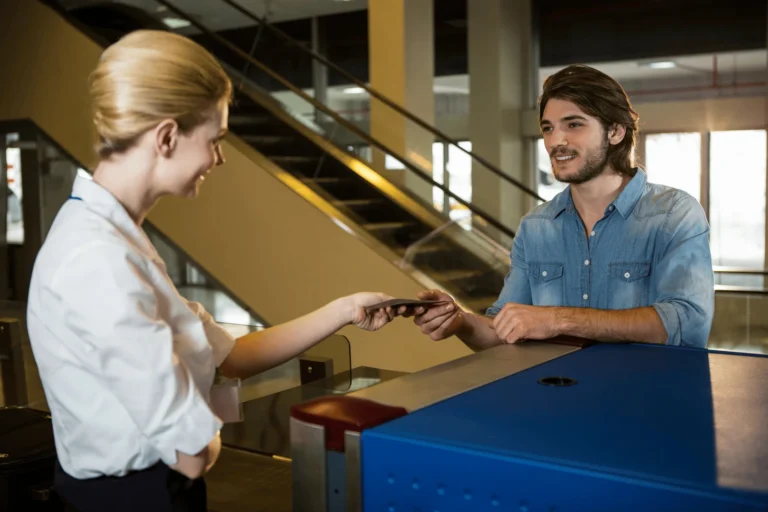
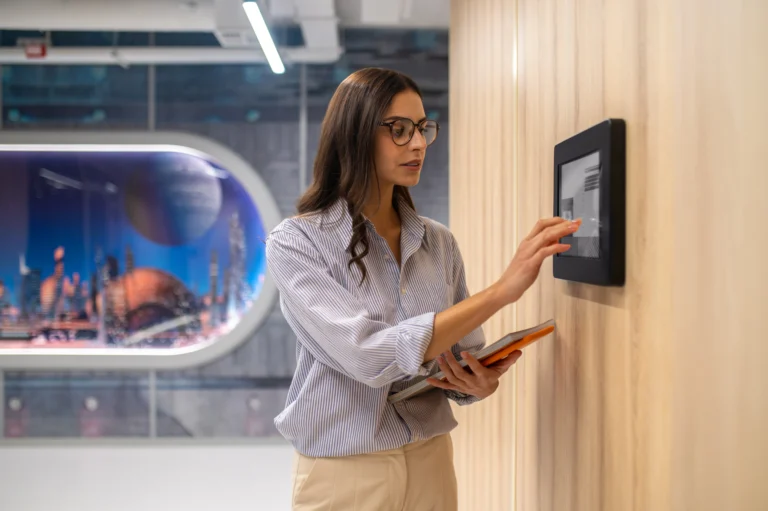
Software bridges the gap between scheduling and safety. Mandatory digital check-ins (via a quick QR scan or app tap) confirm real attendance and release no-show bookings. The system can also automatically trigger cleaning tickets or set ventilation schedules the moment a meeting ends.

4. Hybrid-Friendly and Flexible for Any Schedule

Meetings don’t happen in a vacuum. People need desks, phone booths, and collaboration nooks. A unified room booking system applies the same intelligent rules everywhere. The tool supports the fluid workday; it doesn’t hinder it.

5. Real-Time Visibility

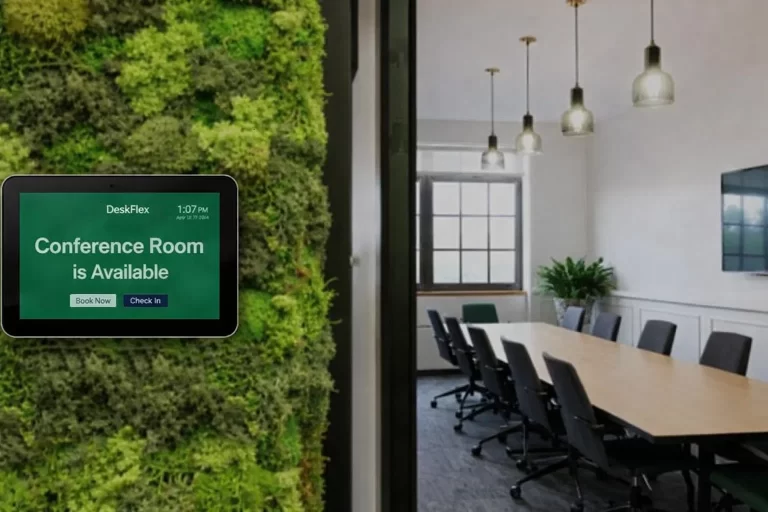
Live availability displays stop the hallway shuffle. A simple, real-time status panel outside each room, or on everyone’s phone, is the most effective tool for this purpose.

6. Analytics, Reporting, and Space Optimization

The room booking platform’s reporting tools will show exactly which rooms are overbooked, which are being ignored, when demand peaks, and where layouts are failing.

Best Practices for Setting Up a Socially Distanced Meeting Room

Creating a socially distanced meeting room begins with the layout and furniture, but the real efficiency comes from utilizing room booking software to manage the space. Follow these core practices for setting up a socially distanced meeting room that fosters both collaboration and confidence.

A. Start with a Purposeful Layout

It is empirical to define the primary use for the room and choose a flexible layout that supports it. Arrange furniture with precise, measured spacing to meet social distancing guidelines.

B. Digitize Your Floor Plan

Instead of relying on manual markings, use meeting room scheduling software to upload your room’s floor plan. You can digitally designate approved seats, walking paths, and “no-use” zones.

C. Enforce Rules with Room Booking Systems

A room booking system is your most reliable tool for compliance. It automatically:

  • Limits capacity when employees book conference room space.
  • Avoid back-to-back meetings to allow for air circulation.
  • Shows only pre-approved, safe layouts during the booking process.

D. Support Seamless Hybrid Collaboration

It is crucial to equip the room with high-quality audio and video gear so everyone is seen and heard equally. This also prevents those in the room from crowding around a single device. Always conduct a dry run, test microphones, screens, and cameras beforehand to avoid wasting time fixing a setup.

Advantages of Using Automated Room Booking Systems for Social Distancing

If you’re still managing capacity limits and cleaning schedules manually, you’re accepting risk and incurring costs. Adopting an automated room booking system delivers these clear, impactful benefits that justify the investment.

A. Reduction of Costly Human Error

People forget. Software doesn’t. A manual process is a series of expensive, unverified assumptions. Do the math: a 10-person team loses ten minutes to a double-booked room or a configuration error. At a conservative rate, that’s $100 vanished before the agenda even starts. Scale that across your organization over the course of a year. Automated enforcement isn’t a feature; it’s a financial safeguard.

B. Improved Operational Efficiency

Your facility managers are paid to optimize your environment, not to act as hall monitors. Every hour they spend untangling a booking conflict or resetting a room is an hour stolen from strategic work that moves the business forward. Automation handles the policing, so your experts can focus on improvement.

C. Confidence in Consistency

Touchless check-in, real-time occupancy data, and a sanitized workplace are not perks. They are the baseline for a professional environment. When employees walk into a room and know it has been set up correctly, the focus remains on their work and not on their surroundings. That’s how real productivity is achieved.

D. Huge Analytics Advantage

Which rooms are bottlenecks? What’s the actual demand for hybrid setups? When are your cleaning cycles actually needed? The analytics from a proper room booking system provide the intelligence to make informed decisions about space, budgets, and policy based on evidence.

Conclusion

planning social distance meetings that are both safe and effective is a logistics headache. It doesn’t have to be a manual, error-prone process. The solution isn’t more oversight. It’s more intelligent systems. In a hybrid environment where teams move between working from home and the office, confusion over physical space is inevitable. And this is best handled with control, enforced by software, not memos.

Modern conference room scheduling software works like an invisible operations manager. They enforce your capacity and spacing rules at the point of booking, eliminating the “who forgot the guidelines?” conversation. They lock out double-booking. They integrate sanitation buffers directly into the calendar. They guide people to the right room for their needs before they ever walk through the door. The outcome is a workspace that feels intentional, reliable, and quietly competent. It’s the infrastructure that lets collaboration happen without the overhead.

Let DeskFlex handle the space management work you’ve been patching together with spreadsheets and static layouts. It’s built for that kind of complexity, and it shows. Take a minute and explore what a purpose-built system can automate for you. Request your demo.

Frequently Asked Questions (FAQs)

Social distancing meetings are meetings conducted under physical distancing protocols. Meaning fewer people per room, more space between participants, minimized close contact, reduced surface sharing, and additional hygiene measures.

Even as many workplaces already adopt remote or hybrid work arrangements, there are scenarios in which in-person interaction remains valuable, such as brainstorming sessions, hands-on collaboration, and sensitive discussions.

DeskFlex streamlines planning by automatically managing room bookings and enforcing spacing rules. It saves time and removes the guesswork that usually slows teams down.

DeskFlex disables nearby seats, limits room capacity, and utilizes contactless check-ins to prevent groups from clustering around screens. It maintains safety without making it the center of the meeting.

Admins can set safe limits for each room, and the system blocks extra bookings once the space is full. Real-time occupancy sensing helps prevent rooms from being unnecessarily tied up by no-shows.

Yes. DeskFlex supports flexible desk and room reservations, making it easy for in-office and remote members to coordinate without overcrowding the workspace.

Sectors that rely heavily on shared spaces, such as corporate offices, schools, healthcare facilities, and coworking hubs, gain the most. They often have higher foot traffic and stricter safety requirements, so structured distancing is helpful.

DeskFlex can automatically schedule cleaning between bookings and reduce shared touchpoints with contactless check-in. It keeps rooms in rotation without compromising hygiene.

Yes. DeskFlex makes it easy to book through mobile or web, so employees walk in already knowing where they’re headed.

By controlling capacity, spacing out seats, and utilizing contactless check-in, the system reduces the number of common touchpoints. Optional features, such as contact tracing and health screening, add another layer of protection.