


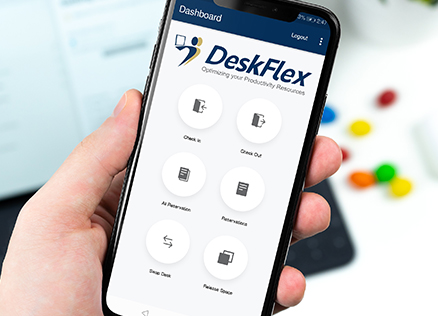
The modern workplace is evolving rapidly. As hybrid work becomes the standard rather than the exception, organizations everywhere are turning to desk booking software to optimize space, empower employees, and support flexible schedules. In this 2026 guide, we’ll explore how desk booking solutions are transforming offices, their key features, benefits, and best practices for implementation.
What Is Desk Booking Software?
Desk booking software is a digital tool that allows employees to reserve workstations, hot desks, and collaborative spaces in advance. It provides real-time visibility into desk availability, supports hybrid and flexible schedules, and eliminates manual desk assignment processes.
Why Desk Booking Matters More Than Ever
The workplace of tomorrow demands flexibility and efficiency. Here’s why desk booking software has become essential:
1. Hybrid Work Is the New Normal
Employees working across home and office require dynamic seating arrangements. Desk booking empowers them to choose when and where they work.
2. Space Optimization and Cost Efficiency
Leaders can identify underutilized desks and make data-driven decisions about space allocation and office design.
3. Improved Employee Experience
Desk booking fosters autonomy, reduces workplace stress, and enhances employee satisfaction.
4. Supports Safety & Capacity Policies
During uncertain times, desk booking helps enforce capacity limits and compliance mandates.
5. Data-Driven Workplace Planning
Usage analytics provide valuable insights into attendance patterns and trends.
Key Features of Modern Desk Booking Systems
Today’s desk booking solutions offer much more than basic scheduling:
Real-Time Desk Availability
Interactive floor plans show who’s booked which desk and when.
Mobile & QR Code Booking
Reserve desks instantly from smartphones — ideal for mobile-first employees.
Calendar Integration
Sync with Microsoft 365, Outlook, Teams, Google Calendar, and workplace apps.
Smart Check-In & Auto-Release
Automatically free up unused reservations to maximize availability.
Team Zone Booking
Allow teams to book desks near each other in predefined zones.
Custom Booking Rules
Define policies like minimum/maximum booking duration or priority rules.
Usage Analytics Dashboards
Track desk occupancy, peak days, and hybrid workforce patterns.
How Desk Booking Software Supports Hybrid Workplaces
Hybrid work environments require tools that balance flexibility with predictability:
Flexibility Without Chaos
Employees know exactly which desks are available and when.
Equity and Fairness
Booking systems apply rules to ensure balanced access.
Reduced Conflict
No more “who took my desk?” disputes.
Better Collaboration
Teams can plan seating proximity for improved engagement.
Desk Booking vs Traditional Desk Assignment: A Comparison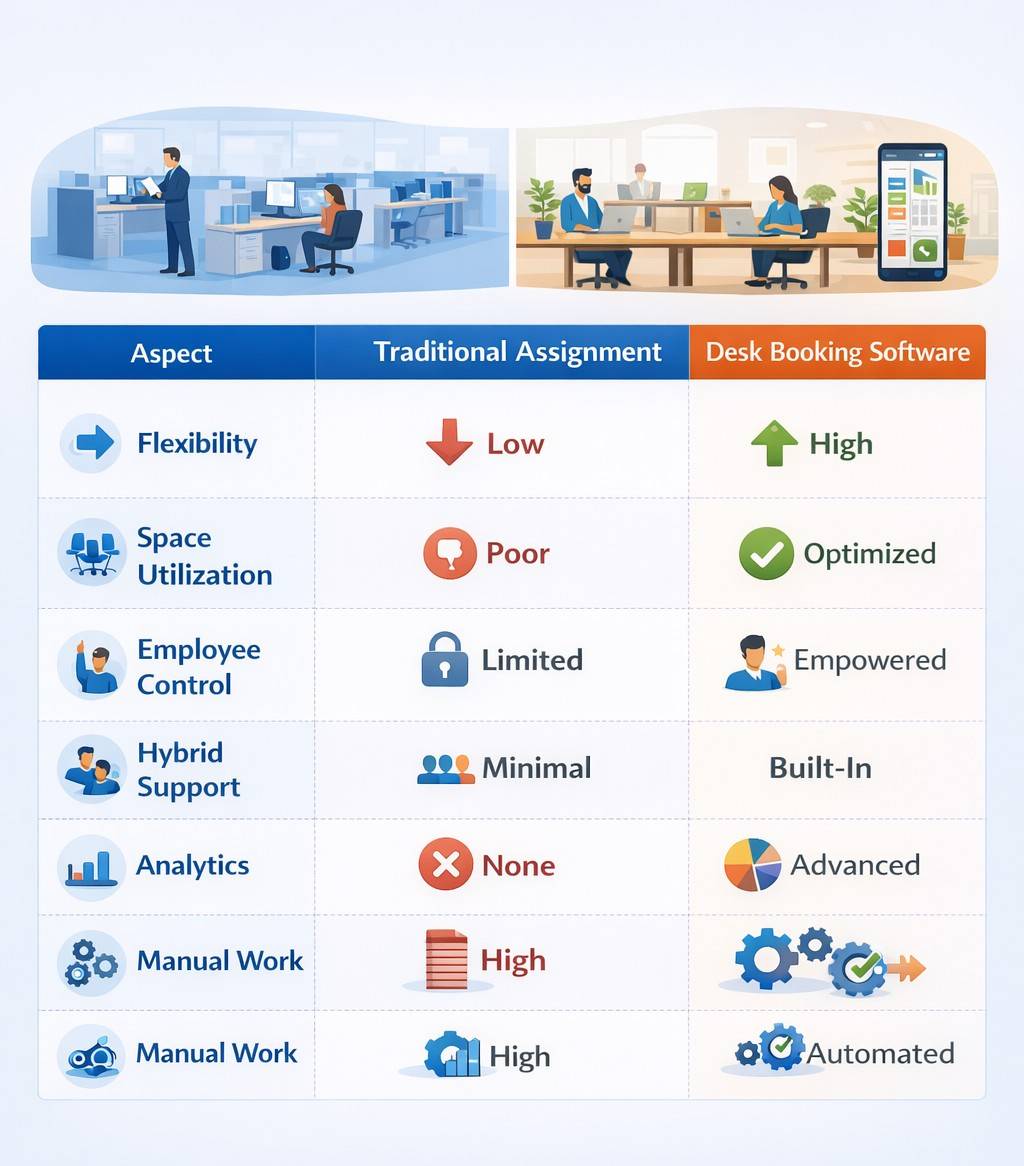
This comparison shows why forward-thinking organizations are transitioning to software-based solutions.
Real Use Cases: Success Stories
Example 1: Mid-Size Tech Firm
Challenge: Low office attendance + desk conflicts
Solution: Implemented desk booking with mobile QR check-in
Result: 25% increase in desk utilization, higher employee satisfaction
Example 2: Large Enterprise
Challenge: Inflexible seating, static assignments
Solution: Team zone booking + analytics dashboards
Result: Data-informed office redesign & improved collaboration
Top Benefits of Desk Booking Software
1. Increased Space Utilization
Maximize value from existing real estate.
2. Enhanced Employee Flexibility
Workers choose where and when to work.
3. Better Attendance Insights
Track usage trends for smarter planning.
4. Reduced Operational Overhead
Less manual desk management workload.
5. Improved Workplace Experience
Empowers employees with choice and transparency.
Best Practices for Implementing Desk Booking
✔ Start with Clear Policies – Define how and when desks can be booked
✔ Train Employees – Provide quick guides or onboarding sessions
✔ Use Analytics for Decisions – Adjust spaces based on utilization data
✔ Integrate with Existing Systems – Calendar + collaboration tools
✔ Iterate and Improve – Gather feedback and refine rules