


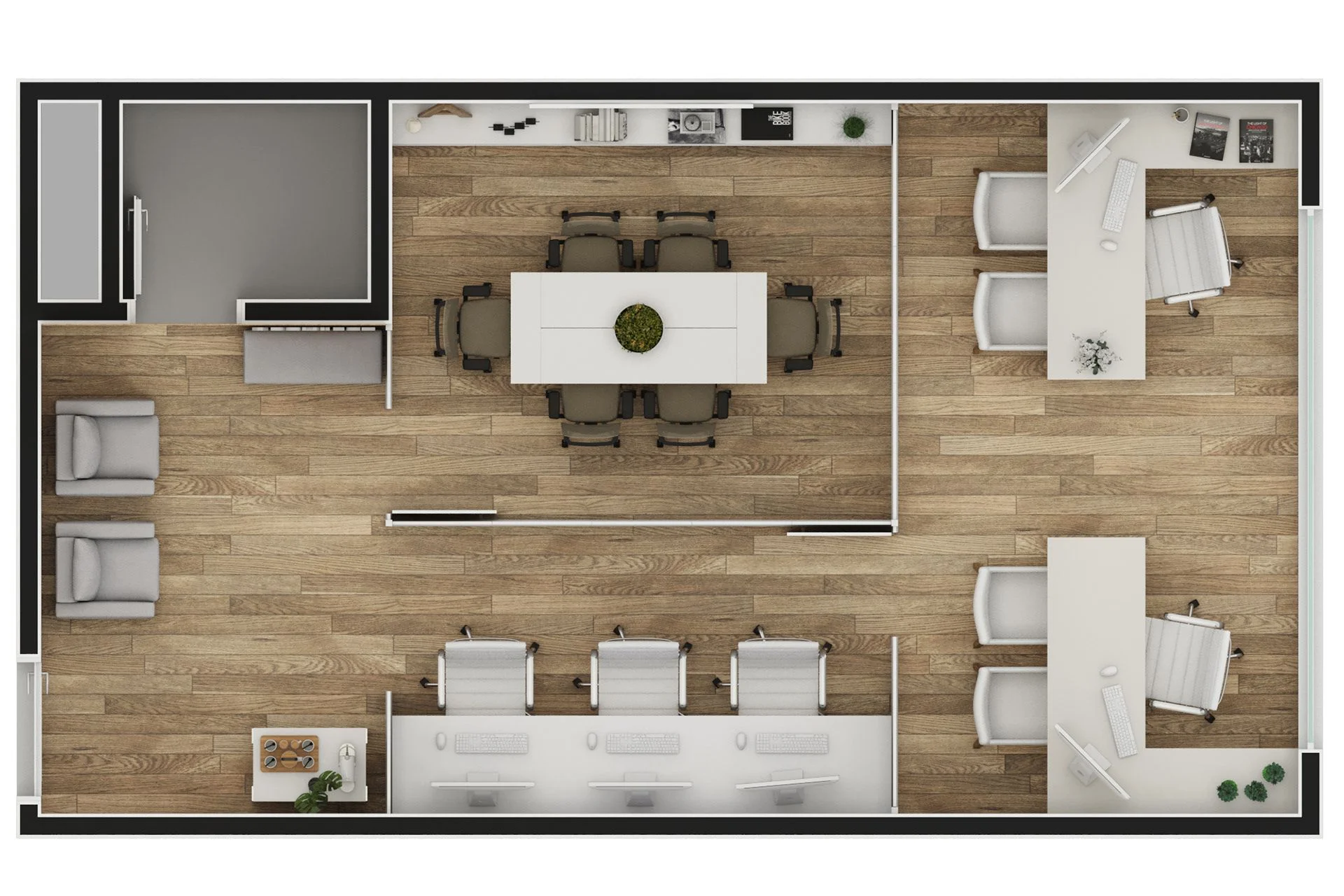
The 12 Best Floor Plan Creators of 2026 (Free, Paid, AI & By Use Case)
The floor plan creator market in 2026 has fractured in two important ways. First, AI-driven tools that generate layouts from text prompts or a rough sketch have moved from novelty to genuinely useful for early-stage design. Second, the category has split between general-purpose consumer tools (Planner 5D, RoomSketcher, Floorplanner) and use-case-specific platforms that combine floor planning with operational workflows like booking, scheduling, or guest seating. The right tool for you depends almost entirely on what you are trying to do.
This guide compares the 12 best floor plan creators for 2026 across every major use case: homes, offices, classrooms, restaurants, events, weddings, real estate, daycares, and commercial buildings. For each tool we cover what it does well, where it falls short, which use cases it fits, and what it costs. The sections that follow also include a free vs paid breakdown, AI floor plan generators, platform compatibility (Mac, Windows, web, mobile), and the features that actually matter (measurements, furniture libraries, 2D versus 3D, collaboration).
What is a Floor Plan Creator?
A floor plan creator is software that lets you design two-dimensional or three-dimensional layouts of rooms, buildings, or spaces. The output is a visual representation showing walls, doors, windows, furniture, and dimensions, exportable as a PDF, image, or CAD file. Floor plan creators range from free browser-based tools for homeowners to professional CAD platforms used by architects and engineers, with workplace-specific platforms that integrate floor planning with booking and analytics in between.
The four functions every floor plan creator covers to some degree:
- Drawing walls and rooms with accurate measurements
- Placing doors, windows, and openings correctly
- Adding furniture and fixtures from a library
- Exporting the result for sharing, presentation, or construction
What separates the tools is depth in each function, the use cases they are designed for, the platforms they run on, and the price.
How to Choose the Right Floor Plan Creator?
The most useful questions to ask before picking a tool:
1. What are you actually planning?
The most important question, and the one that filters out most of the market for you. A homeowner planning a kitchen remodel needs a very different tool from a restaurant designing a dining room layout, a school designing a classroom, or a workplace designing a hybrid office. Match the tool to your use case rather than picking the most popular one.
2. Do you need 2D, 3D, or both?
Two-dimensional plans are faster to create, easier to print, and standard for real estate listings, construction drawings, and emergency-evacuation maps. Three-dimensional plans are better for visualizing how a space will feel, doing virtual walkthroughs, and presenting design options to non-technical stakeholders. Most modern tools support both, but the depth varies.
3. How accurate do the measurements need to be?
For real estate marketing, approximate is fine. For construction permits, you need precision to the inch and CAD compatibility. For office and workplace planning, you need enough accuracy that desk-to-employee ratios and traffic flow work in practice. Match the tool’s measurement precision to your real requirement.
4. Free or paid?
Most major tools offer a usable free tier. The differences typically appear in: number of projects, export quality and watermarking, furniture library size, 3D rendering quality, collaboration features, and customer support. For a single one-off project, free is often enough. For ongoing use, paid is worth it.
5. What is the learning curve you can absorb?
AutoCAD and Revit are the gold standard for professional design but take weeks to learn well. Browser-based tools like Floorplanner and RoomSketcher can produce a decent layout in an hour. Mobile apps can produce a passable sketch in 15 minutes. Pick a tool that matches your time budget.
6. Who do you need to share with?
If your design needs to feed a construction project, CAD compatibility (DWG export) matters. If you are showing options to executives, photorealistic 3D matters. If you are publishing to a real estate listing, clean PDF export matters. If you are running a workplace where people book the spaces, you need a tool that connects the floor plan to a booking system, which is where most general floor plan creators fall short.
Best Floor Plan Creators Comparison Table
| Tool | Best For | 2D | 3D | AI | Free Tier | Platform | Starting Price |
|---|---|---|---|---|---|---|---|
| RoomSketcher | Overall, real estate | Yes | Yes | Limited | Yes | Web, Mac, Win, iOS, Android | Free, paid from $49/year |
| Planner 5D | Home DIY, beginners | Yes | Yes | Yes | Yes | Web, iOS, Android | Free, paid from $19.99/year |
| Floorplanner | Real estate, browser users | Yes | Yes | Limited | Yes | Web only | Free, paid from $14/month |
| SmartDraw | Business diagrams + floor plans | Yes | Limited | Limited | Trial only | Web, Win, Mac | From $9.95/month |
| SketchUp | 3D modeling, designers | Limited | Yes | No | Limited free (web) | Web, Mac, Win | Free, paid from $349/year |
| Sweet Home 3D | Free open-source home | Yes | Yes | No | Fully free | Mac, Win, Linux, web | Free |
| Canva | Quick & simple | Yes | No | Yes | Yes | Web | Free, paid from $14.99/month |
| AutoCAD | Professional CAD | Yes | Yes | No | Trial only | Win, Mac | From $245/month |
| Cedreo | Pro home design | Yes | Yes | Limited | Trial only | Web | From $99/month |
| Homestyler | Home design, AI | Yes | Yes | Yes | Yes | Web, iOS, Android | Free, paid tier available |
| Floor Plan Creator (mobile app) | Mobile, on-site sketching | Yes | Limited | No | Yes | Android, iOS | Free, paid from $9.99 |
| DeskFlex 3D Floor Maps | Offices, workplaces, hybrid teams | Yes | Yes | No | Demo only | Web, mobile | Contact sales |
The 12 best floor plan creators for 2026
1. RoomSketcher: best overall for general use
Best for: Real estate professionals, homeowners, interior designers, anyone who wants the most polished result with the least learning curve.
What it does well: RoomSketcher is the most-recommended floor plan tool across reviewer roundups, and the reason is consistency. The drag-and-drop interface is fast to learn, the 2D and 3D outputs are clean, the furniture library is large and reasonably priced, and the Live 3D walkthrough is genuinely useful for showing spaces to clients who cannot read 2D plans. Real estate agents in particular use RoomSketcher because the export quality is listing-ready out of the box.
Where it falls short: Not designed for construction-grade CAD output, so architects and engineers will need a more technical tool. The free tier is usable but most professional features are paid.
Pricing: Free tier; paid plans from $49 per year.
Platforms: Web, Mac, Windows, iOS, Android.
2. Planner 5D: best for home DIY and beginners
Best for: Homeowners planning a renovation, hobbyists, anyone who wants a fun, easy interface for residential design.
What it does well: Planner 5D is the most accessible tool in the category for non-designers. The visual style is friendly, the asset library is enormous and includes branded furniture, and the AI features (auto-generate layouts, smart suggestions) actually work for early-stage exploration. It runs equally well on desktop and mobile, which makes it useful when you are physically in the space you are designing.
Where it falls short: Not built for professional or commercial work. Outputs do not have the precision needed for construction documents, and the brand identity is firmly residential.
Pricing: Free tier; paid from $19.99 per year.
Platforms: Web, iOS, Android.
3. Floorplanner: best browser-based tool for real estate
Best for: Real estate agents, anyone who needs fast browser-based 2D and 3D plans with no install.
What it does well: Pure browser-based with nothing to download. Real estate professionals favor Floorplanner because plans embed easily in listings, share fast, and look clean. The free tier is generous and the learning curve is short.
Where it falls short: Browser-only means no offline use. Three-dimensional rendering is less polished than RoomSketcher or Cedreo.
Pricing: Free tier; paid from $14 per month.
Platforms: Web only.
4. SmartDraw: best for business diagrams alongside floor plans
Best for: Businesses that already use SmartDraw for org charts, flowcharts, and other diagrams and want to keep floor plans in the same tool.
What it does well: SmartDraw is a diagramming tool first and a floor plan creator second, which is its strength for business users. The templates are practical, the integration with Microsoft Office and Google Workspace is seamless, and the team-collaboration features fit existing workflows. For an office layout that needs to share a folder with the org chart, it makes sense.
Where it falls short: Not as visually rich as dedicated floor planners. Three-dimensional features are limited.
Pricing: From $9.95 per month.
Platforms: Web, Windows, Mac.
5. SketchUp: best for 3D modeling and designers
Best for: Architects, designers, anyone who needs deep 3D modeling beyond just floor plans.
What it does well: SketchUp is a 3D modeling tool that happens to do floor plans well. The 3D Warehouse has hundreds of thousands of models, the precision is high enough for professional work, and the learning curve, while steep, pays back over years of use. For architects who need a real design tool rather than a quick layout app, SketchUp is the standard.
Where it falls short: Overkill for a basic floor plan. Free tier is web-only and limited.
Pricing: Free web tier; paid from $349 per year.
Platforms: Web, Mac, Windows.
6. Sweet Home 3D: best fully-free open-source option
Best for: DIY users who want a fully-free desktop tool, hobbyists, anyone allergic to subscriptions.
What it does well: Sweet Home 3D is genuinely free, open-source, and runs on Mac, Windows, and Linux. The community library of furniture is large, the 2D and 3D views work well, and exports are usable. For a one-off home project, it is hard to argue against.
Where it falls short: Interface is dated compared to newer tools. No cloud sync, no real collaboration, no mobile apps.
Pricing: Free, forever.
Platforms: Mac, Windows, Linux, web (via Java applet).
7. Canva: best for quick simple floor plans
Best for: Marketers, event planners, anyone who already uses Canva and needs a basic floor plan with no learning curve.
What it does well: Canva’s floor plan templates are not deep, but they are fast. Drag a template, edit the rooms, add text labels, export as PDF or image. For a quick event layout, a basic office sketch, or a marketing visual, Canva wins on speed. The AI image generation also produces decent illustrative floor plans for presentations.
Where it falls short: Not a real floor plan tool. No precise measurements, no 3D, no furniture library beyond what Canva ships as elements. Use Canva for communication, not for design or planning.
Pricing: Free; paid from $14.99 per month for Canva Pro.
Platforms: Web.
8. AutoCAD: best for professional CAD and construction
Best for: Architects, engineers, construction professionals, anyone producing drawings that feed a permit or construction process.
What it does well: AutoCAD is the industry-standard professional CAD tool. Precision is to fractions of an inch, the file format (DWG) is the universal exchange standard with builders and engineers, and the depth of functionality covers any commercial or architectural project. AutoCAD Architecture adds intelligent walls, doors, and windows specifically for floor plans and building design.
Where it falls short: Steep learning curve, expensive, overkill for non-professionals.
Pricing: From $245 per month.
Platforms: Windows, Mac.
9. Cedreo: best for professional home design presentations
Best for: Home builders, contractors, interior designers presenting design options to clients.
What it does well: Cedreo specializes in fast, photorealistic 3D rendering for residential projects. A complete 2D plan plus 3D walkthrough plus photorealistic renderings can be produced in hours rather than days, which makes Cedreo the tool of choice for home builders selling design packages to clients.
Where it falls short: Subscription is meaningful, customization of furniture is more limited than power users would prefer, primarily residential focus.
Pricing: From $99 per month.
Platforms: Web.
10. Homestyler: best free tool with AI features
Best for: Homeowners who want AI-assisted design suggestions and a generous free tier.
What it does well: Homestyler’s AI features generate room layouts and design ideas from text prompts or photographs of empty rooms, which is genuinely useful for early-stage design exploration. The free tier is substantial, the mobile app is solid, and the rendering quality is competitive.
Where it falls short: Watermarks on free exports, asset library leans toward Asian markets, less integration with construction workflows.
Pricing: Free tier; paid tier available.
Platforms: Web, iOS, Android.
11. Floor Plan Creator (mobile app): best for on-site sketching
Best for: Field surveyors, real estate agents on property visits, anyone who needs to sketch a layout from a phone or tablet on site.
What it does well: Floor Plan Creator (the mobile app at floorplancreator.net) is purpose-built for on-the-go sketching. The mobile-first interface lets you draw a room layout from a tablet in minutes, with reasonably accurate dimensions and basic furniture. For field work where you cannot use a desktop tool, it is one of the few options that produces usable plans.
Where it falls short: Desktop experience is limited (the tool is mobile-first), and rendering quality is below browser-based competitors.
Pricing: Free with paid upgrades from $9.99.
Platforms: Android, iOS.
12. DeskFlex 3D Floor Maps: best for offices and workplaces
Best for: Office and workplace teams who need a floor plan that is also a working desk booking and room scheduling system.
What it does well: DeskFlex 3D Floor Maps is different from every other tool on this list because the floor plan is not just a design artifact. It is the live, interactive map that employees use every day to book desks, find rooms, locate colleagues, and navigate the office. The visual is generated from the actual office layout and stays in sync with the operational booking system. For workplace and facilities teams managing hybrid offices, healthcare administrative spaces, schools, or government workplaces, this combination of design and operation is what no general-purpose floor plan tool offers.
Where it falls short: Not the right tool for residential design, real estate listings, restaurant layouts, or one-off creative projects. DeskFlex is purpose-built for workplaces and adjacent professional environments, not consumer use cases.
Pricing: Contact sales (typically priced per user per month, with a 30-day trial).
Platforms: Web, iOS, Android.
Best Floor Plan Creator by Use Case
The right tool depends on what you are designing. Below is the best pick for each major use case, drawing from the 12 tools above and a few specialists.
Best office floor plan creator
For offices and workplaces, the right tool is one that lets you design the layout and runs the day-to-day operations of the space. General-purpose tools like Planner 5D or RoomSketcher can produce a floor plan, but the plan is static. Employees cannot book the desks shown on it, the floor plan does not update when teams reorganize, and there is no way to see real-time occupancy.
Recommendation: DeskFlex 3D Floor Maps for any office where employees will book desks and rooms. The floor plan, the booking system, and the analytics live in one platform, which is what hybrid offices, healthcare administrative spaces, schools, and government workplaces actually need. For purely visual office sketches with no operational layer, SmartDraw or RoomSketcher will do.
Best classroom floor plan creator
Teachers and school administrators have a specific set of needs: showing desk arrangements, traffic flow, group-work zones, and emergency exits, often shared with parents or principals. The tool needs to be free or low-cost, easy enough that a non-designer can use it in an evening, and produce a clean printable PDF.
Recommendation: SmartDraw or Canva for one-off classroom layouts. Sweet Home 3D if you want a free desktop option that produces 3D views as well. For schools that need building-wide classroom planning tied to occupancy data and emergency response, DeskFlex is used in education for this kind of operational layer.
Best restaurant floor plan creator
Restaurants need to design seating layouts that maximize covers while preserving flow, accommodate different table sizes, and adapt to service patterns (lunch crowd vs evening, banquet vs casual). Many restaurants also want the floor plan to integrate with a reservation system so hosts can assign guests to specific tables.
Recommendation: Floorplanner or RoomSketcher for the design itself. Both produce restaurant-quality plans with good furniture libraries. For operational integration with reservations and table management, dedicated restaurant tech (OpenTable, Resy, SevenRooms) covers the booking side, with the floor plan exported as a static visual.
Best event floor plan creator
Conference organizers, wedding planners, and trade-show coordinators all need temporary floor plans that show seating arrangements, stage placement, booth layout, and traffic flow. The floor plan often needs to be shared with vendors, venue managers, and clients well before the event.
Recommendation: Social Tables or AllSeated for event-specific tools that include seating-chart features. For one-off events without a budget, Floorplanner or Canva produce a usable plan in under an hour. DeskFlex is not the right tool for one-off events but is used for venue-scheduling at conference centers and event venues that run repeated events.
Best wedding floor plan creator
Wedding planners and couples designing their own reception floor plan need a tool that handles tables and seating charts (round tables of 8 or 10, head tables, sweetheart tables), shows the dance floor, stage, and bar, and produces a print-ready plan to share with the venue.
Recommendation: WeddingWire’s Table Planner or AllSeated for wedding-specific tools. For DIY, Canva has wedding-floor-plan templates that work for most receptions. For the most polished result, Floorplanner with a wedding template will look more designer-grade.
Best daycare floor plan creator
Daycare floor plans need to show the play areas, nap zones, eating areas, restrooms, and emergency exits. Most jurisdictions require a documented floor plan as part of licensing, so the output needs to be print-ready and compliance-friendly.
Recommendation: Sweet Home 3D (free) for one-off daycare layouts. SmartDraw if you want better templates and faster setup. For chains operating multiple daycares with shared standards, a tool with team collaboration like RoomSketcher is worth the upgrade.
Best real estate floor plan creator
Real estate agents need clean 2D floor plans for listings, ideally with optional 3D walkthroughs and the ability to embed plans in MLS systems. The plan needs to look professional but does not need engineering-grade accuracy.
Recommendation: RoomSketcher or Floorplanner, both of which are widely used in real estate for exactly this. CubiCasa is worth considering if you want to scan a property with your phone and generate the floor plan automatically. Matterport integrates 3D scanning with floor plan generation for high-end listings.
Best home floor plan creator
Homeowners planning a renovation, addition, or new build want a tool that is easy to learn, has a large furniture library, supports 3D walkthroughs, and produces output their contractor can use.
Recommendation: Planner 5D or RoomSketcher for most homeowners. Cedreo if you want to present photorealistic options. Sweet Home 3D if you want a free desktop tool. For final construction documents, your contractor or architect will redo the plan in CAD anyway.
Best venue floor plan creator
Wedding venues, conference centers, and event spaces that need a master floor plan they can customize for each event need a tool that supports multiple saved layouts, easy duplication, and collaboration with clients.
Recommendation: AllSeated or Social Tables are venue-industry standards. Floorplanner is a strong general alternative. For venues that also run desk booking or room scheduling (a hybrid venue/office model), DeskFlex handles venue scheduling alongside floor planning.
Best commercial floor plan creator
Commercial spaces (offices, retail stores, warehouses, light manufacturing) need accuracy enough for construction permitting plus integration with operational workflows once the space is live.
Recommendation: AutoCAD or SketchUp for the design phase. DeskFlex for the operational layer once the space is in use, specifically for offices with desk booking and room scheduling. For retail, dedicated retail-planning tools like Quickbooks RDP or PerfectPickup handle store-specific needs.
Best building floor plan creator
Whole-building floor plans require multi-floor support, CAD compatibility for engineers and contractors, and accurate measurements for permitting.
Recommendation: AutoCAD Architecture for any project that will need building permits. Revit for BIM-integrated workflows. SketchUp for early-stage massing and visualization.
Best Free Floor Plan Creators
For one-off projects, free tiers from major paid tools or fully-free options work well. The trade-offs are usually watermarks on exports, project limits, and reduced furniture libraries.
The 5 best fully free or generous free-tier options
- Sweet Home 3D: fully free, open-source, desktop. The only tool on this list with no paid tier. Best for home DIY.
- Planner 5D (free tier): generous free tier covering 2D and 3D, with limits on premium furniture. Best for casual home design.
- RoomSketcher (free tier): basic 2D plans free, 3D requires a paid plan. Best if you want to try the most-recommended overall tool.
- Floorplanner (free tier): unlimited projects, basic 3D, browser-based. Best for real estate.
- SketchUp Free (web): limited free version of the professional tool. Best for learning 3D modeling.
For free office or workplace floor plan creation, the honest answer is that the free tier of SmartDraw or RoomSketcher will produce a basic office sketch, but the result is static. There is no fully-free workplace platform that combines floor planning with desk booking, because the operational layer is what justifies subscription pricing.
Best AI Floor Plan Creators
AI floor plan generators moved from novelty to genuinely useful in the past 18 months. They will not replace dedicated tools for professional work, but they are excellent for early-stage exploration: generating multiple layout options from a text prompt or a rough sketch, suggesting furniture arrangements, and producing illustrative renderings.
The 4 best AI floor plan tools in 2026
- Planner 5D AI: built into Planner 5D, generates layouts from prompts and photos. Best integrated AI experience.
- Homestyler AI: generates room layouts and suggests furniture from photographs of empty rooms. Best for renovation planning.
- Maket AI: specialized AI floor plan generator that produces architectural-quality layouts from natural-language briefs. Best for architects exploring concepts.
- PromeAI: generates floor plans and elevations from sketches or text prompts. Best for fast concept generation.
AI tools work best as a starting point. The output is rarely production-ready, but the speed of generating 10 options for comparison is genuinely useful when you do not know what you want yet.
Best floor plan creator by platform (Mac, PC, mobile, web)
The right tool depends on where you actually work.
Best floor plan creator for Mac
- Sweet Home 3D: fully free, native Mac support.
- SketchUp: native Mac version, strong 3D.
- AutoCAD for Mac: professional grade.
- Live Home 3D: Mac-native home design tool, App Store available.
Best floor plan creator for PC (Windows)
- AutoCAD: Windows-native, industry standard.
- SketchUp: Windows version is fully featured.
- Sweet Home 3D: runs well on Windows.
- SmartDraw: Windows desktop available.
Best floor plan creator app for mobile (iOS and Android)
- Floor Plan Creator (floorplancreator.net): purpose-built mobile app, Android-first.
- Planner 5D: strong iOS and Android apps.
- RoomSketcher: iOS and Android apps with cloud sync.
- Homestyler: solid mobile experience with AI features.
- DeskFlex: mobile apps for desk booking and floor map navigation in workplace contexts.
Best web-based floor plan creator (no install)
- Floorplanner: pure browser, no install required.
- RoomSketcher: fully usable in browser.
- SketchUp Free: web version, no install.
- Canva: browser-based, fastest for quick sketches.
Floor Plan Creators with Specific Features
Use this section to find tools by the feature that matters to you.
Floor plan creator with furniture
Most tools include a furniture library. The largest and most varied:
- Planner 5D: hundreds of thousands of items, branded furniture included.
- RoomSketcher: extensive library, can purchase additional packs.
- Homestyler: large library skewed toward Asian market styles.
- SketchUp 3D Warehouse: community library with hundreds of thousands of free models.
Floor plan creator with measurements
For accurate dimensions:
- AutoCAD: gold standard for precision.
- RoomSketcher: accurate measurements with metric and imperial.
- SmartDraw: solid measurement support.
- DeskFlex 3D Floor Maps: workplace-accurate measurements tied to real building data.
Interactive floor plan creator
For floor plans that users can interact with (clicking, hovering, navigating):
- Floorplanner: embeddable interactive plans for websites and listings.
- Matterport: interactive 3D walkthroughs from real-world scans.
- DeskFlex 3D Floor Maps: interactive workplace floor plans where employees actually book desks and rooms by clicking.
Simple, basic, easy floor plan creator
For users who want minimum learning curve:
- Canva: easiest of all if you only need a quick visual.
- Planner 5D: easiest dedicated floor plan tool.
- Floorplanner: fast to learn, browser-based.
- Floor Plan Creator (mobile app): simplest mobile experience.
2D vs 3D floor plan creator
- Best 2D-only or 2D-primary: Floorplanner, SmartDraw, AutoCAD.
- Best 3D-primary: SketchUp, Cedreo, Live Home 3D.
- Best 2D and 3D combined: RoomSketcher, Planner 5D, Sweet Home 3D, DeskFlex 3D Floor Maps.
Free 2D and free 3D floor plan creators
- Free 2D: Sweet Home 3D, Floorplanner (free tier), Canva.
- Free 3D: Sweet Home 3D, Planner 5D (free tier), SketchUp Free (web).
How DeskFlex 3D Floor Maps fits in
DeskFlex 3D Floor Maps is not a general-purpose floor plan creator. It is a workplace floor planning and operational platform built specifically for offices, healthcare administrative spaces, schools, and government workplaces. Compared with the other 11 tools in this guide:
What is similar: Visual 2D and 3D floor plans, accurate measurements, drag-and-drop layout design.
What is different: The floor plan is not a static document. It is the live, interactive interface that employees use every day to: – Book desks from a mobile app or web – Reserve meeting rooms – See where teammates are sitting – Navigate large multi-floor offices – Check in and check out – Provide real-time occupancy data for facilities and HR teams
For organizations where the office floor plan is more than a marketing visual or design artifact, this operational integration is what general-purpose floor plan tools cannot offer. DeskFlex serves:
- Hybrid offices wanting to optimize desk-to-employee ratios and run hot-desking
- Healthcare facilities managing administrative offices, physician shared spaces, and research areas
- Schools and universities running faculty offices and shared spaces
- Government workplaces with on-premise deployment requirements
- Enterprise multi-site organizations standardizing floor plans and bookings across locations
If you are designing an office that will also need a working desk booking and room scheduling system, the better question is not “which floor plan tool should I use” but “which workplace platform should I deploy.” Book a 30-minute demo and we will walk through how DeskFlex 3D Floor Maps works in your specific office.
Conclusion
The 12 best floor plan creators of 2026 are best chosen by use case rather than by overall ranking. For home design, Planner 5D and RoomSketcher lead. For real estate, Floorplanner and RoomSketcher dominate. For architects and engineers, AutoCAD and SketchUp are the standards. For free use, Sweet Home 3D is unmatched. For events, Social Tables and AllSeated are purpose-built. For offices and workplaces where the floor plan needs to power live desk booking, DeskFlex 3D Floor Maps is the right tool.
The right question is not “which floor plan creator is best” but “which floor plan creator is best for what I am actually doing.” Use the comparison table and the by-use-case section above to filter the 12 tools down to the right one for your specific project.
If you are designing or operating a workplace, book a 30-minute DeskFlex demo and we will walk through how 3D Floor Maps combines floor planning with desk booking and room scheduling in one platform.
Frequently Asked Questions (FAQs)
What is the best floor plan creator overall?
RoomSketcher is the most-recommended general-purpose floor plan creator in 2026, combining ease of use, 2D and 3D output, and broad use-case coverage. Planner 5D is the best for home DIY and beginners. Floorplanner is the best browser-only option. AutoCAD is the best for professional CAD work. SketchUp is the best for deep 3D modeling. DeskFlex 3D Floor Maps is the best for offices and workplaces where the floor plan also needs to power desk booking and room scheduling. The “best” tool depends entirely on what you are designing and who will use the output.
Is there a truly free floor plan creator?
Yes. Sweet Home 3D is fully free, open-source, with no paid tier, and runs on Mac, Windows, and Linux. It is the only major floor plan tool with no commercial pricing model. Most other major tools (Planner 5D, RoomSketcher, Floorplanner, Homestyler, SketchUp) offer generous free tiers that are usable for one-off projects, with paid tiers for ongoing or professional use. The trade-offs in free tiers are typically watermarks on exports, project count limits, and restricted furniture libraries.
What is the best free floor plan creator for offices?
For a one-off office sketch, SmartDraw’s trial or RoomSketcher’s free tier will produce a usable 2D plan. For an office that needs an operational layer where employees actually book the desks shown on the plan, no general-purpose free tool covers it, because the operational layer is what justifies subscription pricing. DeskFlex offers a 30-day trial of its workplace platform including 3D Floor Maps.
What is the best floor plan creator app for mobile?
Floor Plan Creator (at floorplancreator.net) is the most popular dedicated mobile floor plan app, available on Android and iOS, purpose-built for sketching layouts on the go. Planner 5D and RoomSketcher both have polished mobile apps that sync with their desktop and web versions. Homestyler’s mobile app is strong for AI-assisted home design. For workplace users, DeskFlex’s mobile app shows interactive floor plans for desk booking and navigation.
Does Canva have a floor plan creator?
Canva has floor plan templates and basic drawing tools that work for quick visuals, marketing communications, and simple event layouts, but Canva is not a real floor plan tool. It lacks precise measurements, a 3D mode, a real furniture library, and CAD export. For a presentation slide or a basic event layout, Canva is fast and works. For design or planning, use a dedicated floor plan tool.
What is the best AI floor plan creator?
The leading AI floor plan tools in 2026 are Planner 5D AI (built into Planner 5D), Homestyler AI (renovation-focused), Maket AI (architectural concepts from text prompts), and PromeAI (fast concept generation from sketches or prompts). AI floor plan generation is genuinely useful for early-stage exploration and generating layout options for comparison, but the output is rarely production-ready and usually needs refinement in a traditional tool before construction or final use.
How do I create a floor plan for free?
Three good free options: (1) Sweet Home 3D, fully free desktop app for Mac, Windows, and Linux; (2) Planner 5D’s free tier, the most popular consumer free tool; (3) Floorplanner’s free tier, browser-based with no install needed. For mobile, use the free version of the Floor Plan Creator app. For real estate marketing, Floorplanner’s free tier produces listing-ready plans. None of these have premium 3D rendering, advanced furniture libraries, or watermark-free exports without paying.
Is Planner 5D free?
Planner 5D has a generous free tier that covers most casual home design use cases, with paid plans starting at $19.99 per year. The free tier includes 2D and 3D design, basic furniture library, and basic AI features. The paid tiers unlock premium furniture, branded items, advanced AI, and higher-resolution renders.
What is the difference between RoomSketcher and Planner 5D?
RoomSketcher is positioned as a general-purpose floor plan tool used heavily by real estate professionals and serious DIYers, with stronger export quality and Live 3D walkthroughs. Planner 5D is positioned as a fun, beginner-friendly home design tool with stronger AI features and a more playful interface. Both have free tiers; RoomSketcher’s paid plans start higher ($49 per year) than Planner 5D’s ($19.99 per year). Real estate professionals tend to pick RoomSketcher; home hobbyists tend to pick Planner 5D.
What is the best floor plan creator for a Mac?
For Mac users, Sweet Home 3D is the best free option, SketchUp has a strong native Mac version, AutoCAD for Mac is the professional choice, and Live Home 3D is purpose-built for Mac users with App Store distribution. RoomSketcher and Planner 5D both have web and Mac apps. For workplace use, DeskFlex runs in any modern browser including Safari on Mac.
What is the best floor plan creator with measurements?
For accurate measurements, AutoCAD is the professional standard with precision to fractions of an inch. RoomSketcher, SmartDraw, and SketchUp all provide accurate measurement features with metric and imperial support. For workplace use where measurements need to match the actual building, DeskFlex 3D Floor Maps is tied to real building data with workplace-accurate measurements.
What floor plan creator do architects use?
Architects most commonly use AutoCAD, AutoCAD Architecture, Revit, and SketchUp. AutoCAD and AutoCAD Architecture are industry standards for 2D drafting and architectural floor plans. Revit is the leader for BIM-integrated workflows where the floor plan is part of a larger building information model. SketchUp is widely used for 3D modeling and early-stage massing. For interior design and quicker concept work, architects often also use Vectorworks, ArchiCAD, or Cedreo for client presentations.
Can I use Google to create floor plans?
Google does not offer a dedicated floor plan creator product. Google Drawings (inside Google Drive) and Google Slides can produce basic floor plan visuals, but they are general-purpose drawing tools, not floor plan software. For real floor plan work on Google’s stack, most users export from a dedicated tool (Floorplanner, RoomSketcher) and import the result into Google Workspace. SmartDraw has a Google Workspace add-on for those who want a Google-integrated experience.
What is the best floor plan creator for a restaurant or event?
For restaurant layouts, Floorplanner and RoomSketcher both produce restaurant-quality plans with furniture libraries that include dining tables, chairs, bar setups, and kitchen elements. For ongoing restaurant operations including reservations, dedicated platforms like OpenTable, Resy, or SevenRooms include floor plan and table management. For one-off events, Social Tables and AllSeated are the event-industry standards; Floorplanner and Canva work well for DIY event planners.
Which floor plan creator is best for offices?
For offices and workplaces specifically, the best tool depends on whether you need a static design document or an operational floor plan that employees will use day to day. For a static design (showing the office to a contractor, planning a renovation), SmartDraw, RoomSketcher, or AutoCAD will all work. For an operational floor plan where employees book desks, reserve meeting rooms, and navigate the office, DeskFlex 3D Floor Maps is purpose-built for that use case and integrates with desk booking, room scheduling, visitor management, and analytics in one platform.