Blog
Flexible Seating: A Practical Guide for the Modern Office
Flexible seating is a workplace model where employees choose where to sit each day instead of using a permanently assigned desk. Common forms include hot desking, desk hoteling, activity-based working, and office neighborhoods. Companies adopt flexible seating to reduce real estate costs, support hybrid schedules, and give employees autonomy over how and where they work.
Assigned desks worked when everyone came to the office five days a week. They don’t anymore. Industry studies tracking real desk usage consistently find assigned workstations sit empty 40–60% of the time, even in companies with strong return-to-office policies. Paying rent on empty chairs is expensive, and assigned-desk layouts give no one a reason to come in beyond “it’s required.”
Flexible seating is the answer most modern workplaces are landing on but it’s also widely misunderstood. The label gets used for everything from chaotic free-for-all hot desking to carefully zoned activity-based environments. This guide explains what flexible seating actually means, the five real models you can pick from, what works, what fails, and how to set it up without breaking your office in the process.
Flexible Seating vs Traditional Assigned Seating
| Dimension | Traditional (Assigned) | Flexible Seating |
|---|---|---|
| Desk Ownership | 1 employee = 1 fixed desk | Any employee can book any desk |
| Real Estate Cost | High — pays for unused desks | Lower — desks shared across the week |
| Best Fit For | 5-day in-office, role-based teams | Hybrid teams, project-based work |
| Tech Required | Minimal | Desk booking system, floor maps, check-in |
| Main Risk | Wasted space, low collaboration | Friction without proper tooling |
The 5 Main Types of Flexible Seating
“Flexible seating” is an umbrella term. Picking the wrong model under it is the most common implementation mistake. Here are the five distinct approaches and where each works best.
1. Hot Desking
Employees grab any available desk on a first-come, first-served basis, no advance booking, no assigned territory. Lowest cost to set up, but causes friction when arrival times collide or when employees can’t find their preferred zone. Works best for highly mobile teams (sales, consulting) where most people are out of the office most days.
2. Desk Hoteling
Employees reserve a specific desk in advance through a booking system, the same way you’d book a hotel room. Eliminates the morning scramble of pure hot desking and gives FMs predictable occupancy data. This is the model most hybrid companies converge on once hot desking starts causing complaints. (DeskFlex’s desk booking and hybrid work software supports this directly.)
3. Activity-Based Working (ABW)
The office is zoned by activity type focus rooms, collaboration tables, phone booths, lounge areas, project rooms and employees move between zones based on what they’re doing that hour, not what team they’re on. ABW gets the strongest research-backed productivity gains but requires the most thoughtful design and the strongest booking/wayfinding tools.
4. Office Neighborhoods
A hybrid model: teams get a dedicated zone (the “neighborhood”) with bookable desks inside it. Preserves team cohesion and cross-team collaboration while still reducing total desk count. Often the best fit for engineering, design, and other tightly-collaborating functions.
5. Free-Address (Non-Territorial Office)
Similar to hot desking but applied to the entire office including private offices and conference rooms, nothing is permanently assigned to anyone, including leadership. Aggressive on real estate savings but politically difficult. Tends to work in companies with explicit “flat hierarchy” cultures.
The Real Benefits (Backed by Workplace Research)
Real estate savings of 20–40%
With most assigned desks empty 40–60% of the day, the math is straightforward. Companies moving from assigned to flexible seating typically right-size their footprint by 20–40%, which is the single biggest line-item cost saving in a corporate real estate budget.
Higher employee satisfaction with flexibility
Workforce surveys consistently show ~80% of employees report flexible work arrangements improve their quality of life, and CIPD research shows 91% of organizations now offer some form of flexible working — flexible seating is the physical-space expression of that broader expectation.
Better cross-team collaboration
Assigned seating reinforces silos. When you have to physically walk to a different floor to talk to the design team, you talk to them less. Flexible seating, especially neighborhood and ABW models, mixes teams in shared zones and increases the kind of spontaneous interaction that drives innovation.
Right-sized space for actual work
ABW lets you match space allocation to how people actually work more focus pods and fewer rows of desks if your team mostly does deep work, more collaboration tables if you’re mostly running workshops. Most assigned-desk offices are optimized for tasks people now do at home anyway.
Useful occupancy data
Every booking is a data point. After a quarter of flexible seating, you know which floors are oversubscribed, which zones are dead, what days have peak demand, and how to negotiate your next lease.
The Honest Drawbacks (What Most Articles Won't Tell You)
Employees pick the same desk every day anyway
Without intervention, flexible seating drifts toward de-facto assigned seating people grab “their” spot at 8:50am out of habit. The fix is a booking system that limits how far in advance the same person can book the same desk, plus periodic re-shuffling.
Storage becomes a problem
No assigned desk means no place to leave your monitor stand, your second keyboard, your headphones, or the family photo. Plan for personal lockers or you’ll get a slow-burn revolt.
Loss of identity and team presence
Employees report feeling “placeless” in poorly designed flex environments. Office neighborhoods solve this; pure hot desking doesn’t. If your team’s identity matters to them, and it usually does, pick a model that preserves a sense of “home base.”
FM overhead increases
Someone has to manage bookings, resolve double-bookings, monitor utilization, and adjust zones as patterns emerge. This is unavoidable, but it’s also the thing flexible seating software exists to absorb.
Open-plan acoustic problems get worse
Flexible seating is usually paired with more open layouts. Without serious investment in acoustic panels, phone booths, and quiet zones, the noise floor becomes the dominant complaint within a quarter.
How To Implement Flexible Seating (Without Breaking Your Office)
- Measure actual desk usage first. Run a 2–4 week study with badge data or sensors before redesigning anything. You can’t right-size what you haven’t measured.
- Pick ONE model and commit. Hot desking, hoteling, ABW, or neighborhoods, mixing them in the same office without clear zones causes confusion and pushback.
- Define ratios up front. Common starting point: 0.7 desks per employee for hybrid teams averaging 2–3 office days. Adjust based on your usage data.
- Deploy a desk booking system before the redesign launches. The biggest predictor of failed flex implementations is rolling out flexible space without the tooling to navigate it.
- Plan storage. Personal lockers, near-desk caddies, or both. Don’t skip this.
- Zone for noise. Quiet zones, collaboration zones, phone-booth zones — clearly marked, clearly enforced.
- Communicate the why. Employees who understand the trade-off (less assigned space in exchange for better space, more flexibility, and a sustainable lease) cooperate. Employees who feel something was taken from them resist.
- Review utilization at 30, 60, and 90 days. Expect to adjust ratios, zones, and booking rules. The first version is never the final version.
The Role of Flexible Seating Software
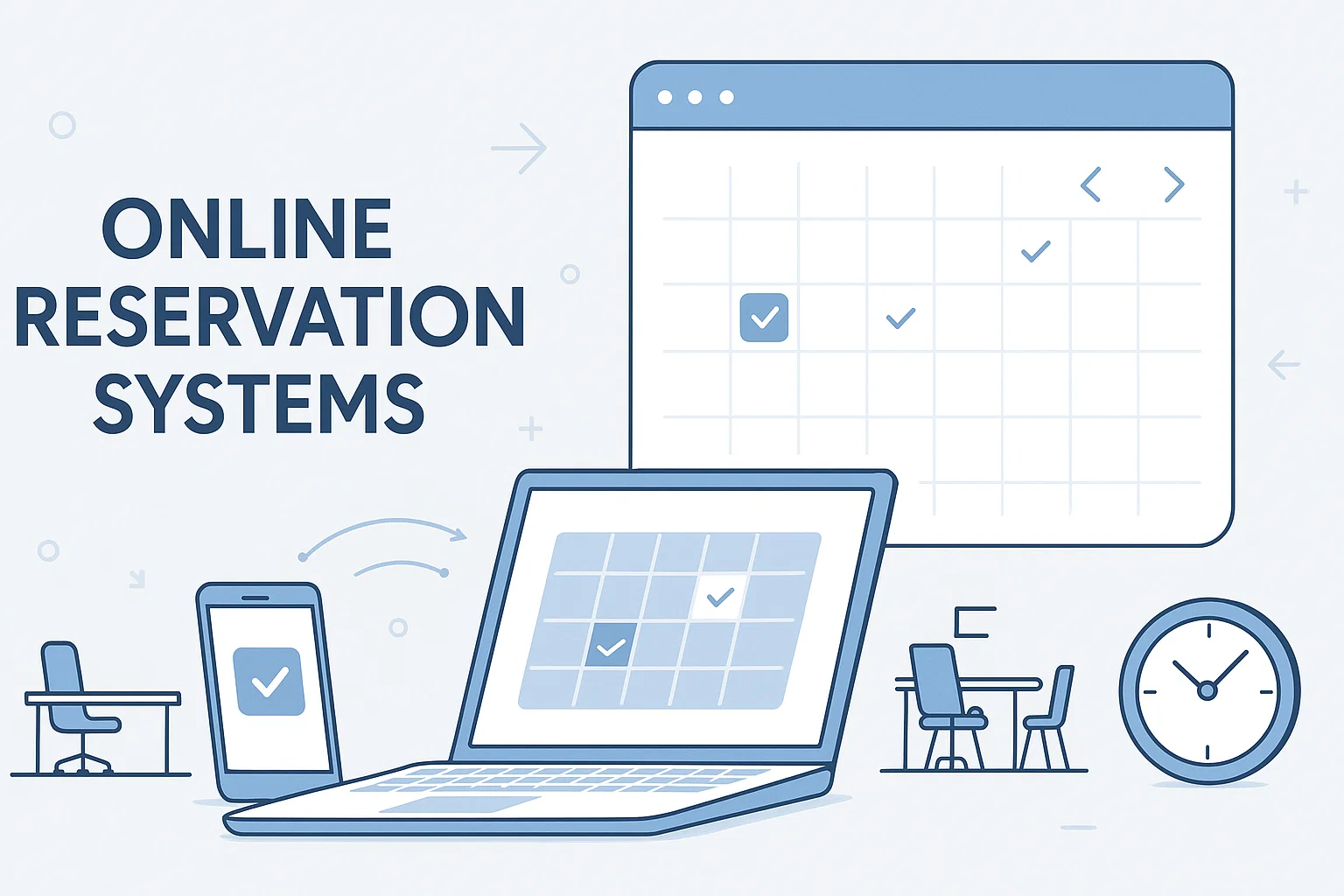
Flexible seating works when employees can answer two questions in under 10 seconds: “Is there a desk available where I want to sit?” and “Where am I sitting today?” Without software, those questions become emails, Slack threads, and frustration.
The minimum software stack for flexible seating is:
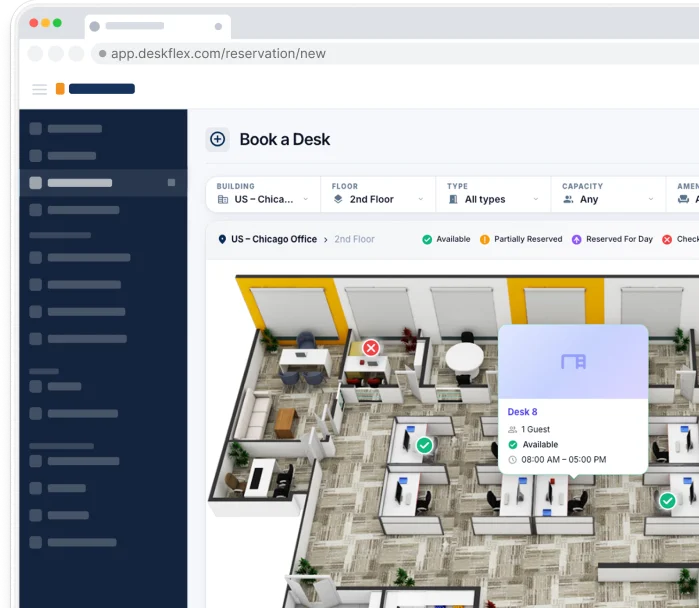
(1) an interactive floor map showing real-time availability,
(2) a booking interface employees actually use (mobile + desktop + ideally Outlook/Teams integration),
(3) check-in to prevent ghost bookings, and
(4) occupancy analytics so FMs can adjust based on real data.
DeskFlex provides this stack desk booking, 3D floor maps, check-in/check-out, and analytics reporting, designed specifically for hybrid offices running flexible seating.
The Bottom Line
Flexible seating isn’t a trend, it’s the structural answer to a workforce that no longer needs to be at one desk five days a week. The companies getting it right aren’t the ones with the most aggressive desk reductions; they’re the ones who picked the model that fit their work, invested in the tooling to make it frictionless, and measured what actually happened so they could adjust.
If you’re evaluating how to implement or upgrade flexible seating in your office, DeskFlex’s desk booking and hybrid work platform handles bookings, 3D floor maps, check-in, and analytics in one system. Book a demo to see it in action.
Frequently Asked Questions (FAQs)
What is flexible seating in an office?
Flexible seating is an arrangement where employees choose where to work each day instead of being assigned a specific desk. It includes hot desking, hoteling, activity-based working, and office neighborhoods.
Is flexible seating the same as hot desking?
No. Hot desking is one type of flexible seating specifically, first-come-first-served with no advance booking. Flexible seating is the broader category that also includes desk hoteling (advance booking), activity-based working, and neighborhood models.
How much office space can flexible seating save?
Most companies right-size by 20–40% when moving from assigned seating to a flexible model, based on the consistent finding that 40–60% of assigned desks sit empty during a typical workday.
What's the ideal desk-to-employee ratio?
Most hybrid offices start at 0.6–0.8 desks per employee, with the exact number set by how many days per week each team is typically in. Lower-attendance teams can go below 0.6; teams in five days a week need 1.0.
What software is needed for flexible seating?
A desk booking system with an interactive floor map, mobile and desktop booking, check-in to prevent no-shows, and occupancy analytics. Most modern hybrid offices also integrate with Outlook, Teams, or Slack so employees can book without leaving their existing workflow.
Do employees actually like flexible seating?
They like the flexibility most surveys show 70–80% of employees prefer some form of flexible arrangement. They dislike pure hot desking when it causes friction. Acceptance is highest with neighborhood and hoteling models where there’s still a sense of “home base” and predictable booking.
What's the biggest mistake companies make?
Rolling out flexible space without rolling out the tooling to navigate it. Without a real-time booking system and clear zoning, flexible seating becomes a chaotic free-for-all that employees resent within weeks.
Is flexible seating right for every company?
No. Companies with full-time in-office workforces, security-sensitive workflows (some legal, finance, or classified government work), or strongly individual-contributor cultures may get less value from it. Flexible seating creates the most value for hybrid teams averaging 2–3 days in the office.


Support
Demo
Blog
Newsroom