


Blog
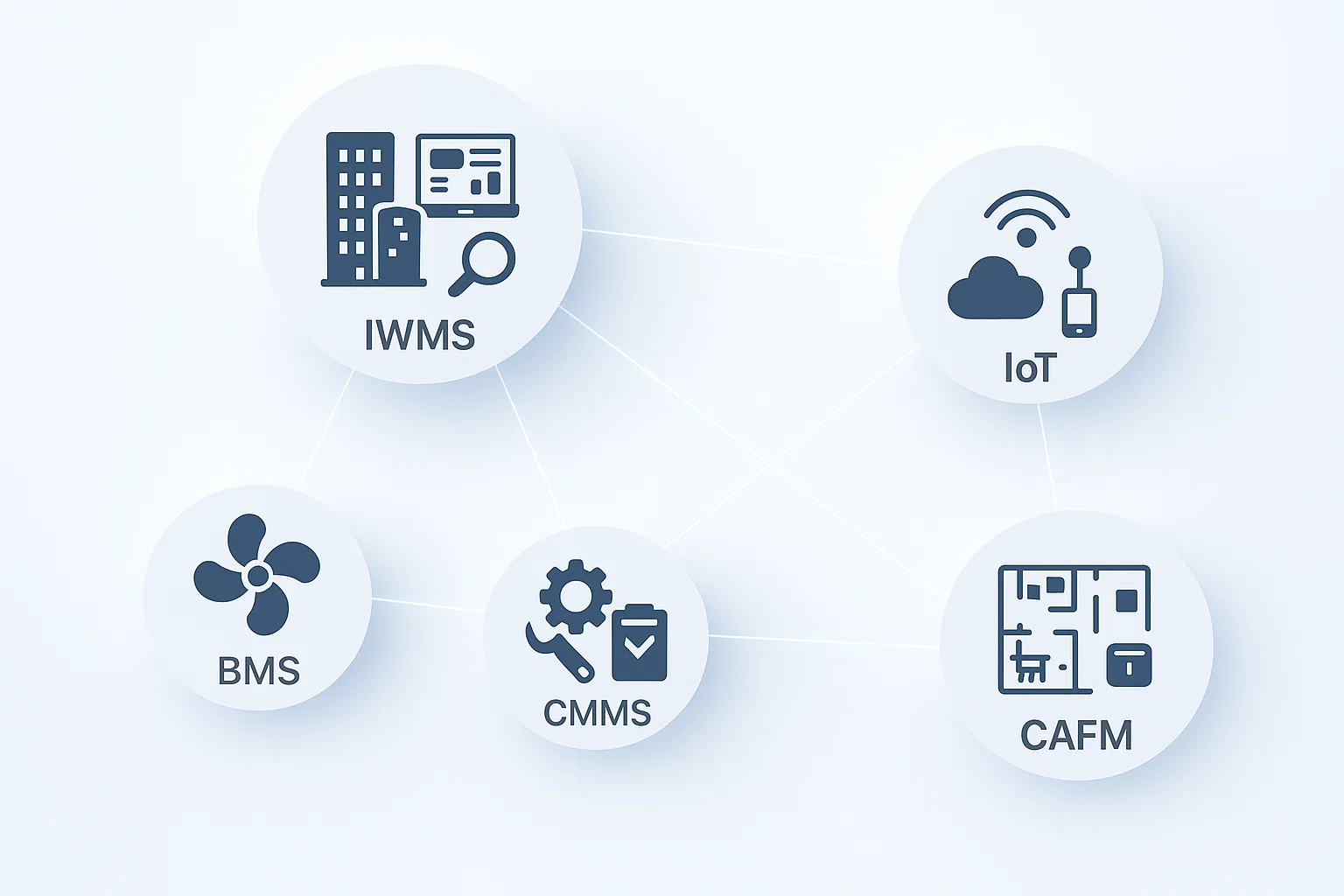
What Is IWMS, IoT, BMS, CMMS, and CAFM? Key Systems in Workspace Management?
As businesses seek more flexible workspaces, real estate prices have increased. This inflation means that even today’s officeholders face growing challenges. To meet these challenges, many organizations implement IWMS solutions that improve their management capabilities.
The DeskFlex Workplace Management System (IWMS) is a comprehensive platform for modern workplace management, enabling businesses to simplify space booking, resource allocation, and maintenance. DeskFlex works with IWMS and IoT technologies to optimize office operations, reduce costs, and support hybrid workplace software models for the modern era.
What Is an Integrated Workplace Management System (IWMS)?
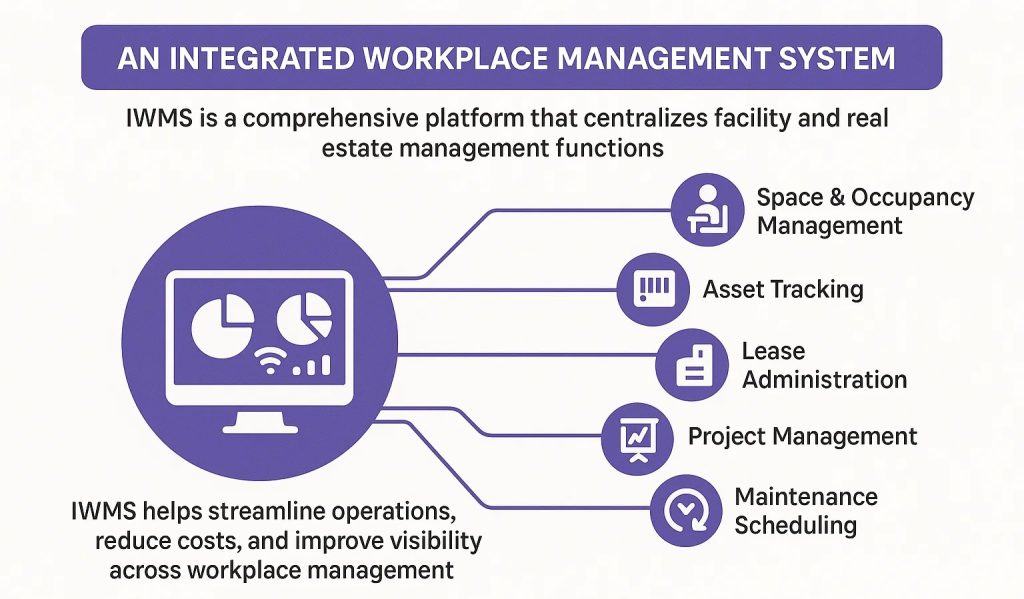
IWMS Meaning:
An Integrated Workplace Management System (IWMS) is a comprehensive platform that centralizes various facility and real estate management functions. It integrates key processes such as space and occupancy management, asset tracking, lease administration, project management, maintenance scheduling, and energy tracking within one unified dashboard.
IWMS helps organizations streamline operations, reduce costs, and improve visibility across all aspects of workplace management. It collects data from multiple systems, enabling better analysis, forecasting, and strategic planning.
Benefits of Integrated Workplace Management System (IWMS)
An Integrated Workplace Management System (IWMS) is a software platform that helps organizations manage their workplace, real estate, facilities, and assets more efficiently from a single system. Below are the key benefits of using an IWMS.
1. Centralized Workplace Management
IWMS brings all workplace-related data—space, assets, maintenance, energy, and real estate—into one centralized platform. This improves visibility, reduces data silos, and enables better decision-making.
2. Improved Space Utilization
By tracking how spaces are used, IWMS helps organizations optimize office layouts, reduce unused space, and support flexible or hybrid work models. This leads to better space planning and cost savings.
3. Cost Reduction and Control
IWMS helps control operational costs by:
Reducing unnecessary real estate expenses
Improving maintenance planning
Lowering energy and utility costs
Preventing asset overuse or underuse
4. Enhanced Facility Maintenance
With preventive and predictive maintenance features, IWMS reduces equipment downtime, extends asset life, and ensures timely repairs, resulting in smoother facility operations.
5. Better Support for Hybrid Work
IWMS supports modern workplace needs such as desk booking, room scheduling, and occupancy tracking—making it easier to manage hybrid and flexible work environments.
6. Increased Employee Productivity & Experience
A well-managed workplace improves comfort, accessibility, and availability of resources. Employees spend less time dealing with space or facility issues and more time focusing on their work.
7. Data-Driven Decision Making
IWMS provides real-time analytics and reports that help leaders make informed decisions about space planning, investments, sustainability, and workplace strategy.
8. Sustainability & Energy Efficiency
By monitoring energy usage and resource consumption, IWMS helps organizations reduce their environmental impact and meet sustainability goals.
9. Scalability for Growing Businesses
IWMS can scale as organizations grow, making it suitable for small businesses, large enterprises, and multi-location operations.
10. Compliance and Risk Management
IWMS helps ensure regulatory compliance, safety standards, and audit readiness by maintaining accurate records and automating compliance-related processes.
What Is the Internet of Things (IoT)?
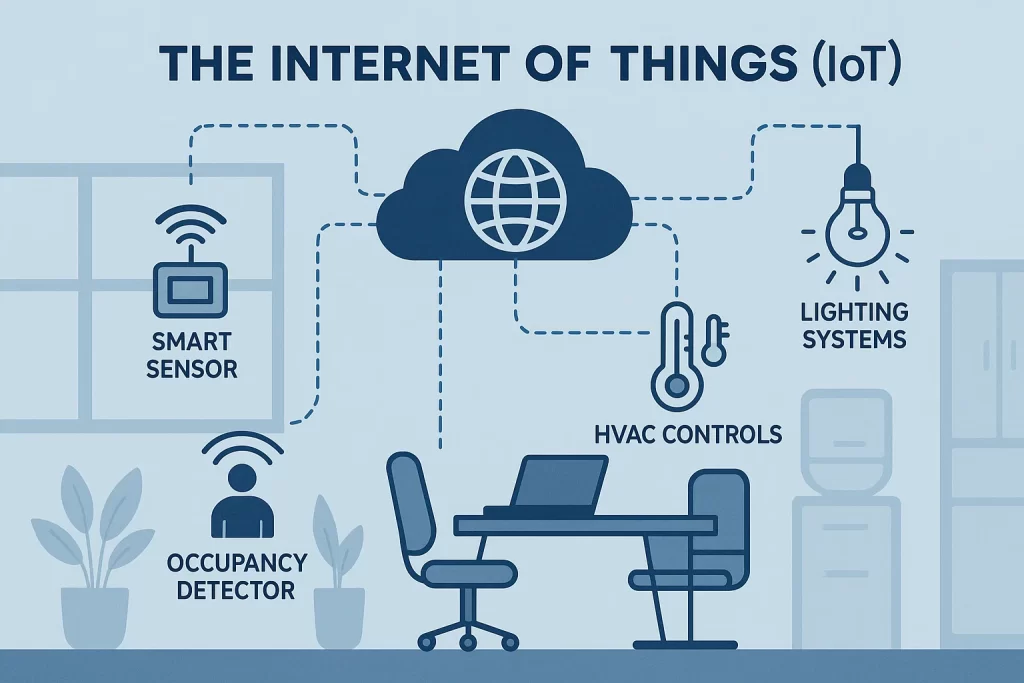
IoT Meaning:
The Internet of Things (IoT) refers to a network of connected devices and sensors that exchange real-time data over the internet. In workplace environments, IoT connects smart sensors, lighting systems, HVAC controls, and occupancy detectors to create intelligent and responsive workspaces.
IoT technology enables buildings to adjust automatically to environmental or occupancy changes, improving both comfort and energy efficiency. It also provides valuable insights into usage patterns and helps organizations make data-driven operational decisions.
Benefits of the Internet of Things (IoT)
The Internet of Things (IoT) refers to a network of connected devices that collect, share, and analyze data in real time. These devices communicate with each other to improve efficiency, automation, and decision-making across industries. Below are the key benefits of IoT.
1. Increased Efficiency and Automation
IoT automates routine tasks by enabling devices to operate with minimal human intervention. This reduces manual effort, speeds up processes, and improves overall operational efficiency.
2. Real-Time Data and Monitoring
IoT devices collect real-time data, allowing businesses to monitor systems, equipment, and environments continuously. This helps in quick decision-making and immediate response to issues.
3. Cost Savings
By optimizing resource usage and reducing downtime, IoT helps lower operational and maintenance costs. Predictive maintenance prevents expensive equipment failures.
4. Improved Productivity
IoT minimizes downtime, streamlines workflows, and allows employees to focus on high-value tasks instead of repetitive monitoring and reporting.
5. Better Decision-Making
With access to accurate and real-time data, organizations can make data-driven decisions that improve planning, forecasting, and performance.
6. Enhanced Customer Experience
IoT enables personalized services, faster response times, and improved product performance, leading to higher customer satisfaction.
7. Predictive Maintenance
IoT sensors detect potential issues before failures occur, helping extend asset life and reduce unplanned downtime.
8. Energy Efficiency and Sustainability
IoT optimizes energy usage by monitoring consumption and automating controls, helping reduce waste and support sustainability goals.
9. Improved Safety and Security
IoT improves safety by monitoring conditions, detecting hazards, and enhancing security through smart surveillance and access control systems.
10. Scalability and Innovation
IoT supports scalable solutions and encourages innovation by enabling new business models, smarter products, and advanced digital services.
What Is a Building Management System (BMS)?
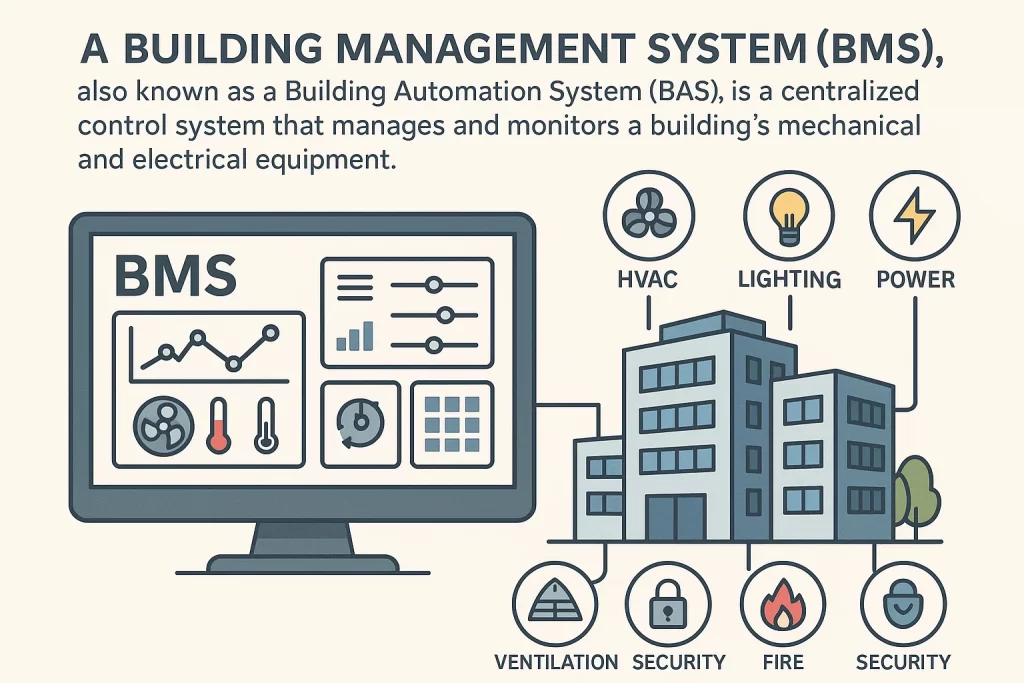
BMS Meaning:
A Building Management System (BMS), also known as a Building Automation System (BAS), is a centralized control system that manages and monitors a building’s mechanical and electrical equipment. This includes heating, ventilation, air conditioning (HVAC), lighting, power, fire systems, and security controls.
BMS improves building performance by ensuring that essential systems work efficiently and safely. It also supports sustainability by optimizing energy consumption and reducing operational costs through automated adjustments and performance tracking.
Benefits of a Building Management System (BMS)
A Building Management System (BMS) is an automated control system that manages and monitors a building’s mechanical and electrical equipment such as HVAC, lighting, power systems, fire safety, and security. Below are the key benefits of implementing a BMS.
1. Improved Energy Efficiency
BMS optimizes energy usage by automatically controlling HVAC, lighting, and electrical systems based on occupancy and demand, resulting in lower energy consumption and reduced utility costs.
2. Centralized Building Control
All building systems are monitored and managed from a single platform. This centralization improves visibility, simplifies operations, and reduces the need for manual system management.
3. Reduced Operating Costs
By automating processes and preventing energy waste, BMS lowers maintenance and operational expenses while improving system performance.
4. Enhanced Occupant Comfort
BMS maintains optimal indoor conditions such as temperature, lighting, and air quality, ensuring a comfortable and productive environment for occupants.
5. Preventive Maintenance & Reduced Downtime
With real-time monitoring and alerts, BMS helps identify issues early, enabling preventive maintenance and reducing unexpected system failures.
6. Improved Safety and Security
BMS integrates with fire alarms, access control, and surveillance systems to enhance safety, improve emergency response, and strengthen building security.
7. Better System Performance & Asset Life
Continuous monitoring ensures equipment operates efficiently, extending the lifespan of assets and reducing replacement costs.
8. Data-Driven Insights
BMS provides analytics and reports that support informed decision-making for energy management, maintenance planning, and building optimization.
9. Sustainability & Environmental Benefits
By reducing energy consumption and emissions, BMS supports green building initiatives and helps organizations meet sustainability and compliance goals.
10. Scalability and Integration
BMS can be expanded and integrated with other systems such as IoT, smart building platforms, and IWMS, making it suitable for buildings of all sizes.
What Is a Computerized Maintenance Management System (CMMS)?
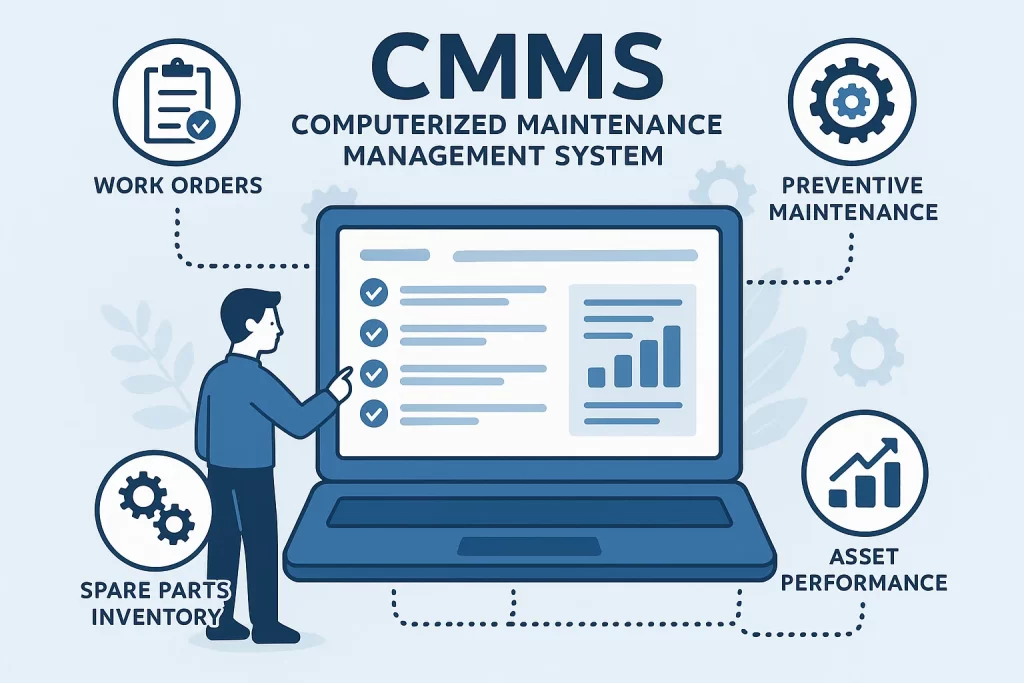
CMMS Meaning:
A Computerized Maintenance Management System (CMMS) is designed to organize and automate maintenance activities. It helps manage work orders, preventive maintenance schedules, spare parts inventory, and asset performance records within a single platform.
CMMS ensures timely maintenance, minimizes equipment downtime, and increases asset lifespan. Through scheduled and predictive maintenance, organizations can prevent disruptions, reduce repair costs, and maintain operational reliability.
Benefits of a Computerized Maintenance Management System (CMMS)
A Computerized Maintenance Management System (CMMS) is software used to manage, track, and optimize maintenance activities, assets, and work orders. Below are the key benefits of implementing a CMMS.
1. Improved Maintenance Efficiency
CMMS automates maintenance scheduling, work orders, and task assignments, reducing manual work and improving team productivity.
2. Preventive & Predictive Maintenance
CMMS enables scheduled preventive maintenance and supports predictive maintenance by tracking equipment performance, helping prevent breakdowns and unexpected downtime.
3. Reduced Equipment Downtime
By identifying issues early and ensuring timely maintenance, CMMS minimizes unplanned downtime and keeps operations running smoothly.
4. Better Asset Management
CMMS provides complete asset histories, including maintenance records, warranties, and lifecycle data, helping extend asset life and improve performance.
5. Cost Control & Savings
CMMS helps reduce maintenance costs by preventing major repairs, optimizing labor usage, and managing spare parts efficiently.
6. Improved Work Order Management
All maintenance requests and work orders are centralized, making it easier to track status, assign tasks, and ensure accountability.
7. Inventory & Spare Parts Control
CMMS tracks spare parts usage and inventory levels, reducing overstocking, stockouts, and unnecessary purchases.
8. Enhanced Compliance & Safety
CMMS helps maintain compliance with safety standards, regulations, and audits by keeping accurate maintenance records and inspection logs.
9. Data-Driven Decision Making
With real-time reports and analytics, CMMS provides insights into maintenance performance, costs, and equipment reliability for better planning.
10. Increased Equipment Reliability & Lifespan
Regular maintenance and performance monitoring improve equipment reliability and extend the useful life of assets.
What Is Computer-Aided Facility Management (CAFM)?
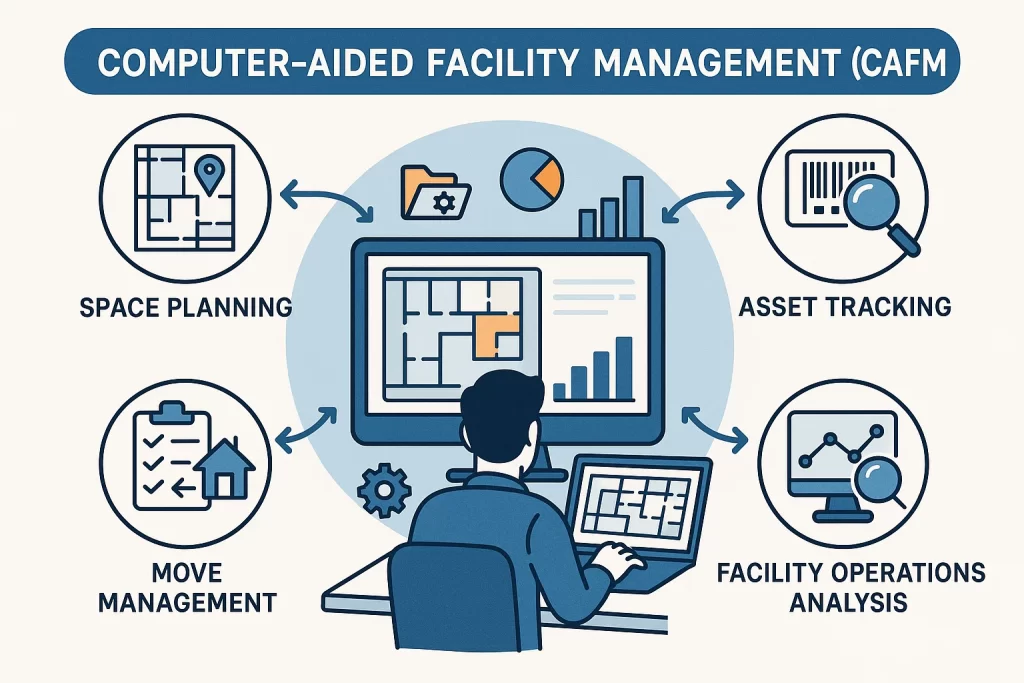
CAFM Meaning:
Computer-Aided Facility Management (CAFM) combines technology and data to enhance the efficiency of managing physical spaces and assets. It provides tools for space planning, asset tracking, move management, and facility operations analysis.
CAFM systems create digital maps of buildings and allow managers to visualize real-time space usage, resource allocation, and equipment placement. This helps organizations optimize layouts, improve workflows, and make informed facility-related decisions.
Benefits of Computer-Aided Facility Management (CAFM)
Computer-Aided Facility Management (CAFM) is software that helps organizations manage facilities, space, assets, and maintenance activities more efficiently. Below are the key benefits of using a CAFM system.
1. Centralized Facility Information
CAFM stores all facility-related data—such as space layouts, assets, maintenance records, and occupancy details—in one centralized system, improving visibility and control.
2. Efficient Space Management
CAFM helps optimize space utilization by tracking occupancy, room usage, and floor plans, reducing wasted space and supporting better space planning.
3. Improved Maintenance Management
With scheduled and preventive maintenance features, CAFM reduces equipment downtime, ensures timely repairs, and improves overall facility performance.
4. Better Asset Tracking
CAFM provides complete asset histories, helping facility managers monitor asset conditions, plan replacements, and extend asset lifecycles.
5. Cost Savings & Budget Control
By improving planning and reducing inefficiencies, CAFM helps lower operating costs, manage budgets effectively, and avoid unnecessary expenses.
6. Enhanced Productivity
Facility teams spend less time on manual tasks and more time on strategic activities, improving overall productivity and service delivery.
7. Improved Reporting & Decision-Making
CAFM provides detailed reports and analytics that support informed decision-making related to maintenance, space usage, and facility investments.
8. Support for Compliance & Safety
CAFM helps maintain compliance with regulations and safety standards by keeping accurate records, inspection schedules, and documentation.
9. Better Workplace Experience
Well-managed facilities improve comfort, safety, and efficiency, leading to higher employee satisfaction and productivity.
10. Scalability & Integration
CAFM systems can scale with business growth and integrate with other systems such as CMMS, BMS, and IWMS for comprehensive facility management.
Importance of These Systems in Workspace Management
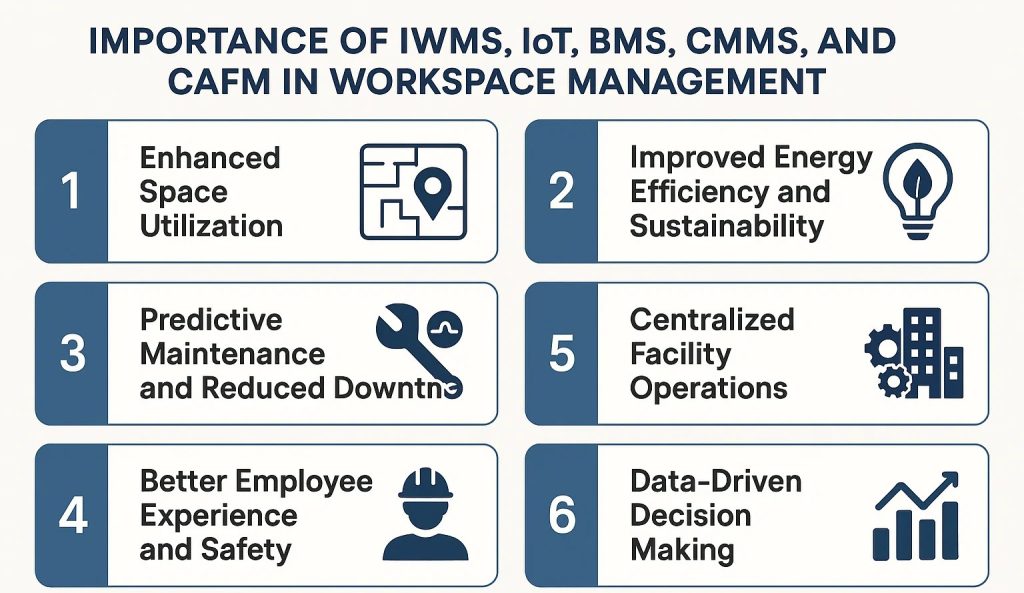
The integration of IWMS, IoT, BMS, CMMS, and CAFM is essential for creating modern, data-driven workplaces. Together, they enable smarter operations, sustainability, and improved employee experiences.
1. Enhanced Space Utilization
IWMS and CAFM provide deep insights into how workspaces are being used. They identify unused areas and help organizations redesign layouts to fit hybrid or flexible work models. This improves occupancy rates and ensures efficient use of office real estate.
2. Improved Energy Efficiency and Sustainability
IoT and BMS technologies optimize energy consumption by automating lighting, HVAC, and other building systems based on real-time occupancy and environmental conditions. This not only reduces energy waste but also contributes to sustainability goals and regulatory compliance.
3. Predictive Maintenance and Reduced Downtime
Through CMMS integration with IoT sensors, maintenance teams can receive alerts before equipment failures occur. Predictive maintenance reduces downtime, prevents costly repairs, and ensures continuous building operations.
4. Better Employee Experience and Safety
Smart systems improve comfort, safety, and convenience for building occupants. Automated temperature control, clean workspaces, and optimized lighting create a healthier, more productive work environment while maintaining high safety standards.
5. Centralized Facility Operations
By connecting multiple systems such as IWMS, BMS, and CMMS, facility managers can control all building operations from a unified interface. This centralization enhances coordination, improves reporting accuracy, and simplifies decision-making.
6. Data-Driven Decision Making
All these technologies collect valuable operational data that can be used for performance monitoring and strategic planning. Real-time analytics help leaders make informed decisions regarding space design, asset management, and resource allocation.
7. Future-Ready Workplace Management
Integrating digital systems like IWMS, IoT, BMS, CMMS, and CAFM prepares organizations for the future of work. These technologies enable flexible, connected, and scalable workplaces that can adapt to evolving business needs and employee expectations.
DeskFlex & IWMS- Integrated Workplace Management System
An Integrated Workplace Management System (IWMS) brings together the management of real estate, facilities, and workplace services. It helps businesses make better use of their space, cut costs, and boost employee productivity. IWMS does this by putting all of your data, workflows, and analytics on one platform.
DeskFlex plays an integral part in the development of IWMS technology by enabling reservations from anywhere. It is not only suitable for those working in the office, but also for those who work remotely. It is simultaneously the number one hot desking software for those who prefer hybrid setups.
DeskFlex Integration
DeskFlex integrates with tools like Outlook, so scheduling meetings and reservations is quick and smooth. It also tracks who uses spaces and equipment, reducing confusion. This integration enables businesses to control resources and space more efficiently.
Flexible Workspace Management
DeskFlex lets your team reserve desks and rooms anytime, from any place. It works smoothly for both office and remote staff. Planning daily work becomes easy for everyone.
Better Space Use and Scheduling
DeskFlex offers features for office hoteling software and facility scheduling software that help businesses maximize the use of every square meter. Companies can identify underutilized areas and enhance operational efficiency by tracking occupancy in real-time.
DeskFlex IoT integration – Internet of Things
The Internet of Things (IoT) refers to devices that are connected to the internet, enabling them to be automated. This kind of networking facilitates remote communication, monitoring, and control of devices. It utilizes electronic monitoring, employing sensors and other devices, to provide users with the best solutions.
The DeskFlex IoT integration connects brilliant desks, motion sensors, and environmental monitors, allowing you to see how many people are using a space and when. This information enables managers to make informed, data-driven decisions that enhance workplace productivity and efficiency.
Energy Savings with IoT
The Deskflex system controls the lighting, air conditioning, and equipment usage in the workplace based on the headcount automatically. Committed to sustainability goals, this technology is instrumental in saving energy and manpower.
Supporting Safe Distancing
DeskFlex utilizes information from IoT sensors to help maintain safe distances and optimize the use of available seating. This proactive approach keeps workers safe and makes the hybrid workplace with DeskFlex better for everyone.
The Occupancy Sensing Office Tower
In one case, a 32-story office building cut its energy use by 38% after installing occupancy sensors and intelligent controls. They saved money by turning off unused HVAC and lights. This results in a multi-million-dollar reduction in annual utility bills.
This evidence supports the conclusion that occupancy-based sensing and intelligent scheduling of HVAC systems can save up to 20% of energy in schools and businesses, while still maintaining comfort and productivity.
DeskFlex BMS integration- Building Management Systems
Building Management Systems (BMS) control and monitor energy consumption, mechanical, and electrical equipment. They manage heating, ventilation, air conditioning, light, and security for effectiveness. BMS enhances the working environment, provides safety, and helps save energy by integrating these functions.
Using the DeskFlex Building Management System will make the communication with HVAC, lighting, and security systems straightforward. Additionally, room reservation details can be easily viewed through the dashboard.
Energy Savings and Automated Comfort
By connecting to DeskFlex, HVAC and lighting systems only operate when needed, which saves energy and money. Users enjoy comfort without needing to manually adjust settings.
Boosting Sustainability and Comfort
DeskFlex helps buildings operate more efficiently by reducing unnecessary power consumption. It supports sustainability goals by reducing energy waste and emissions. Buildings stay cozy and efficient with this intelligent control.
BMS Retrofit and Energy Savings
To improve building control, T. M. Bier & Associates replaced the Trane system at 375 Hudson Street with Schneider Electric controls. They also took advantage of NYSERDA’s demand response program, which helped them operate efficiently and reduce energy consumption in their respective locations. Although there were some issues, it was still possible to implement the upgrades that could help save energy.
DeskFlex CMMS (Computerized Maintenance Management System)
A Computerized Maintenance Management System (CMMS) organizes maintenance tasks by tracking work orders, schedules, and equipment status. This system effectively prevents equipment failure and reduces operational downtime. By centralizing maintenance data, CMMS helps teams respond faster and plan repairs proactively.
Asset Tracking and Maintenance Scheduling
DeskFlex helps track facility assets and schedule maintenance efficiently through its integrated platform. It keeps a clear inventory of equipment and when they need service. This system prevents missing maintenance deadlines and surprises.
Reducing Downtime and Costs
Scheduling maintenance with DeskFlex significantly reduces equipment downtime. Timely upkeep keeps assets working longer without failure. This approach avoids costly emergency repairs and saves money.
Improving Asset Longevity and Cost Efficiency
Using DeskFlex extends the life of facility assets by ensuring regular maintenance. It promotes smart spending by allocating resources where needed most. Managers gain better control of maintenance operations easily.
Predictive Maintenance Saves Repair Costs.
In a facility management firm, IoT sensors detected vibration anomalies in chillers before failure. The CMMS auto-generated work orders and scheduled repairs proactively.
The business minimized the equipment downtimes by 45% and achieved savings of tens of thousands of dollars that would have been spent on repairs.
DeskFlex CAFM (Computer-Aided Facility Management)
Computer-aided facility management software is a tool designed to assist in managing and optimizing the physical workspace. The software includes the functionalities of space planning, asset tracking, and maintenance management, which, in the long run, lead to better facility operations and efficiency.
DeskFlex embodies CAFM by providing real-time desk and room booking capabilities. It enables managers to see which spaces are occupied or free instantly. This capability allows better decisions in space allocation and reduces wasted areas.
Space Planning and Forecasting
DeskFlex is an integral part of space planning because it makes it easy to see workspace use. It helps managers make accurate predictions about the amount of space they will need. This knowledge enables people to make informed decisions about designing and arranging a facility.
Facility Optimization and Resource Allocation
The software maximizes the use of facilities by allocating resources where they are most needed. It makes better use of space and enhances workplace efficiency. Users can quickly adjust their plans based on current data.
Better Reporting for Informed Decisions
DesxFlex specializes in occupancy tracking systems. The company has designed and implemented a state-of-the-art system that collects real-time occupancy data. This feature is beneficial for understanding how to optimize traffic flow in specific areas of the premises. It becomes a conscious choice to decide how to allocate available space.
Space Optimization Case
IoT sensors and analytics made it easier to plan and control the use of rooms at Vodafone’s London headquarters. They combined data streams from various buildings, mapped occupancy, and ensured that the layout aligned with actual demand. This results in better space efficiency and lower real estate costs.
Benefits of DeskFlex Integrations
Holistic Workplace Experience
The integrations lead to a better user experience (UX) with DeskFlex. They allow great operational ease in managing conference rooms, workstations, and assets. Employees are not required to switch between different media while scheduling or doing any other related activities.
Hybrid Workplace Readiness
The system supports hybrid work by allowing flexible reservations from anywhere. Staff can plan office visits that fit their schedules smoothly. This readiness helps companies adapt to modern work styles.
Improved Team Member Experience
DeskFlex improves team member experience with integrations into Outlook. With these integrations, scheduling meetings and workspaces becomes effortless for the employees. Employees feel more connected and organized at work.
Cost Reduction + Efficiency
DeskFlex helps companies cut costs by maximizing space use and streamlining processes. It reduces underused areas and unnecessary spending. This efficiency saves money and resources long term.
Conclusion
Modern workspace management depends on how well organizations understand and use systems like IWMS, IoT, BMS, CMMS, and CAFM. Each plays a unique role in improving efficiency, sustainability, and comfort within the workplace. Together, they form the foundation of intelligent office environments where data, automation, and connectivity drive better decision-making. As businesses continue to evolve, adopting these technologies ensures a more flexible, secure, and productive workspace that meets the demands of today’s workforce and prepares for the challenges of tomorrow.
Ready to experience how these technologies can transform your workspace? Explore how DeskFlex integrates these systems to create smarter, more efficient office environments.
Frequently Asked Questions (FAQs)
What is the difference between IWMS, CAFM, and CMMS?
Integrated Work Management System (IWMS) is a comprehensive system that allows a corporation to efficiently organize its property and material resources to comprehend strategic planning effectively.
Computer-Aided Facility Management (CAFM) automates its daily operational processes and effectively manages repairs and maintenance services. CMMS streamlines the management of preventive maintenance by ensuring that equipment is maintained correctly.
How does IoT improve workplace management systems?
IoT improves workplace management by constantly gathering data on temperature, air quality, and lighting to keep spaces comfortable. It helps identify equipment problems early, allowing for repairs to occur before breakdowns disrupt work.
This technology also automates maintenance tasks, saving time and reducing costs while maintaining the efficiency and reliability of systems.
Why should companies integrate DeskFlex with BMS?
Companies should integrate DeskFlex with BMS to create a comprehensive workplace management system tailored to their specific needs.
DeskFlex makes programming easy and provides users with a high level of control. Integration makes buildings work better and makes workers happier.
By doing this, managers can gather more information. Thus, they can make more informed decisions, backed by data, which will lead to efficient facility management, maximized resource use, uncomplicated scheduling, and a robust decision-making process.
Can a WMS help reduce facility management costs?
Of course, a Workplace Management System (WMS) facilitates the efficient use of space and planning, thereby reducing overcrowding.
Desk booking systems eliminate the possibility of both desk double booking and individual disarrangements, which can particularly affect the overall budget and office atmosphere for the better.
In other words, your system presents the presence or absence of the overhead to the building occupants.
What are the benefits of CAFM software in workplace management?
By automating maintenance and space scheduling tasks, CAFM software streamlines workplace management, saving time and reducing errors.
It makes tenants more comfortable by ensuring the climate is right and the system correctly monitors the air quality. The system also facilitates easier communication between teams and residents, resulting in smoother operations and increased satisfaction.
How do CMMS and IWMS work together?
CMMS primarily manages maintenance tasks by processing work orders and monitoring the health levels of equipment. In contrast, IWMS improves the utilization of space, assets, and other buildings.
Both help each other whenever they make an effort to integrate valuable information, thereby increasing the capacity for maintenance and achieving a high level of workspace occupancy.
Is DeskFlex only for large enterprises or also for small businesses?
DeskFlex offers adaptable software suitable for various types of companies, whether they are big or small. It covers even the most distinct and individual preferences and can also adapt to the growth of the organization.
Our services include on-site training and professional support to ensure a smooth implementation for businesses of any size.
What features make DeskFlex an innovative workplace management system?
DeskFlex addresses clients’ concerns about reservation management. The use of local kiosks, web browsers, desktop systems, and many other devices enables the grouping of reservations, quick check-ins, and the smooth operation of the front office.
These companies’ System Engineers can modify DeskFlex to fit your business perfectly, making it the most suitable solution for you.
How can DeskFlex help hybrid workplaces optimize space?
DeskFlex displays employees with real-time availability information, allowing them to book desks and rooms from anywhere, including from home. It helps managers monitor occupancy and avoid wasting space.
Additionally, the ability to book through kiosks and web browsers makes it quick and easy for everyone.
Why is IoT important for modern office booking systems?
IoT enhances office booking systems by providing them with real-time information about workspace utilization and the current weather conditions. It monitors the lighting, temperature, and occupancy levels in a space to ensure it’s ready and comfortable.
This technology helps keep the workplace running smoothly and stops problems like double bookings.